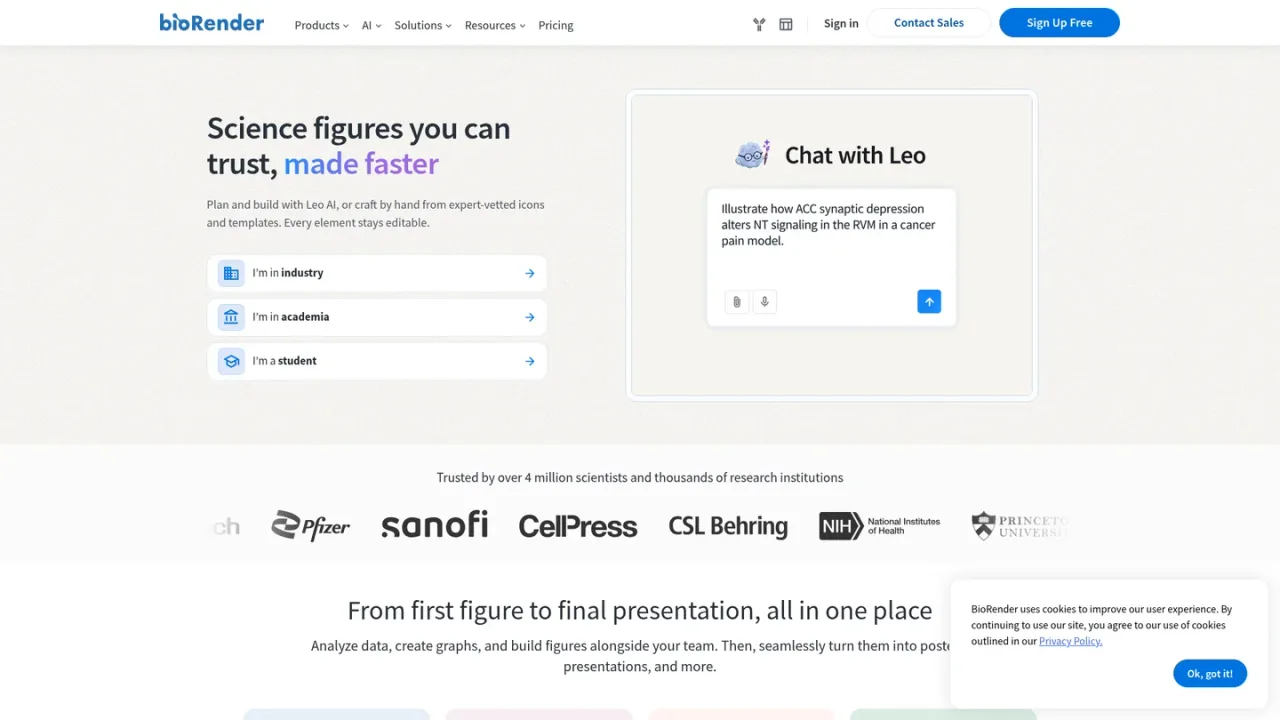
BioRender is a browser-based scientific visualization platform built for life science researchers, labs, and industry teams. It combines Leo AI and AI-assisted figure generation with a library of 50,000+ expert-vetted icons and 5,000+ templates, so users can plan and build figures, flowcharts, protocols, timelines, and graphical abstracts without design expertise. BioRender Graphing turns raw CSV, Excel, or Prism data into publication-quality charts with guided statistical analysis, and Poster Builder supports full-sized research posters. Figures stay fully editable and can be exported at high resolution or into PowerPoint and Google Slides. Access ranges from a free plan with limited figures to Individual, Lab, and Institution subscriptions, plus student plans and optional Graphing and AI add-ons.
How to use BioRender
1
Create an account
Sign up free at app.biorender.com/signup, or sign in if you already have a BioRender account.
2
Start from an icon or template
Search the icon library or template gallery, or describe your figure to Leo AI to generate an editable first draft.
3
Build and refine the figure
Customize icons, colors, labels, and layout in the browser editor; AI tools can restyle images, remove backgrounds, and adjust elements.
4
Add graphs or a poster
Import CSV, Excel, or Prism data into BioRender Graphing, or lay out a full-sized research poster with Poster Builder.
5
Export with a license
Export high-resolution images, and on a paid plan generate a publication license and citation URL during export.
BioRender Features
Leo AI and AI-assisted figure generation from scientific prompts
50,000+ expert-vetted icons and 5,000+ templates across 30+ life science fields
Fully editable figures, flowcharts, protocols, and timelines
BioRender Graphing with guided statistical analysis and R-computed results
Scientific Poster Builder with PDF, PNG, and JPG export
3D protein models from the Protein Data Bank (PDB)
Real-time co-editing, commenting, and version history
Export to PowerPoint and Google Slides, plus publication license and citation generation
BioRender Use Cases
Creating journal-ready figures and graphical abstracts
Building figures for grant applications
Designing conference posters and presentation slides
Turning raw assay data into publication-quality graphs
Illustrating experimental protocols and workflows
Collaborating on figures across a lab or institution
BioRender FAQs
BioRender offers a free plan with access to the icon library, up to 3 figures, 1 Graphing file, and free AI credits. Free plan figures cannot be used for publication or commercial purposes.
Leo is BioRender's AI figure builder that plans and builds figures with you, generating custom editable figures from a scientific prompt.
Figures made on a paid plan can be used in journal publications. When exporting, you can request a publication license that generates a license and unique citation URL.
Exporting with a publication license generates a citation and URL in the form "Created in BioRender. Smith, J. (2025). BioRender.com/c248457." Place it per your journal's preference.
Yes. Figures can be exported as SVG or PNG for use in Illustrator or PowerPoint, and paid plans can export editable images to PPT.
It supports t-tests, one- and two-way ANOVAs with nonparametric alternatives, dose-response modeling with EC50/IC50, standard-curve interpolation, and Kaplan-Meier survival analysis, all computed in R.
Yes. Drag and drop Prism files into Graphing and your graphs are recreated in BioRender style with analyses intact.
You can try a paid BioRender account free for 14 days. A credit card is required to activate, and you can cancel at any time during the trial without being charged.
Prices are from the Academic tab of the official pricing page in USD; the Industry tab pricing was not captured. Individual is $35/mo paid annually; Lab is $99/mo for 5 seats paid annually (or $129 monthly), extra seats +$20/mo. The Free plan prohibits publication and commercial use. A 14-day free trial is available. Student discounts exist. Checked 2026-11-19.
Free
$0USD / per month
Basic exploration and design; no commercial use or publication.
Create up to 3 figures
Create 1 Graphing file
Free credits for AI tools
Templates designed by experts
Upload your own images and icons
Create 3D models from the Protein Data Bank (PDB)
No commercial use or publication
Individual
$35USD / per month, paid annually
Premium access for 1 user with academic publishing rights.
All Free plan features
Unlimited figures
High-res exports, no watermarks
Create slide decks
Export editable images to PPT
Review and commenting features
Customize icons to any color
Illustrate more with color gradients
Additional font choices
Academic publishing rights
Lab
$99USD / per month for 5 seats, paid annually
Premium access for up to 19 users; extra seats +$20/mo; $129 monthly if not annual.
All Individual plan features
Centralized team management
Admin panel access
Consolidated lab-wide billing
Team collaboration features
Share figures with Shared Folders
Real time in-app co-editing
Live customer support
Academic publishing rights
Institution
Contact sales
Premium access for 20+ users; custom pricing via Contact Us.
All Lab plan features
Volume discounts
Manage multiple labs and teams
Custom branding kit for your org
Dedicated account support
Sitewide logins or SSO
Onboarding seminars and webinars
Usage data and metrics
Academic publishing rights
BioRender Graphing (add-on)
$15USD / per seat per month, billed annually
Graphing add-on for data import, analysis guidance, and graph customization.
File import for CSVs, Excel, and Prism files
Analysis guidance with pre-tests, reasoning, and outlier detection
Graph customization with BioRender styling
Unlimited graphing files and dataset uploads
AI-Assisted Figure Generation (add-on)
$4USD / per month (starting price)
AI figure generation add-on; adjustable plans available.
Leo by BioRender AI that plans and builds figures
Custom editable figures from any scientific prompt