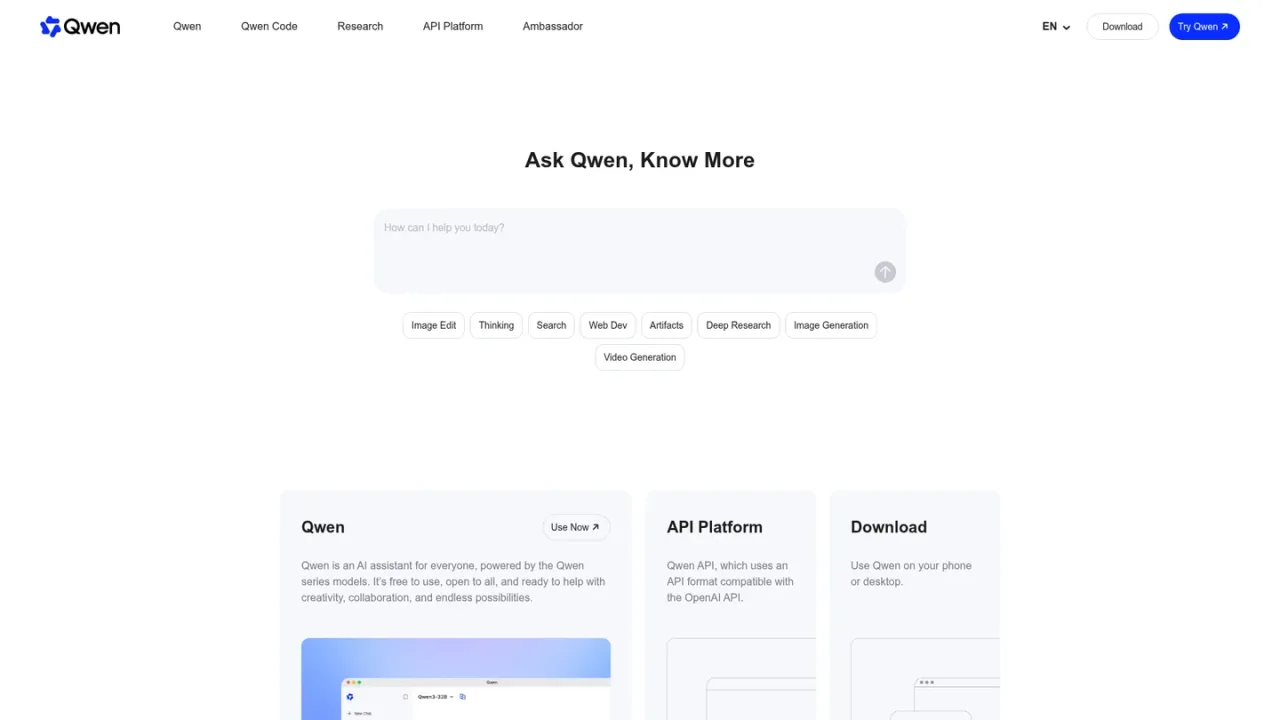
Qwen is an AI assistant for everyone, powered by the Qwen series models. It is free to use and open to all, supporting creativity, collaboration, and a wide range of tasks. The assistant combines chat with intelligent web search, advanced reasoning through Thinking mode, and multimodal understanding that processes text, images, audio, and video together. Users can generate and edit images with Qwen VLo, run multi-step Deep Research to produce comprehensive reports, and build complete webpages from natural-language prompts using Web Dev. An API Platform compatible with the OpenAI API format is also available for developers. Qwen runs on web, iOS, Android, macOS, and Windows, making it accessible across devices for research, content creation, coding, and everyday problem-solving.
How to use Qwen
1
Open Qwen on the web
Visit qwen.ai and select Use Now to start a conversation with the assistant.
2
Try a specialized feature
Choose from Image Generation, Deep Research, Web Dev, Thinking, Search, or Multimodal Understanding to handle specific tasks.
3
Download the app
Install Qwen on iOS, Android, macOS, or Windows from the Download section.
4
Access the API
Developers can use the API Platform, which follows an OpenAI-compatible API format.
Qwen Features
AI chat assistant powered by Qwen series models
Intelligent web search with contextual understanding
Thinking mode for advanced reasoning and problem-solving
Multimodal understanding of text, images, audio, and video
Image generation and editing with Qwen VLo
Deep Research agent for multi-step analytical reports
Web Dev generates complete webpages from natural-language prompts
OpenAI-compatible API Platform for developers
Available on web, iOS, Android, macOS, and Windows
Qwen Use Cases
Researching topics and finding relevant information across the web
Generating and editing images for creative projects
Producing comprehensive reports on complex subjects with Deep Research
Building functional webpages from natural-language descriptions
Solving complex problems with advanced reasoning
Analyzing and combining information from text, images, audio, and video
Qwen FAQs
Yes, the official homepage states that Qwen is free to use and open to all.
Qwen is available on the web, iOS, Android, macOS, and Windows.
Deep Research is an intelligent agent system that performs multi-step searches and analytical summaries to deliver comprehensive reports for complex tasks.
Web Dev lets you create a complete, ready-to-use webpage from a natural-language prompt, with clean code and modern design, without coding or design skills.
Yes, Qwen VLo can generate images from scratch, modify images, transfer styles, and combine multiple elements.
Qwen has multimodal understanding capabilities and can process text, images, audio, and video simultaneously.
Yes, the Qwen API Platform uses an API format compatible with the OpenAI API.
Thinking mode enables advanced reasoning and problem-solving, leveraging real-time internet data to deliver logical and actionable solutions.
Qwen Official Information
Website
https://qwen.ai/
Qwen Pricing
Free
Qwen is described as free to use and open to all on the official homepage. No paid plans are listed.
Free
0
Qwen is free to use and open to all, providing access to the assistant and its features.
Access to the Qwen AI assistant
Image generation and editing with Qwen VLo
Deep Research multi-step reports
Web Dev webpage generation from prompts
Multimodal understanding of text, images, audio, and video