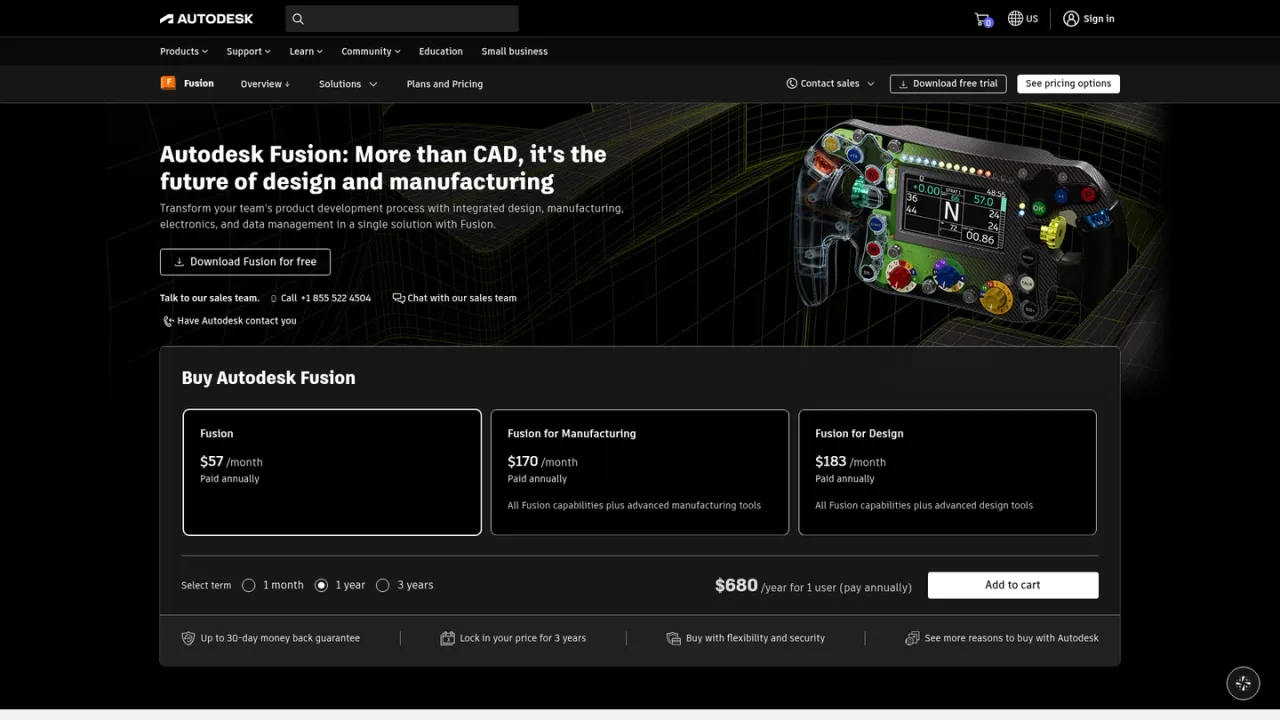
Autodesk Fusion is an integrated, cloud-connected product development platform from Autodesk. It brings 3D CAD, CAM, CAE simulation, electronics and PCB design, data management and collaboration into one environment, so teams can move from concept and modeling through validation and manufacturing without switching tools. Parametric, direct, surface, freeform and mesh modeling support complex parts and assemblies, while AI-powered tools such as generative design, AutoConstrain and Automated Drawings help reduce repetitive work. It is aimed at product designers, engineers, manufacturers, electronics engineers and machine shops. Fusion runs as a desktop app on Windows and macOS, with browser access for viewing and working with designs online. A 30-day free trial is available, and paid subscriptions are offered with monthly, 1-year and 3-year terms.
How to use Autodesk Fusion
1
Start a trial or subscription
Download the 30-day free trial or choose a paid Fusion subscription with a monthly, 1-year or 3-year term.
2
Install the desktop app
Install Fusion on Windows or macOS; project data, version control and collaboration are managed through Autodesk's cloud.
3
Model parts and assemblies
Use parametric, direct, surface, freeform and mesh modeling tools to create and refine parts and assemblies.
4
Validate and document
Validate designs with simulation tools and generate manufacturing-ready 2D drawings, including with Automated Drawings.
5
Prepare for manufacturing
Use CAM toolpaths and the same design data for 3D modeling, drawings and manufacturing handoff to reduce rework.
Autodesk Fusion Features
Integrated 3D CAD, CAM, CAE, electronics/PCB design and data management
Parametric, direct, surface, freeform and mesh modeling
Simulation and validation tools
CAM toolpaths and manufacturing handoff from the same design data
Built-in PDM with version control and centralized project data
AI-powered generative design, AutoConstrain and Automated Drawings
Cloud-native collaboration with browser access to designs
Extendable with cloud PLM via Fusion Manage
Autodesk Fusion Use Cases
Industrial product development and mechanical design
Automotive components and tooling
Electronics and PCB design
Machine shop and manufacturing workflows
Design-to-manufacturing handoff with linked drawings and CAM
Autodesk Fusion FAQs
It is an integrated, cloud-based product development platform combining 3D CAD, CAM, CAE, electronics/PCB design, data management and collaboration in one environment.
Product designers, engineers, manufacturers, electronics engineers, design and manufacturing teams, machine shops and product development organizations.
Yes. It includes generative design, AutoConstrain for sketch constraints and Automated Drawings that generate manufacturing-ready 2D drawings from 3D models.
It runs as a desktop app on Windows and macOS but is cloud-native; project data, version control, collaboration and many compute-intensive features are managed through Autodesk's cloud, and designs can also be accessed in a browser.
Yes, a 30-day free trial is available.
Fusion is listed at $680/year for a 1-year term in the US; monthly and 3-year terms are also offered, and actual pricing may vary by region and partner.
Yes, Fusion can be extended with cloud PLM through Fusion Manage.
Yes. Teams use the same design data for 3D modeling, drawings and CAM, so changes flow from design to documentation and manufacturing.
Autodesk Fusion Official Information
Company
Autodesk
Website
https://autodesk.com/products/fusion-360/overview
Contact
https://www.autodesk.com/support/contact-support
Autodesk Fusion Pricing
Paid
Prices shown are US suggested retail prices in USD for a 1-year subscription term; monthly and 3-year terms are also offered. Actual retail price is subject to currency fluctuation and excludes taxes, and partner pricing may vary.
Fusion Subscription
$680USD / year
Paid subscription to Autodesk Fusion, listed at $680/year for a 1-year term. Monthly and 3-year terms are also available.
Cloud-based product design for manufacturing
3D modeling, electronics, simulation and data management
Desktop app on Windows and macOS with browser access
AI-powered tools including generative design and Automated Drawings