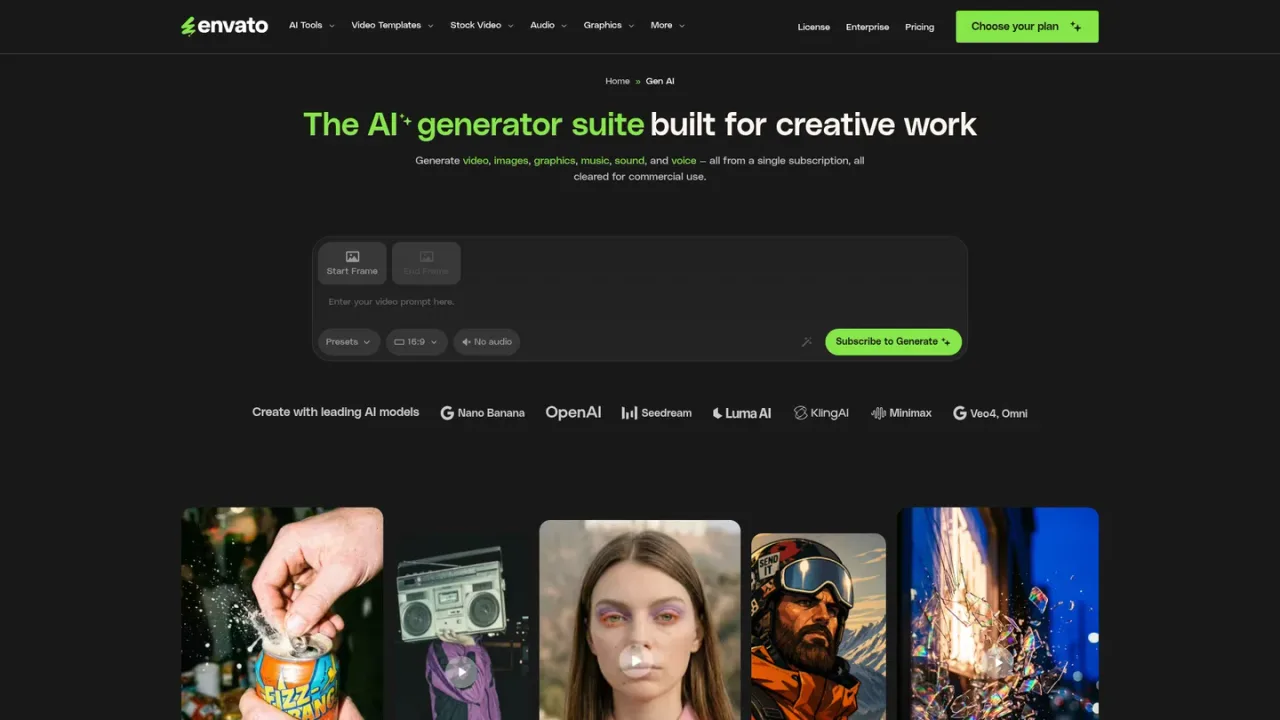
Envato AI is a generative suite inside Envato Elements for creating images, video, graphics, music, sound and voice from prompts, with commercially licensed output.
Envato AI is the generative AI suite within Envato Elements, built for creative work. From a single subscription, creators can generate video, images, graphics, music, sound effects and voiceovers using text prompts, presets and reference styles, drawing on leading models such as Nano Banana, Google Gemini Omni, Kling, Runway and ElevenLabs. It is aimed at designers, editors and creators who want AI generation alongside a large stock asset library, and includes tools like an image editor for background removal, object erasing and upscaling, plus a mockup generator. Burst mode turns one idea into six creative directions for a single credit. AI actions draw from plan-based AI credits, with the exact cost shown before generating, and output is covered by a commercial license. Access is through paid Envato Elements plans, with AI availability on selected Enterprise plans.
How to use Envato AI
1
Choose a plan
Subscribe to an Envato Elements plan that includes AI Tools; AI access on Enterprise depends on the selected plan.
2
Open an AI tool
Pick a tool such as AI Image, AI Video, AI Music, AI Voice, AI Graphics or AI Sound from the AI Tools hub.
3
Enter a prompt or reference
Describe what you want with a text prompt, and where supported add presets, start and end frames or a reference style.
4
Check credit cost and generate
Review the exact AI credits required before generating; most image, graphic, voice and sound actions start at 1 credit, while video may start at multiple credits.
5
Refine and download
Use options like Vary, More like this and Polish, or Burst mode for six directions per credit, then download the commercially licensed result.
Envato AI Features
AI image generation from text prompts in diverse styles
AI image editing to remove backgrounds, erase objects and upscale
AI video generation from static images and text prompts
AI graphics generation for icons and illustrations with a reference style
AI music generation with text prompts and presets
AI voice generation for professional voiceovers from text
AI sound generation for project-ready sound effects
Burst mode turning one idea into six directions for a single credit
Commercially licensed output under a lifetime commercial license
Access to leading models such as Nano Banana, Gemini Omni, Kling, Runway and ElevenLabs
Envato AI Use Cases
Generating unique visuals and graphics for creative projects
Producing video clips from static images and prompts
Creating background music and sound effects for videos
Turning scripts into voiceovers
Removing backgrounds and upscaling images for design work
Exploring multiple creative directions quickly with Burst mode
Envato AI FAQs
You can generate video, images, graphics, music, sound effects and voiceovers from text prompts, presets and reference styles, and edit images by removing backgrounds, erasing objects and upscaling.
AI actions draw from AI credits, and the exact amount is shown before generating. Most image, graphic, voice and sound actions start at 1 credit, while video generation may start at multiple credits.
It uses a mix of models such as Nano Banana, Google Gemini Omni, Kling, Runway and ElevenLabs, with model availability subject to change.
Burst mode turns one idea into six creative directions for a single credit, generated up to 10x faster, so you can compare them side by side.
They are the number of AI actions you can run at the same time, drawing from your AI credits across different AI tools up to your plan's limit.
Envato states that anything you create or download is covered by its lifetime commercial license.
AI Tools are available on selected Enterprise plans; existing customers can contact their Account Manager, and AI access and credit limits depend on the account plan and terms.
Core suits creatives who rely on stock assets and want to try AI Tools, Plus is for making AI part of the creative process, and Ultimate offers multiple levels of AI credits for demanding workflows.
Envato Elements plans are paid subscriptions; AI usage is counted in AI credits that vary by generation type, with the exact amount shown before generating. AI Tools are available on selected Enterprise plans. Prices are not listed in the supplied pages.
Core
Entry Envato Elements plan for creatives who rely on stock assets to move fast and want to try out AI Tools.
Unlimited stock asset downloads across the catalog
Access to AI Tools to try out AI generation
AI usage counted in plan-based AI credits
Plus
Mid-tier plan for those who want to make AI part of their creative process and level up their workflow.
Unlimited stock asset downloads across the catalog
Higher level of AI usage than Core
AI usage counted in plan-based AI credits
Ultimate
Top individual plan for the most demanding creative workflows, offering multiple levels of AI credits.
Unlimited stock asset downloads across the catalog
Multiple levels of AI credits
Suited to demanding creative workflows
Enterprise
Plan for businesses, agencies, educational institutions and government entities needing extra flexibility, security and support.
AI Tools available on selected Enterprise plans
AI access and credit limits depend on account plan and terms