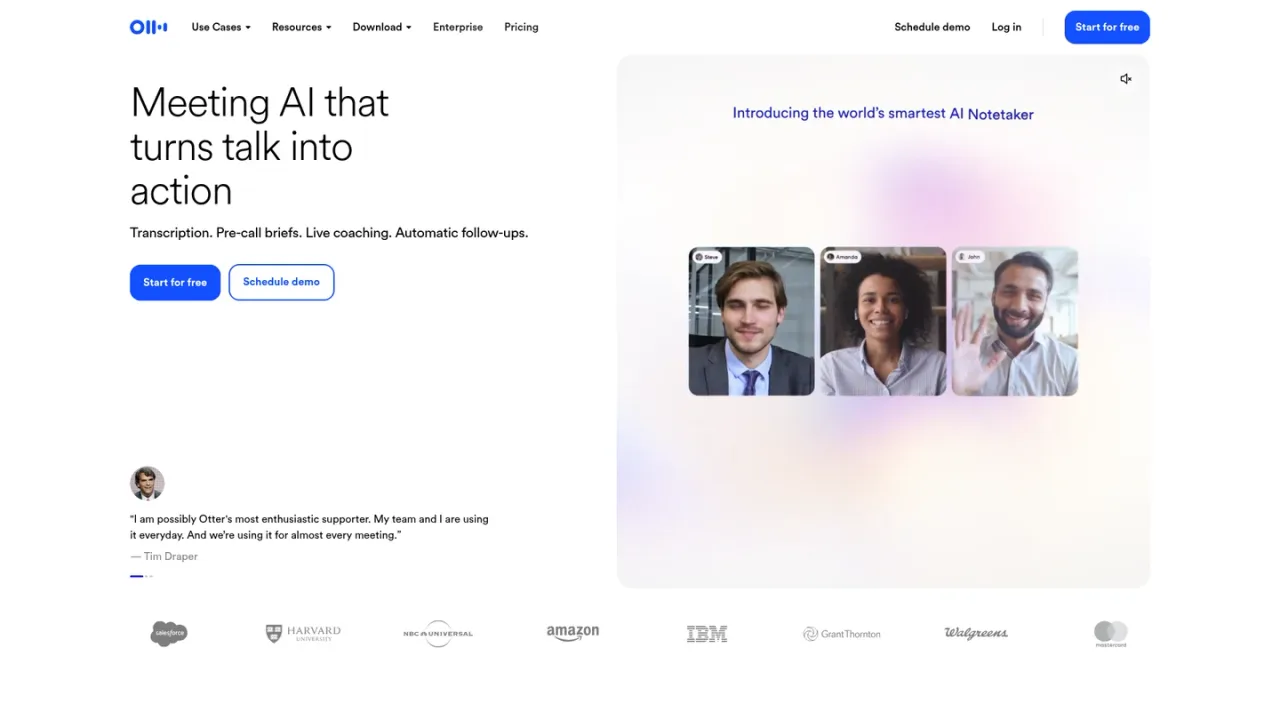
Otter.ai is an AI meeting notetaker and conversational knowledge engine. It records and transcribes meetings from desktop, mobile, or browser, identifies speakers, and produces summaries with decisions and action items. Otter AI Chat searches across meetings and connected apps to answer questions and draft follow-ups, reports, and content. Pre-call briefs, live coaching, and CRM sync support sales, education, media, and recruiting workflows. Channels group recordings by team or project. A free Basic plan offers 300 monthly transcription minutes; paid Pro, Business, and Enterprise tiers add higher limits, advanced workflows, and admin controls.
How to use Otter.ai
1
Create an account
Sign up for Otter Basic for free at otter.ai/signup, or log in if you already have an account.
2
Capture a conversation
Record directly from the Mac or Windows desktop app, mobile device, or browser, or let the AI notetaker join Zoom, Microsoft Teams, or Google Meet meetings.
3
Review transcript and summary
After recording, open the conversation to see live transcription with speaker identification, automated summaries, action items, and outlines.
4
Ask Otter AI Chat
Use Otter AI Chat to search across meetings and connected apps, answer questions, and create follow-ups, reports, and content.
5
Organize with Channels
Group meetings by team, project, or topic in Channels so collaborators can find recordings and work in a shared space.
Otter.ai Features
Live transcription in multiple languages with speaker identification
Automated summaries with decisions, action items, and outlines
Otter AI Chat searches across meetings and connected apps
Pre-call briefings and live-assist coaching
Automatic CRM sync for sales insights
Channels to organize meetings by team, project, or topic
Desktop app for bot-free recording on Mac and Windows
Integrations with Zoom, Microsoft Teams, Google Meet, Slack, Salesforce, HubSpot, and Zapier
Otter MCP server for AI chat tools like ChatGPT and Claude
Otter.ai Use Cases
Sales teams capturing call notes, coaching, and CRM updates
Educators and students transcribing lectures and study sessions
Media professionals transcribing interviews and production meetings
Recruiters capturing candidate insights and follow-ups
Teams organizing meeting knowledge in shared Channels
Individuals generating meeting summaries and action items
Otter.ai FAQs
Otter.ai is an AI meeting notetaker and conversational knowledge engine that transcribes meetings, generates summaries and action items, and answers questions across your meeting history.
The Basic plan includes 300 monthly transcription minutes per user, with a shared pool across transcription types and no rollover.
Basic allows up to 30 minutes per conversation, Pro up to 90 minutes, and Business and Enterprise up to 4 hours.
Yes, Otter can join Zoom, Microsoft Teams, and Google Meet meetings to automatically write and share notes, with concurrent meeting limits varying by plan.
Otter provides AI transcription in English, Spanish, French, German, Japanese, and Chinese.
Yes, a 20% discount is available on Otter Pro Monthly and Annual plans for individual students and teachers using an email address ending with .edu.
Otter accepts credit and debit cards on the Otter.ai website, as well as in-app purchases billed through the Apple App Store or Google Play.
Yes, Otter offers an MCP server that lets AI chat tools like ChatGPT and Claude securely access your meeting knowledge.
Prices in USD. Annual billing saves up to 51%. Student and teacher discount available for Pro plans with .edu email. Salesforce and HubSpot integrations subject to user limits.
Basic
$0USD / month
Free forever plan for those who want to try Otter, with limited monthly transcription and basic meeting features.
300 monthly transcription minutes per user
3 lifetime audio/video file imports
Live transcription with speaker identification
AI Chat within and across meetings
Otter MCP server
Pro
$16.99USD / month
For individuals and small teams, with higher recording limits, advanced AI workflows, and integrations. Annual billing available at $8.33/user/month.
1,200 in-app recording minutes per user
10 monthly audio/video file imports
Up to 90 minutes per meeting
Unlimited storage
Salesforce, HubSpot, Zapier integrations
Business
$30USD / month
For medium-sized teams, with unlimited meetings and recordings, custom AI workflows, and enhanced admin features. Annual billing available at $19.99/user/month.