✳ainav.
Notion AI screenshot
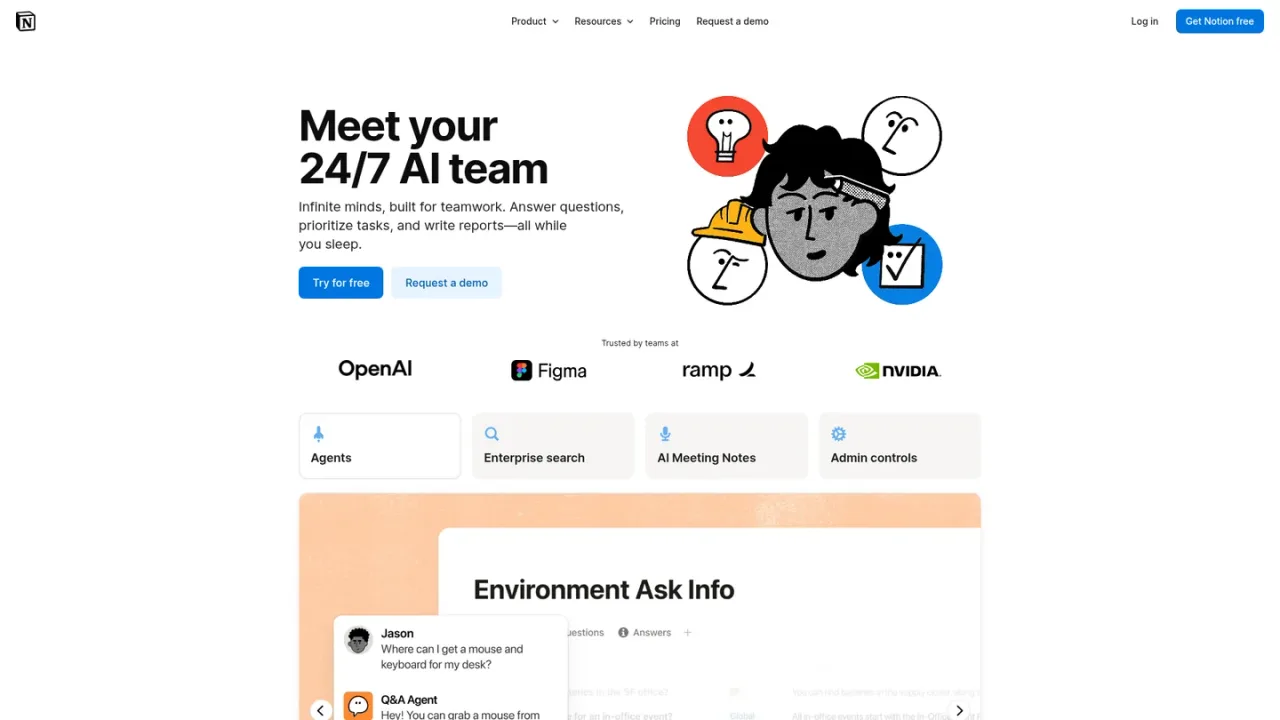
Notion AI website preview

PRODUCT OVERVIEW

What is Notion AI?

Notion AI is a built-in AI teammate that works directly inside Notion pages, docs, tasks, and databases, so teams can complete work without switching tools. It includes Notion Agent for on-demand chat and task execution, Custom Agents that run autonomously on schedules or triggers, Enterprise Search across Notion and connected apps like Slack and Google Drive, AI Meeting Notes for transcription and summaries, Research Mode, inline AI blocks for drafting and editing, page translation, and database creation and Autofill. It is designed for individuals and teams that want AI assistance grounded in their workspace context. Notion AI is included with Business and Enterprise plans, while Free and Plus plans get limited trial usage; Custom Agents run on Notion credits.

How to use Notion AI

  1. 1

    Open Notion AI in your workspace

    Sign in to Notion and access Notion AI from your workspace, where it can use context from pages, databases, and connected apps you have access to.

  2. 2

    Chat with Notion Agent

    Ask Notion Agent to take on tasks, answer questions, or create and edit pages and databases using workspace context.

  3. 3

    Build a Custom Agent

    Go to the Agents section in the sidebar, create an agent from AI chat, a template, or scratch, then configure instructions, triggers, and access.

  4. 4

    Use AI Autofill in databases

    Hover over a database property, select AI Autofill, and choose Basic or Custom Agent Autofill to summarize, extract, translate, or tag entries.

  5. 5

    Search across connected apps

    Use Enterprise Search to find answers across your Notion workspace and connected tools such as Slack, Google Drive, and GitHub.

Notion AI Features

Notion Agent for on-demand chat and task execution

Custom Agents that run autonomously on schedules or triggers

Enterprise Search across Notion and connected apps

AI Meeting Notes for transcription and summaries

Inline AI blocks for drafting, editing, and translation

Database creation and AI Autofill

Research Mode for detailed reports and summaries

Model-agnostic workflows with admin controls

Notion AI Use Cases

  • Onboard a new hire

  • Go from brainstorm to roadmap

  • Automate weekly reporting

  • Triage product feedback

  • Resolve support tickets in Slack

  • Respond to security alerts faster

Notion AI FAQs

Notion AI works inside your pages, docs, tasks, and databases to chat, search, write, translate, and automate work. It includes Notion Agent, Custom Agents, Enterprise Search, AI Meeting Notes, Research Mode, and AI blocks.

Notion AI is included with Business and Enterprise plans. Free and Plus plans get a limited amount of trial AI usage.

Custom Agents automate recurring work for your team. They run on triggers or schedules in the background and act only on the pages, databases, and external apps you grant access to.

Notion credits are an add-on for Business and Enterprise plans that cover additional AI usage, including Custom Agents. Each run uses credits based on how much work the agent does.

Notion states that Notion AI will not use your data to train models unless you opt in to share your data. Contractual agreements with AI subprocessors prohibit using customer data to train their models.

Yes. Enterprise Search can find answers across your Notion workspace and connected tools such as Slack, Google Drive, and GitHub.

Yes. Notion AI can create databases with views and properties, and AI Autofill can populate database properties with summaries, key info, translations, or tags.

Notion Agent is on-demand and helps you draft, edit, summarize, and answer questions while you work. Custom Agents run autonomously in the background based on triggers and schedules.

Notion AI Official Information

Company
Notion Labs, Inc.
Website
https://notion.com/product/ai
Support
team@makenotion.com
Documentation
https://www.notion.com/help/notion-ai-faqs

Contact ↗

Notion AI Pricing

Freemium

Prices are shown in USD per seat per month. Notion AI is included with Business and Enterprise plans; Free and Plus plans include limited trial AI usage. Custom Agents run on Notion credits, which admins can purchase as an add-on.

Free

$0USD / per seat / month

For individuals to organize personal projects and life, with limited trial access to Notion AI.

  • Trial AI capabilities like generating docs or autofilling databases
  • Basic forms
  • Basic sites
  • Notion Calendar
  • Databases including subtasks, dependencies, and custom properties

Plus

$10USD / per seat / month

For small teams and professionals to work together, including a trial of Notion AI.

  • Trial of Notion AI
  • Custom forms
  • Custom sites
  • Unlimited charts
  • Basic connections to tools like Slack and Google Drive

Business

$20USD / per seat / month

For growing businesses to streamline teamwork, with Notion AI features included and monthly AI credits.

  • Notion Agent for complex, multi-step tasks
  • Custom Agents for autonomous repetitive work
  • AI Meeting Notes and Enterprise Search (beta)
  • 1,500 Standard credits and 500 Select credits per seat / month
  • SAML SSO and granular database permissions

Enterprise

/ custom pricing

For organizations that need scalability, control, and security, with everything in Business plus enterprise controls.

  • Zero data retention with LLM providers
  • User provisioning (SCIM)
  • Advanced security and controls
  • Audit log
  • Customer success manager

COMMUNITY REVIEWS

Notion AI User Reviews

Reader reviews

No reviews yet.

Share your experience with Notion AI

Sign in to share your experience. Your display name, rating and review will be public after approval. One review per account per tool.

Your rating