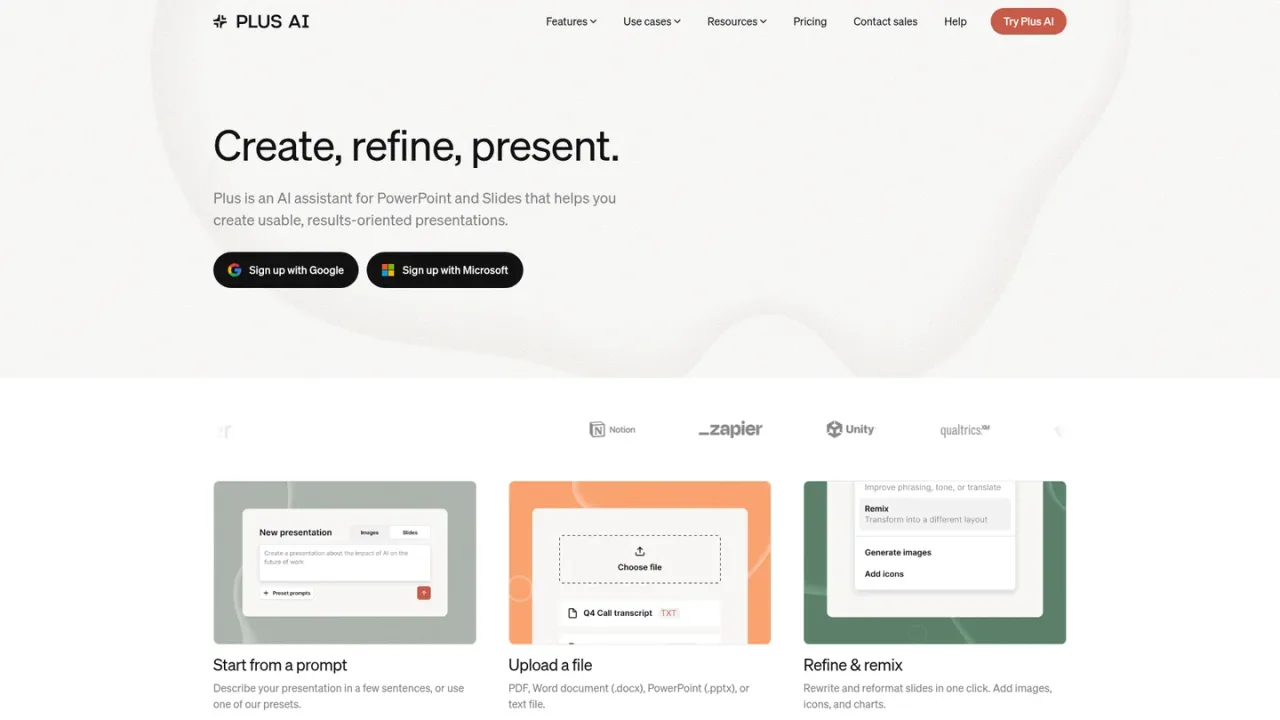
Plus AI is an AI presentation assistant that works as a native add-on inside PowerPoint and Google Slides, so decks are created and edited where you already build slides. It generates full presentations or single slides from a prompt, converts PDFs, Word documents, and text files into decks, and refines existing slides with rewrite, remix, and reformat tools. It adds AI-generated images, icons, charts, and tables, supports custom branding and templates, and works in nearly any language. A Presentation Agent API and MCP server let AI agents and developer tools produce native PPTX files. It suits consultants, sales and marketing teams, educators, and developers. Access starts with a 7-day free trial with 1,000 AI credits, followed by paid plans.
How to use Plus AI
1
Install the add-on
Sign up with Google or Microsoft and install the Plus AI extension for PowerPoint or Google Slides.
2
Generate from a prompt
Describe your presentation in a few sentences or pick a preset to generate a full deck.
3
Convert a document
Upload a PDF, Word document, PowerPoint file, or text file and convert it into slides.
4
Refine and remix
Use Insert, Rewrite, and Remix to add slides, adjust wording and tone, and reformat layouts.
5
Connect AI agents
Add the Plus AI MCP server URL in an MCP-capable client and sign in with your Plus AI account to create or edit decks.
Plus AI Features
Generate full presentations or single slides from a prompt
Convert PDFs, Word documents, PowerPoint files, and text files into slides
Rewrite, remix, and reformat existing slides with AI
Add AI-generated images, icons, charts, and tables
Custom branding with logo, colors, and fonts on the Team plan
Custom templates and shared libraries for teams and enterprise
Works in nearly any language, including translation
Presentation Agent API and MCP server for AI agents and developer tools
Native PPTX and Google Slides output compatible with existing templates
SOC 2 Type II compliance
Plus AI Use Cases
Consultants building client pitch decks
Sales and marketing teams producing on-brand presentations
Educators and course creators preparing teaching slides
Startups creating investor and company update decks
Developers adding presentation generation to AI workflows via the MCP server or API
Teams converting reports and documents into slide decks
Plus AI FAQs
Yes. Plus AI is a native add-on for both PowerPoint and Google Slides, and a subscription includes access to the extension in both apps.
Yes. All paid plans start with a 7-day free trial that includes 1,000 AI credits and full access to the chosen plan's features. A credit card is required, and only new customers are eligible.
Yes. You can upload PDFs, Word documents (.docx), PowerPoint files (.pptx), and text files and convert them into PowerPoint or Google Slides presentations.
Yes. The Insert tab lets you create individual slides from a prompt or a longer piece of text, giving more control than generating an entire deck.
Yes. The Remix feature reformats or converts existing slides, even plain text, into new layouts and designs.
Tasks typically use between 40 and 170 credits depending on complexity. Basic includes 1,500 credits per month, Pro 3,000, Team 6,000, and Max offers unlimited credits.
Yes. The Plus AI MCP server lets MCP-capable clients such as ChatGPT and Claude create and edit native PowerPoint decks. It requires a Pro, Team, or Max plan, and agent runs use your AI credits.
Plus AI encrypts sensitive data in transit and at rest and has attained SOC 2 Type II compliance. Details are available on its security page.
All paid plans start with a 7-day free trial including 1,000 AI credits; a credit card is required and only new customers are eligible. Prices shown per user/month, billed annually; monthly billing is higher.
Basic
$10USD / per user/month, billed annually
Entry plan for individuals who need to create basic presentations. Costs $15 per user/month when billed monthly.
Create AI presentations in Google Slides and PowerPoint
1,500 AI credits per month
Insert single slides in a specific format
Rewrite and remix slides with AI
Pro
$20USD / per user/month, billed annually
For individuals and teams needing advanced AI features. Costs $25 per user/month when billed monthly.
Everything in the Basic plan
3,000 AI credits per month
Document uploads (PDF, docx, txt)
100K+ character prompts
Generate AI images, MCP server and Presentation API, unlimited team members
Team
$30USD / per user/month, billed annually
For individuals and teams that need to stay on brand. Costs $40 per user/month when billed monthly.
Everything in the Pro plan
6,000 AI credits per month
Customize branding with logo, colors, and fonts
Use advanced AI image models
Save presets and custom AI instructions; shared preset library
Max
$200USD / per user/month, billed annually
For power users and teams who use the AI Agent every day. Costs $240 per user/month when billed monthly.