
Plus AI
AI presentation assistant that creates and edits native PowerPoint and Google Slides decks from prompts, documents, and existing slides.
AI Productivity ToolsFreemium
AI Presentation Tools
PRODUCT OVERVIEW
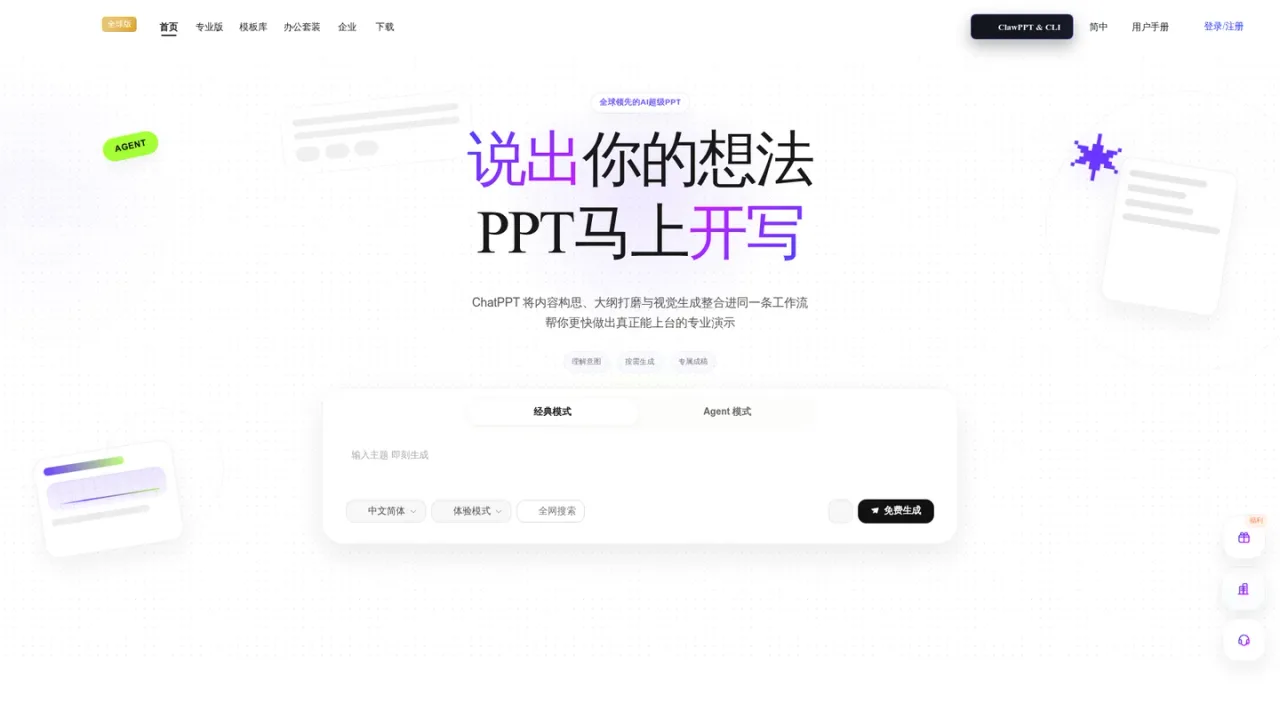
ChatPPT is an AI presentation tool built around an agent-native workflow. You describe a topic or supply source material such as Word, PDF or XMind files, web links, images and meeting notes, and the agent clarifies intent, reshapes the logic and builds an outline before matching layouts and visuals. It offers both a classic mode and an Agent mode, supports intent understanding, smart outlines and dynamic expansion, and lets you keep refining slides after delivery. Finished decks export as standard PPTX with full editability, so individuals and teams can continue editing for formal presentations and reviews. Access runs through a free generation entry point plus paid membership tiers that unlock AI creation benefits and point-based usage.
Enter a core theme in the prompt box and choose classic or Agent mode; the agent builds a complete logical structure.
Upload Word, PDF or XMind documents, paste a web link, or add images and meeting notes to be parsed and reorganized.
Check the generated smart outline and ask the AI to adjust focus or add conclusions before visuals are applied.
Export the result as a standard PPTX file and continue editing for presentations or team review.
Building an industry trend or annual analysis deck from a topic
Converting reports and documents into presentation structure
Extracting key points from a web page into slides
Turning meeting notes into a summary presentation
Drafting marketing or strategy plans for review
It accepts a topic prompt, Word, PDF and XMind documents, web links, images via OCR, and meeting notes, then reorganizes them into presentation content.
Yes. Decks export as standard PPTX with full editability, so you can keep modifying them for formal presentations and team reviews.
Both generate presentations; Agent mode adds deeper intent understanding and logic reshaping, aligning the outline before layouts and visuals are applied.
Yes, it produces a smart outline first and can dynamically expand it, letting you align the expression logic before visuals are matched.
The site describes point-based deduction for AI generation, PPT beautification, document parsing, creative drawing and smart editing, with a free generation entry point.
The homepage offers a free generation option, while membership upgrades unlock additional AI creation benefits.
Yes, Word, PDF and XMind files can be parsed to extract key points and rebuild the structure into slides.
A help center and FAQ are linked from the site footer, along with user manuals and service agreements.
The site shows a free generation entry point and paid membership upgrades (SVIP) with point-based AI usage; no specific plan amounts were listed on the supplied page.
See the official website for current pricing.
COMMUNITY REVIEWS
No reviews yet.
AI presentation assistant that creates and edits native PowerPoint and Google Slides decks from prompts, documents, and existing slides.

iFlytek Zhiwen generates Word and PPT documents from a topic or long text, with AI writing, auto images, templates and multilingual output.

AI visual communication platform for creating presentations, documents, websites, social visuals, and graphics from prompts, outlines, or files.