✳ainav.

AI Data Collection & Extraction Tools

Introduction
Synthetic data platform for generating, de-identifying, and subsetting realistic data to accelerate development, testing, and AI model training.
Added on
11/21/2026
Pricing
Freemium
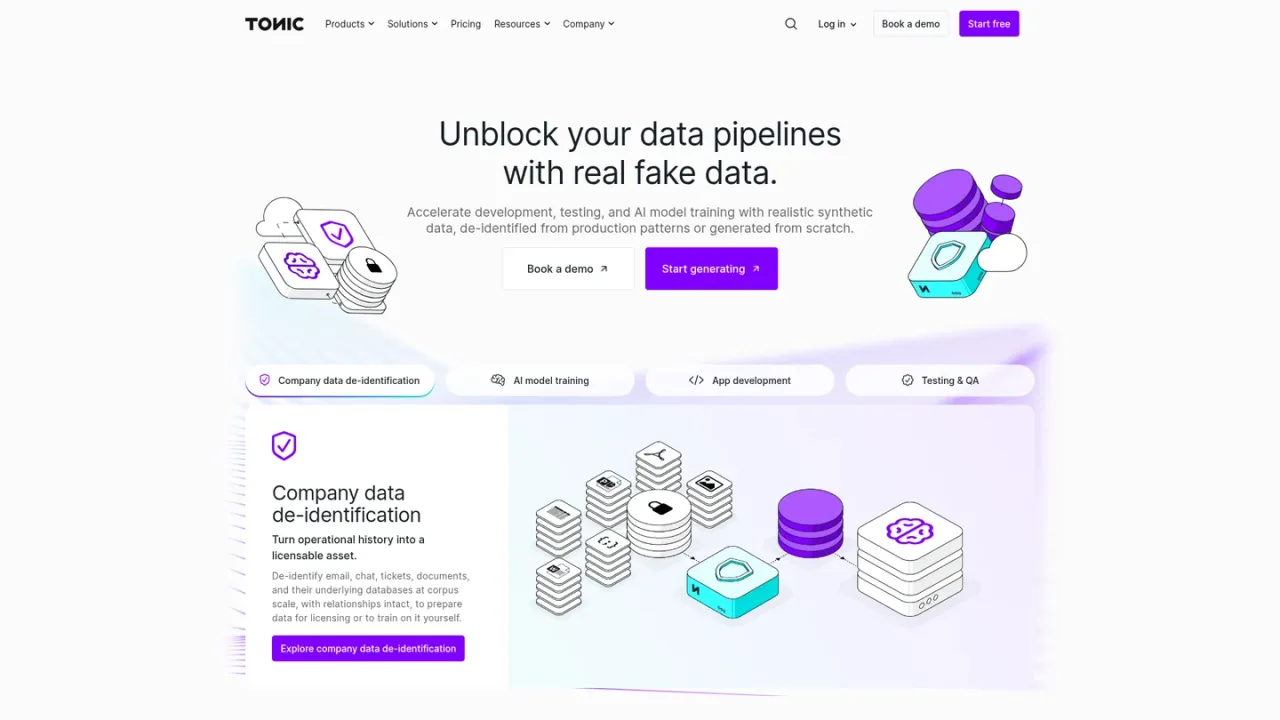
Tonic AI screenshot
Tonic AI website preview

PRODUCT OVERVIEW

What is Tonic AI?

Tonic AI is a synthetic data platform built around three products: Tonic Fabricate, which generates relational databases, unstructured datasets, and mock APIs from scratch via an AI agent; Tonic Structural, which de-identifies, subsets, and synthesizes structured and semi-structured data while preserving referential integrity; and Tonic Textual, which detects, redacts, and synthesizes sensitive free text, documents, and files. Teams use it to unblock data pipelines, hydrate test environments, train and evaluate AI models, and support compliance workflows in regulated industries. Access options include a free start for Fabricate, pay-as-you-go and enterprise plans for Textual, and annual contracts for Structural.

How to use Tonic AI

  1. 1

    Start with Tonic Fabricate

    Open the Fabricate web app to generate synthetic relational data, free-text, and mock APIs from natural-language prompts, uploaded schemas, or sample data.

  2. 2

    De-identify structured data with Tonic Structural

    Connect a database, configure generators and sensitivity rules, and run jobs to mask, tokenize, or synthesize structured and semi-structured data while preserving referential integrity.

  3. 3

    Redact unstructured data with Tonic Textual

    Upload or connect free-text files and documents, detect sensitive entities with NER models, then redact, tokenize, or replace them with synthetic values.

  4. 4

    Use the Fabricate MCP server

    Connect MCP-compatible clients such as Claude or Cursor to Fabricate to generate synthetic data without leaving those tools.

  5. 5

    Deploy Textual self-hosted

    Run Tonic Textual in your own Kubernetes or Docker environment and integrate with Amazon S3, Google Cloud Storage, or Azure Blob Storage.

Tonic AI Features

AI-agent synthetic data generation for relational databases, free-text, and mock APIs

De-identification, subsetting, and synthesis of structured and semi-structured data

NER-based detection, redaction, and reversible tokenization of sensitive free text and documents

Referential integrity preservation across complex schemas

Custom entity types and custom detection models

Fabricate MCP server for use from Claude, Cursor, and other MCP clients

Python SDK and REST API for Textual pipelines

Self-hosted deployment options for Textual via Kubernetes or Docker

Integrations with relational databases, data lakes, NoSQL databases, flat files, and SaaS applications

Tonic AI Use Cases

  • Generating realistic test data for application development and QA

  • Training and fine-tuning AI models on privacy-safe synthetic datasets

  • De-identifying production data for development and testing in regulated industries

  • Redacting sensitive information from documents, free text, and files

  • Creating domain-specific datasets for sales demos and agentic workflow prototyping

  • Enriching vector stores with NER metadata to improve RAG performance

Tonic AI FAQs

Tonic AI offers Tonic Fabricate for generating synthetic data from scratch, Tonic Structural for de-identifying and subsetting structured data, and Tonic Textual for redacting and synthesizing unstructured data.

Fabricate uses an AI agent that interprets natural-language prompts, uploaded schemas, or sample data to create relationally consistent, domain-specific datasets that can be refined in real time.

Yes. Tonic Structural maintains primary and foreign key relationships across complex schemas so applications and tests behave as expected after de-identification.

Textual handles plain text, PDFs, scanned images, Word, Excel, PowerPoint, CSV, JSON, XML, HTML, and audio, and can synthesize PDFs in several languages while matching original fonts.

Yes. Textual can be deployed self-hosted with Kubernetes or Docker and integrates with Amazon S3, Google Cloud Storage, and Azure Blob Storage.

Textual pricing is volume based on the number of words processed, with a flat rate per 1,000 words and sublinear scaling that discounts larger volumes; annual contracts allocate a bank of words for the year.

Annual Tonic Structural pricing depends on the selected plan and the amount of source data connected, with volume discounts as more data is connected.

Yes. The Fabricate MCP server connects MCP-compatible clients such as Claude and Cursor directly to Fabricate so you can generate synthetic data without leaving those tools.

Tonic AI Official Information

Company
Tonic AI, Inc.
Website
https://tonic.ai/
Support
hello@tonic.ai
Documentation
https://www.tonic.ai/docs
Contact
https://www.tonic.ai/contact

Tonic AI Pricing

Freemium

Tonic Fabricate plans are shown; Structural and Textual use different pricing. Paid amounts use USD according to the official pricing page currency configuration. Checked 2026-11-19.

Fabricate Free

$0USD / per month

Explore data synthesis via agentic AI with $10 of monthly credits (work email required).

  • $10 of monthly credits (work email required)
  • Basic data export options
  • Mock APIs and test harnesses
  • API and MCP access
  • Support via Discord
  • Deployment via Tonic Cloud

Fabricate Plus

$29USD / per month

Generate synthetic data at scale with $25 of monthly credits and pay-as-you-go for additional usage.

  • $25 of monthly credits
  • Pay-as-you-go for additional usage
  • Validation agent
  • Support via Discord and email
  • Deployment via Tonic Cloud

Fabricate Enterprise

Contact sales

Orchestrate enterprise-grade workflows at scale with live database connections, masking, and enterprise controls.

  • Live connection to production databases
  • Database masking with privacy scans and reports
  • Unlimited data sources, types, and users
  • Project versioning
  • Custom and pooled usage with centralized billing
  • SSO, RBAC, and unlimited workspaces
  • Bring your own LLM
  • Training opt-out
  • Dedicated customer support manager
  • Deployment via Tonic Cloud or self-hosted

View official pricing ↗

COMMUNITY REVIEWS

Tonic AI User Reviews

Reader reviews

No reviews yet.

Share your experience with Tonic AI

Sign in to share your experience. Your display name, rating and review will be public after approval. One review per account per tool.

Your rating