tutorials
n8n tutorial: return a minimal feedback packet before adding AI
Configure Webhook, Edit Fields and Respond to Webhook to inspect a three-field synthetic feedback packet. A documentation-based tutorial, not a claimed test run.
Before attaching a model to a feedback automation, make the handoff data visible. A workflow that silently carries an email address, request headers, or an internal note into the next node has a boundary problem even if its eventual summary sounds good.
This n8n tutorial builds one small task: accept a fictional feedback request at a test webhook, keep three named fields, and return a JSON packet for human inspection. It uses Webhook → Edit Fields (Set) → Respond to Webhook. It does not generate an AI summary, implement an approval gate, send an email, or connect a production form. It prepares an inspectable input boundary before a future AI node is considered.
The steps follow official documentation checked November 25, 2026. We did not run n8n, call an endpoint, or capture a successful execution. Every input and output below is an illustrative specification, not a measured test result. You need an existing n8n test instance you are authorized to use; deployment and account setup are outside this tutorial.
1. Define the test contract before adding nodes
Use an isolated, non-production workflow with synthetic information only. Keep the editor and endpoint under your control. Do not replace an existing production webhook or paste an endpoint you do not own into the sample request.
The fictional input has four fields:
{
  "request_id": "DEMO-001",
  "feedback": "The file-limit help is missing.",
  "email": "demo@example.invalid",
  "internal_note": "SYNTHETIC ONLY"
}
The required output has only request_id, feedback, and a fixed review_status equal to needs_human_review. The address and note deliberately test whether unrelated fields survive. The status is a label—not evidence that a person reviewed anything, and not a waiting or approval mechanism.
Field selection is not text redaction. If the feedback itself contains a phone number or confidential material, keeping the feedback field keeps that material too. Use the harmless fixture above rather than real customer comments while learning the workflow.
2. Configure the trigger and explicit field mapping
Create a new workflow and add the Webhook trigger. Following the Webhook documentation, set HTTP Method to POST. Keep the automatically generated path unless you have a documented reason to change it. Copy the Test URL, not the production URL.
Set the Webhook’s Respond option to Using 'Respond to Webhook' node. We will add that node in the next section. Do not leave the response mode at Immediately and then assume the caller received the fields produced downstream.
Connect an Edit Fields (Set) node after Webhook. Choose Manual Mapping and add the following fields. Use expression mode for the first two values and a fixed string for the third:
| Output name | Type | Value |
|---|---|---|
| request_id | String | {{ $json.body.request_id }} |
| feedback | String | {{ $json.body.feedback }} |
| review_status | String | needs_human_review |
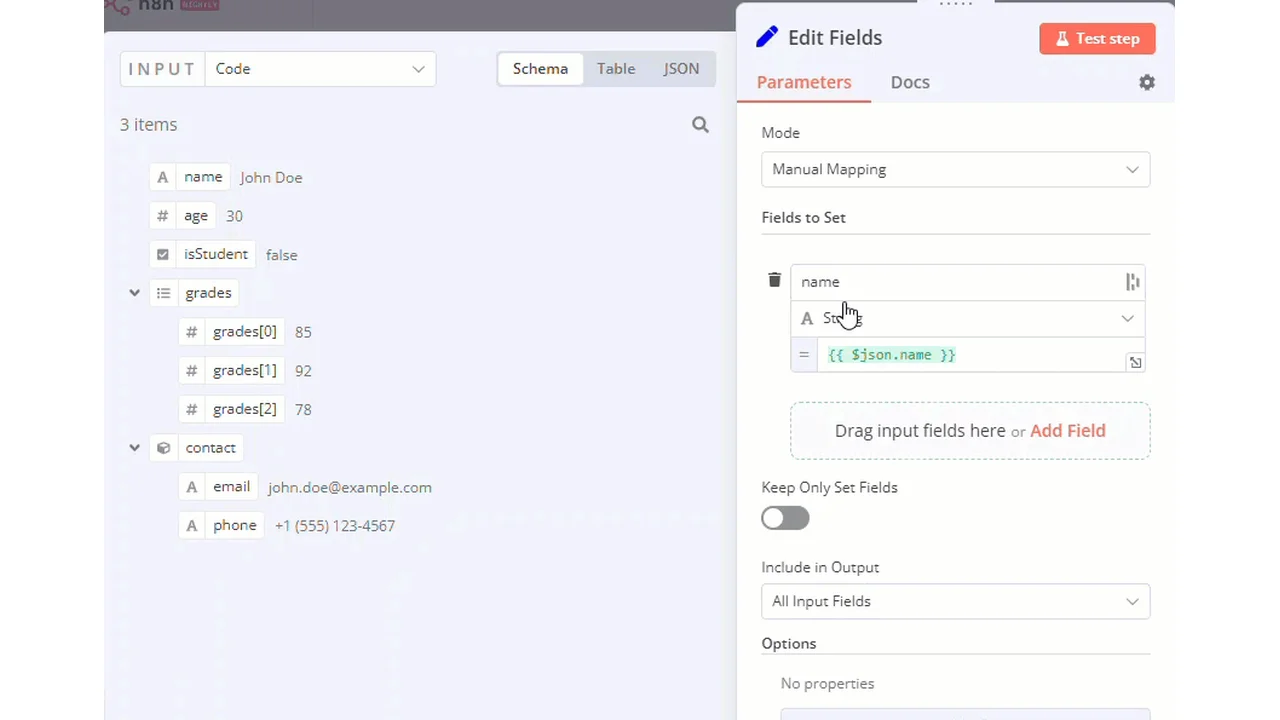
The expressions refer to the JSON request body received by Webhook; they do not ask a model to infer a field. In the Edit Fields documentation, enable Keep Only Set Fields to discard unused input data. Do not map the whole body object or retain all input fields just to make a missing value disappear.
3. Return the mapped item, not the original request
Connect Respond to Webhook after Edit Fields. In its Respond With setting, select First Incoming Item. The official node page defines this as the first incoming item’s JSON. For this one-item fixture, that should be the mapped packet, not the trigger’s original request object.
Use Add Option → Response Code if needed and set the intended success code to 200. Do not add a second response node, a model, a message destination, or a spreadsheet write. Check the canvas connections: Webhook must lead to Edit Fields, which must lead to Respond to Webhook. Connecting the response directly to the trigger bypasses the boundary you are trying to inspect.
This is a single-request exercise. “First Incoming Item” is not a promise to return every item produced by a batch or loop. The documentation describes other response modes, but do not change modes without updating the expected response contract.
4. Send the fictional fixture only to your test URL
Select Listen for test event in Webhook, or use Execute workflow to register the test webhook for the connected workflow. The official workflow-development guide says the test listener stays active for 120 seconds; send the fixture within that window and re-arm it if it stops listening. Send the fixture using your approved HTTP client, then check that all three connected nodes execute, not just that the trigger captured data. If using a terminal, replace the placeholder below with the exact test URL copied from your own node. This command is an example for the reader; we did not execute it.
curl --request POST 'PASTE_YOUR_N8N_TEST_URL_HERE' \
  --header 'Content-Type: application/json' \
  --data '{"request_id":"DEMO-001","feedback":"The file-limit help is missing.","email":"demo@example.invalid","internal_note":"SYNTHETIC ONLY"}'
The example omits credentials. If your test endpoint requires authentication, use your authorized client configuration; do not disable authentication to force it through. Keep secrets out of screenshots, articles, and shared workflow examples. A 401 or 403 is an authentication/permission issue to resolve before this exercise can continue.
Inspect the trigger input, Edit Fields output, and returned body separately. The expected shape, not a captured result, is:
{
  "request_id": "DEMO-001",
  "feedback": "The file-limit help is missing.",
  "review_status": "needs_human_review"
}
Success means exactly these three keys and the intended values—not merely HTTP 200. Neither email, internal_note, the original body, nor request headers should appear in this packet. If they do, stop and recheck field retention and which node feeds the response.
5. Check failure cases before calling it reusable
Re-arm the test listener as needed and use synthetic variations. Add an unexpected input key: the mapped output should still contain only the three specified keys. Change the feedback string: the output should change accordingly, rather than staying fixed to a value copied from an earlier example.
Next, omit request_id or feedback and record what your version does. This tutorial has not added required-field validation, error branches, or a policy for missing values. An absent, null, or failed mapping is a reason to stop—not permission to send malformed content onward to an AI node. Add and verify explicit validation before extending this prototype.
A browser visit usually sends GET, not the POST configured here. A mismatched method or an unregistered test listener is different from a mapping failure. Check the method, URL type, and listener before changing expressions. The Production URL registers when you save and publish the workflow; production runs are inspected in Executions rather than as incoming test data in the editor. Do not solve a test problem by publishing the workflow.
Also recognize response-mode traps. n8n documents that a workflow ending without executing Respond to Webhook can return a standard message with status 200; an error before the response node can produce 500. A second response node is ignored after the first. These behaviors are why the returned JSON and actual execution path matter more than a green status code alone.
6. Set the cost and retention boundary before adding AI
This three-node exercise needs no model credential or Assistant-generated workflow. On the pricing page checked November 25, 2026, n8n describes billing by monthly workflow executions rather than individual steps. The displayed Starter offer is €20/month, billed annually, with 2.5K workflow executions. That is a public EUR annual-billing display, not a user-specific tax or currency quote. Three nodes do not automatically mean three separately billed operations; nor should you assume all test activity is free without checking your account rules.
A future model connection introduces its own access, provider terms, and applicable usage costs. Included Assistant credits are not proof of unlimited model calls in every workflow. Self-hosting likewise does not remove infrastructure costs or operational responsibility. Do not buy or deploy anything merely to validate this synthetic example if an authorized test environment already exists.
Most importantly, filtering output does not erase input. Webhook execution data may still contain the original body and headers in the editor, execution history, or operational logs. n8n’s execution-data documentation explains configurable saving and pruning; actual retention depends on hosting and settings. A small returned packet is not evidence that the omitted address never reached n8n or has been deleted.
Before any real feedback or AI step, establish authentication, required-field checks, access restrictions, execution-data handling, and a separate review of free-text sensitivity. A fixed needs_human_review label must not be mistaken for an implemented approval gate. Leave this workflow unpublished at the end of the exercise and stop listening when finished. If you still need to choose a platform rather than configure this one task, use the separate n8n, Zapier Agents, and Coze comparison.
The tutorial’s deliverable is an inspectable boundary: a documented input, explicit field mapping, expected response, and a list of failures still needing handling. Only extend it after your own test verifies those properties. No summary accuracy, production readiness, or privacy compliance has been demonstrated here.
Cover: an unaltered frame from n8n’s official Edit Fields documentation animation, cropped and resized to retain the input panel, expression mapping, and Keep Only Set Fields control. Source: Edit Fields (Set), acquired November 25, 2026 (Asia/Shanghai). The switch is OFF in that original example; Step 2 instructs you to enable it for this different exercise. The vendor’s sample data is not our fixture or a successful run we captured. No UI values were rewritten.