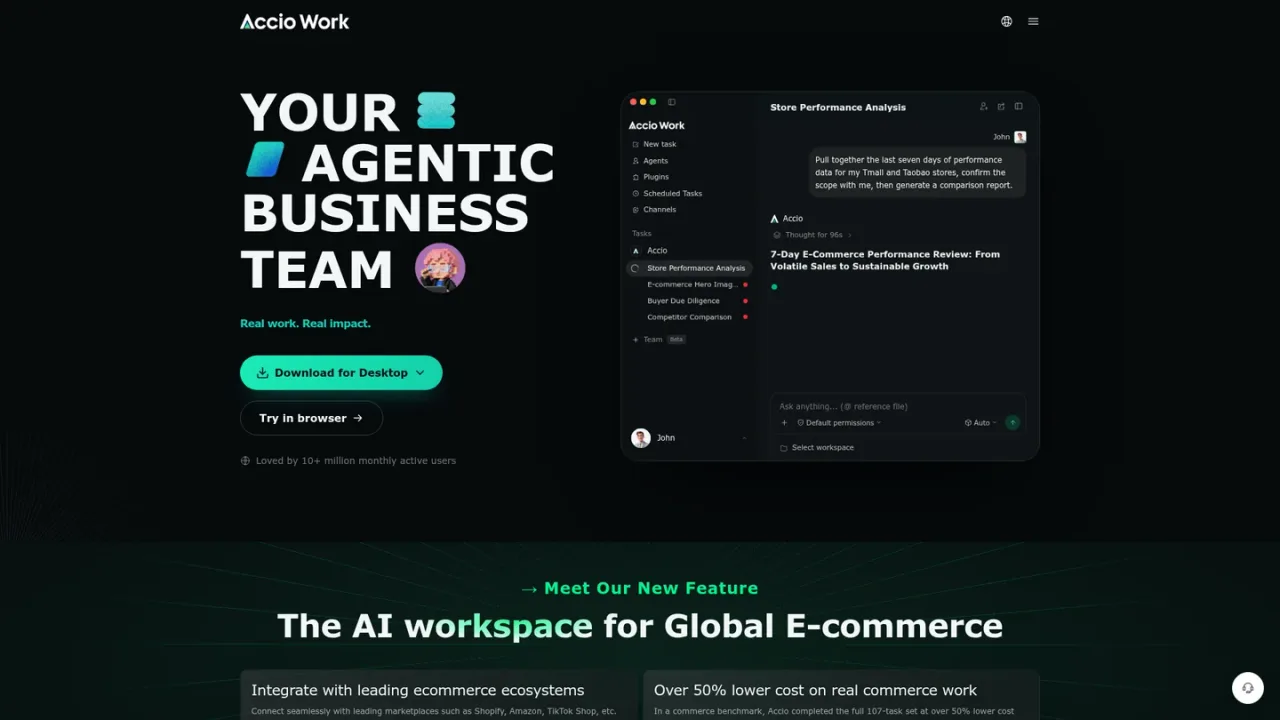
Accio is an agentic AI workspace built for global e-commerce and business operations. It goes beyond chat by executing real work: agents can read local files, run terminal commands, control a browser, and call external APIs. Users can assemble multi-agent teams with a Team Lead, schedule recurring tasks, and connect agents to channels like Telegram, Discord, DingTalk, Lark, and WeChat. Accio integrates with leading commerce ecosystems such as Shopify, Amazon, and TikTok Shop, offering 200+ tools and expert skills for market research, product sourcing, store analysis, and website building. It is available as a native desktop app for macOS and Windows, and can be tried in the browser. Access includes a free tier with daily credits and paid subscription plans with monthly membership credits.
How to use Accio
1
Download or open in browser
Install the native desktop app for macOS or Windows, or try Accio Work directly in your browser.
2
Create a task or agent group
Start a new task or set up an Agent Group with a Team Lead and member agents to delegate subtasks.
3
Connect tools and channels
Integrate with e-commerce platforms and connect agents to messaging channels like Telegram or DingTalk.
4
Schedule automations
Use the Automations feature to create cron-like scheduled tasks described in natural language.
Accio Features
Agentic execution: read local files, run terminal commands, control browser, call external APIs
Multi-agent collaboration with Agent Group and Team Lead
Integrations with Shopify, Amazon, TikTok Shop, and more
Support for Gemini, GPT-4o, Claude, and Qwen models
Skills marketplace and MCP standard support
Native desktop app for macOS and Windows
Accio Use Cases
Market research and demand validation for early-stage founders
Product and supplier search
Store performance analysis and competitor comparison
E-commerce hero image generation
Buyer due diligence
Website building for branded storefronts
Automating recurring business tasks with scheduled agents
Multi-agent workflows for complex projects
Accio FAQs
Accio is an execution-oriented agent platform that can read local files, run terminal commands, control your browser, and call external APIs, helping you do the work rather than just answering with text.
Accio currently supports Gemini, GPT-4o, Claude, and Qwen. You can assign different models to different agents, with access routed through the Accio gateway.
Accio can control a real browser via Chrome DevTools Protocol. Agents can search the web, scrape pages, fill out forms, take screenshots, and navigate multi-step workflows, with explicit permission required for browser access.
Yes. The Automations feature lets you create cron-like scheduled tasks by describing them in natural language or configuring them on the Automations page. Schedules run locally and missed runs are reconciled on restart.
Open the Channels page in the client, choose the platform, and follow the setup guide to add a bot token. Accio supports Telegram, Discord, DingTalk, Lark (Feishu), and WeChat.
Skills are plugin packs that give agents domain-specific abilities such as code review, copywriting, or SEO audit. You can install skills from the marketplace or create your own, and Accio also supports the Model Context Protocol (MCP) standard.
Accio Work is available as a native desktop application for macOS (Apple Silicon and Intel) and Windows (x64). It can also be tried in the browser.
Yes. Agent Group lets you create a group chat with a Team Lead and member agents. The Team Lead can delegate subtasks, coordinate work through group chat, and orchestrate multi-agent workflows.
Prices shown are monthly in USD. Annual billing saves 15%. Free plan includes a one-time 7-day onboarding allowance with bonus credits and higher-quality model access, then reverts to base daily Auto credits.
Free
$0USD / month
Free tier with a one-time 7-day onboarding allowance and base daily Auto credits after onboarding.
One-time 7-day onboarding allowance with bonus credits
Higher-quality models for up to 30 requests every 3 hours during onboarding
Base daily Auto credits after onboarding
Pro
$19.9USD / month
For everyday tasks, ideal for quick research, data analysis, and task tracking.
4000 membership credits per month
Advanced model: 50 uses per 3 hours
30 daily credits
Built for recurring weekly workloads and day-to-day AI tasks
Elite
$99USD / month
For heavy, complex work, ideal for complex multi-step workflows and frequent AI usage.
20000 membership credits per month
Advanced model: 150 uses per 3 hours
50 daily credits
Built for frequent ongoing use with more credits and greater flexibility
Ultra
$199USD / month
For high-volume operations, ideal for demanding workflows and the most intensive AI usage.
40000 membership credits per month
Unlimited use of high-quality models
100 daily credits
Top-tier personal plan with every capability included