
Alteryx One Starter
$250USD / per user per month, billed annually
AI Data Analysis Tools
PRODUCT OVERVIEW
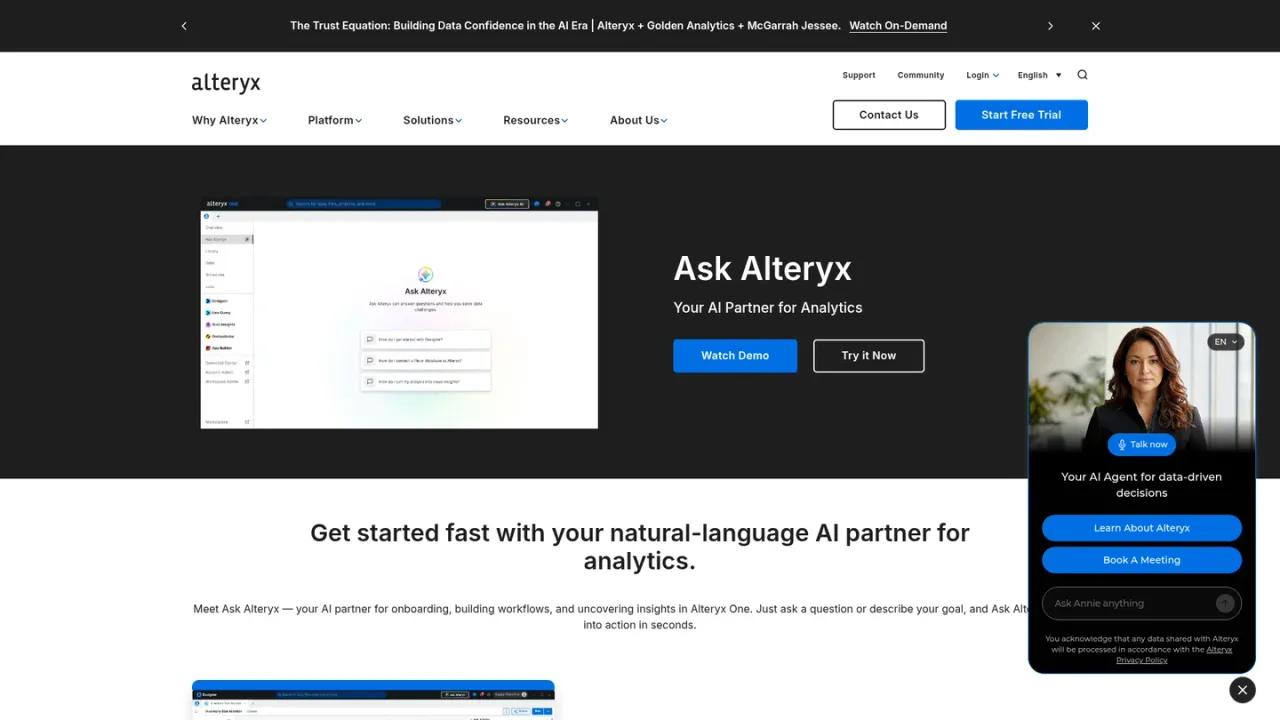
Ask Alteryx is the AI assistant formerly called Alteryx Copilot, embedded in Alteryx Designer Desktop. It helps users build workflows faster by answering questions, recommending tools, adding and configuring supported tools on the canvas, summarizing and documenting workflows, explaining Designer Desktop functionality, troubleshooting issues, suggesting next steps, and running workflows directly from the assistant. It is intended for Alteryx users working on data preparation and analytics workflows who want contextual guidance while they work. Access is managed by Workspace Admins through role-based permissions; by default, Basic or Full User roles on Professional or Enterprise Editions can use it. Data Awareness can be enabled to let the assistant sample workflow data, or disabled to limit it to workflow metadata, workflow XML, and dataset metadata. Ask Alteryx uses Google Gemini models hosted through Google Cloud Vertex AI.
Launch the assistant from within Alteryx Designer Desktop, where it supports AI-assisted workflow development.
Use natural language to request tool recommendations, explanations of Designer Desktop tools, or troubleshooting help.
Ask the assistant to add and configure supported tools directly on the canvas.
Request workflow summaries and documentation support from the assistant.
Use Ask Alteryx to run workflows directly without leaving the assistant.
Building Alteryx workflows faster with contextual recommendations
Documenting existing workflows for team reference
Troubleshooting workflow errors and configuration issues
Learning how Designer Desktop tools work
Running workflows without leaving the assistant
Ask Alteryx is the AI assistant inside Alteryx Designer Desktop, formerly called Alteryx Copilot, that supports AI-assisted workflow development using natural language.
It can add and configure supported tools, summarize and document workflows, troubleshoot issues, explain Designer Desktop tools, recommend next steps, and run workflows directly from the assistant.
By default, users with Basic or Full User roles on Professional or Enterprise Editions can access Ask Alteryx, and Workspace Admins can create custom roles to limit access.
By default it accesses workflow metadata, workflow XML, and dataset metadata when a user submits a prompt; Data Awareness can be enabled to also access workflow data.
Yes, Workspace Admins can disable Data Awareness at the workspace level, which limits Ask Alteryx to workflow metadata, workflow XML, and dataset metadata rather than the underlying workflow data.
No, the supplied FAQ states there is no model training or fine-tuning using customer workflows or data.
Ask Alteryx uses Google Gemini models hosted through Google Cloud Vertex AI services.
Yes, Alteryx Copilot has been renamed Ask Alteryx, reflecting how users interact with the assistant inside Designer Desktop using natural language.
Official platform pricing checked 2026-11-09. Starter is cloud analytics for 1–10 users; AI-powered assistance is listed under Professional, so $250 is not a verified standalone Ask Alteryx price. Confirm AI entitlement and automation capacity with sales.
COMMUNITY REVIEWS
No reviews yet.

Enterprise-grade cloud service for the end-to-end machine learning lifecycle, from data preparation and model training to deployment and MLOps.
Enterprise agent workforce platform to build, operate, and govern agentic AI applications across cloud, hybrid, and on-prem environments.