Free
0
Free access to start building flows, including a free cloud account option.
- Visual drag-and-drop flow builder
- Access to hundreds of pre-built flows and components
- Free cloud account for deployment
AI Agent Builders Tools
PRODUCT OVERVIEW
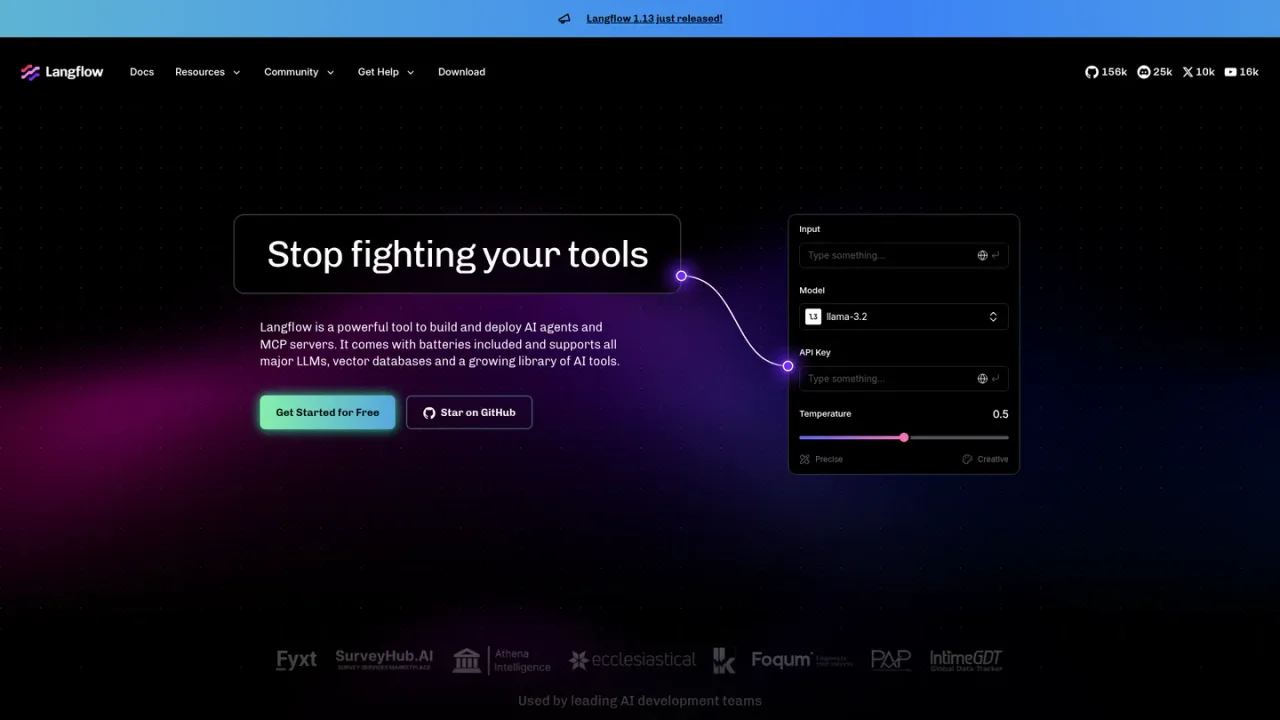
Langflow is a visual tool for building and deploying AI agents and MCP servers. It provides a drag-and-drop canvas where developers assemble flows from reusable components, connect major LLMs, vector databases, and a growing library of AI tools, and customize anything with Python. Flows can be run, shared, and collaborated on, and deployed as APIs. It ships with hundreds of pre-built flows and templates covering RAG pipelines, document ingestion, data extraction, call classification, and business automations. Intended for developers and AI teams moving from notebook prototypes to production, Langflow can be self-deployed or used through a cloud account, with the same experience across open-source and cloud.
Download the desktop app or sign up for a cloud account to access the Langflow builder.
Drag components onto the canvas and connect models, data sources, vector stores, and tools to form a flow.
Use Python to customize components and control behavior beyond the built-in options.
Browse ready-made agents and RAG templates, then adapt them to your use case.
Run and share flows, and expose them as APIs for applications and agents.
Building RAG applications and knowledge bases
Creating AI agents that use components as tools
Extracting structured data from unstructured documents
Automating call transcription and classification
Drafting product requirement documents from meeting notes
Scanning contracts for risky clauses and compliance gaps
Repurposing content into multimodal assets
Deploying AI workflows as APIs
You can build and deploy AI agents and MCP servers, including RAG pipelines, data extraction workflows, and business automations, using visual flows.
Flows are assembled visually with drag-and-drop components, but Python can be used to customize anything when needed.
It supports all major LLMs, vector databases, and a growing library of AI tools, with hundreds of data sources and components available.
Yes, flows can be run and shared, and exposed as APIs for use by applications and agents.
The site offers a free way to get started and a free cloud account for deploying apps.
Yes, you can deploy it yourself or sign up for a cloud account, with the same Langflow experience across open-source and cloud.
Langflow provides ready-made agents and RAG templates, plus hundreds of pre-built flows and components to customize.
Community help is available via Discord, and the site offers contact options for professional services and premier support.
The site offers a free way to get started and a free cloud account; detailed paid plan pricing is not listed on the supplied pages.
Free access to start building flows, including a free cloud account option.
COMMUNITY REVIEWS
No reviews yet.

Enterprise AI platform for data preparation, machine learning, analytics, and governed AI agents in one system.
Enterprise agent workforce platform to build, operate, and govern agentic AI applications across cloud, hybrid, and on-prem environments.