
✳ainav.

AI Agent Builders Tools

Microsoft Copilot Studio

Visit website
Introduction
No-code platform for building, deploying, and managing custom AI agents, workflows, and apps with enterprise security and governance.
Added on
10/23/2026
Pricing
Paid
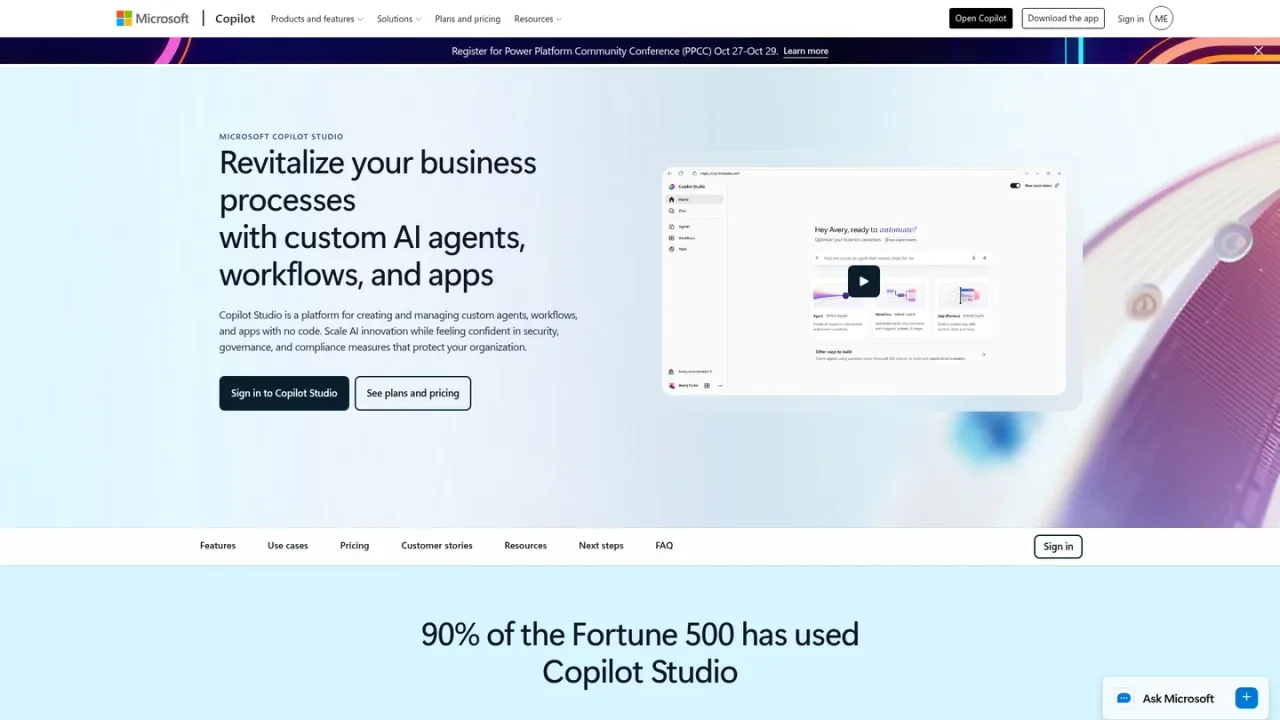
Microsoft Copilot Studio screenshot
Microsoft Copilot Studio website preview

PRODUCT OVERVIEW

What is Microsoft Copilot Studio?

Microsoft Copilot Studio is a no-code platform for creating and managing custom AI agents, workflows, and apps. Teams can build chat or voice agents that answer questions, guide workflows, and act autonomously, choosing from default, custom, or Azure AI Foundry models. Agents connect to business data through Work IQ, 1,500+ pre-built connectors, and MCP servers, and can combine agentic reasoning with traditional automation. Multi-agent orchestration routes tasks to specialized agents, while structured evaluations test performance. Agents can be published to Microsoft 365 apps such as Teams and SharePoint or to external channels like websites, apps, and social platforms. Access is sold through Copilot Credit packs or a pay-as-you-go meter, and an Azure subscription is required to use agents.

How to use Microsoft Copilot Studio

  1. 1

    Sign in to Copilot Studio

    Open Copilot Studio with your work account to access the agent-building studio.

  2. 2

    Build an agent

    Create an agent using natural language or the graphical interface, and select a model for your scenario.

  3. 3

    Connect data and systems

    Link agents to your apps, sites, files, and business data through Work IQ, pre-built connectors, and MCP servers.

  4. 4

    Test and evaluate

    Run structured, automated tests to check agent performance before publishing.

  5. 5

    Publish to channels

    Deploy agents to Microsoft 365 apps such as Teams and SharePoint, or to external channels like websites, apps, and social platforms.

Microsoft Copilot Studio Features

Build AI agents, workflows, and apps in a single no-code studio

Select from default, custom, or 11K+ models available through Azure AI Foundry

Build chat or voice agents that answer questions and guide workflows in natural language

Add autonomous capabilities so agents plan, learn, and escalate work items

Connect agents to data through Work IQ, 1,500+ pre-built connectors, and MCP servers

Mix agentic reasoning with traditional workflow automation

Create multi-agent systems with orchestration across Microsoft and partner agents

Run structured, automated evaluations to test agent performance

Publish agents to Microsoft 365 apps such as Teams and SharePoint

Publish agents to external channels including websites, apps, and social platforms

Microsoft Copilot Studio Use Cases

  • Building internal agents that answer employee questions by retrieving or summarizing information

  • Automating repetitive business processes with agents and workflows

  • Routing complex tasks to specialized agents in a multi-agent system

  • Deploying customer-facing agents on websites, apps, or social platforms

  • Designing interactive voice response agents

  • Testing and evaluating agent quality before publishing

Microsoft Copilot Studio FAQs

It is an end-to-end conversational AI platform for creating agents using natural language or a graphical interface, then designing, testing, and publishing them. Agents can be standalone or published to Microsoft Copilot.

Agents can answer questions by retrieving or summarizing information, take actions and automate workflows, or operate independently by planning, learning, and escalating work items.

Agents can be published to Microsoft 365 apps such as Teams, SharePoint, and Copilot Chat, or to external channels including websites, apps, and social platforms.

It is sold as tenant-wide Copilot Credit packs of 25,000 credits at $200.00 per pack per month, or through a pay-as-you-go meter billed at the end of the monthly billing period.

No. There are no in-product feature or capability differences; the only difference is how the customer pays for the service.

Yes, an Azure subscription is required to use agents, and it must be linked to the environment to set up pay-as-you-go billing.

It supports Chinese (simplified and traditional), Czech, Danish, Dutch, English, Finnish, French, German, Greek, Hindi, Indonesian, Italian, Japanese, Korean, Norwegian, Polish, Portuguese (Brazilian), Russian, Spanish, Swedish, Thai, and Turkish.

Yes. Power Virtual Agents is now included in Copilot Studio, so existing features remain available alongside additional capabilities for creating and orchestrating agents.

Microsoft Copilot Studio Official Information

Company
Microsoft
Website
https://microsoft.com/en-us/microsoft-copilot/microsoft-copilot-studio

Contact ↗

Microsoft Copilot Studio Pricing

Paid

Copilot Studio is sold as tenant-wide Copilot Credit packs of 25,000 Copilot Credits at $200.00 per pack per month, or through a pay-as-you-go meter with no upfront license commitment. An Azure subscription is required to use agents. A free Azure account includes a $200.00 credit.

Copilot Credit packs

$200.00USD / per pack per month

Prepaid tenant-wide packs of 25,000 Copilot Credits, paid up front for organizations that want to choose their credit amount in advance.

  • 25,000 Copilot Credits per pack
  • Prepaid up-front purchase
  • Automatic pay-as-you-go coverage when prepaid credits run out
  • Build autonomous agents and agents for external channels

Pay-as-you-go

USD / monthly billing period

Usage-based billing with no upfront license commitment, suited to organizations getting started or with variable monthly needs.

  • Pay only for what you use
  • No upfront license commitment
  • Keep business-critical agents running
  • Build autonomous agents and agents for external channels

COMMUNITY REVIEWS

Microsoft Copilot Studio User Reviews

Reader reviews

No reviews yet.

Share your experience with Microsoft Copilot Studio

Sign in to share your experience. Your display name, rating and review will be public after approval. One review per account per tool.

Your rating