Free
$0USD / month
Basic writing support for individuals at no cost.
- Write without mistakes
- See your writing tone
- Generate text with 100 AI prompts per month
AI Article Writing Tools
PRODUCT OVERVIEW
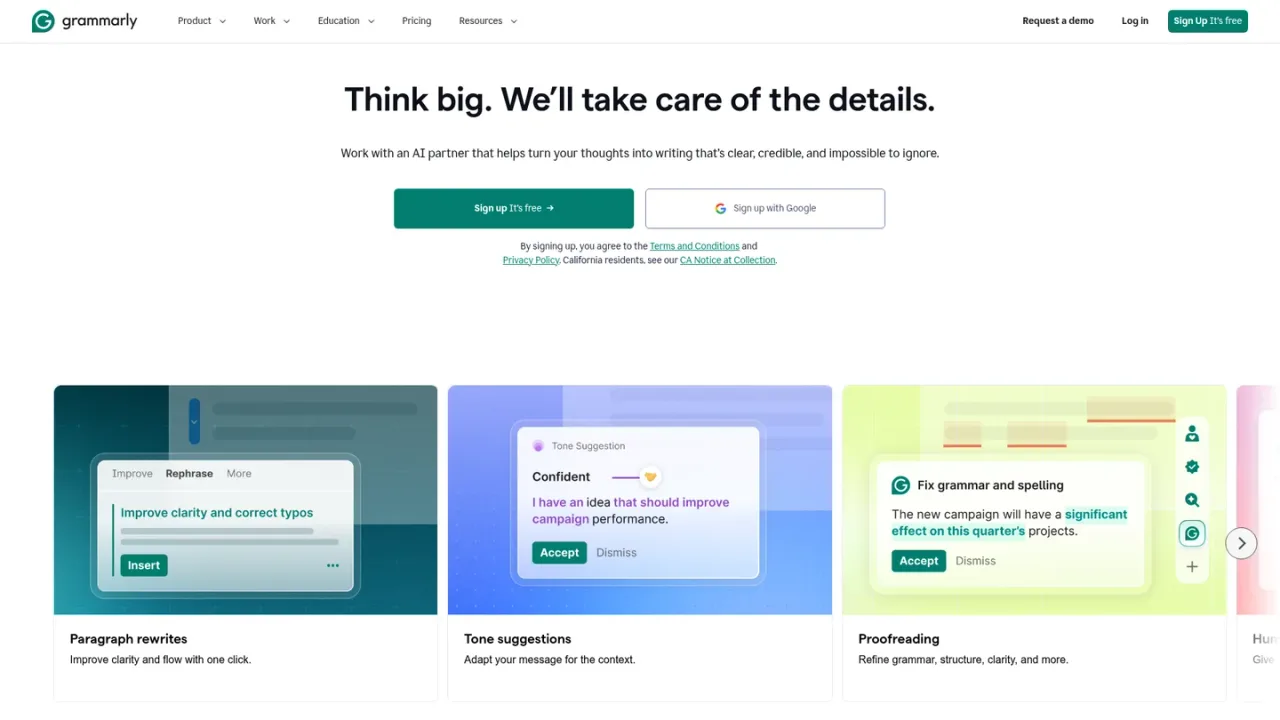
Grammarly is an AI writing partner designed to improve communication across work, education, and everyday writing. It proofreads for grammar, punctuation, and clarity, suggests full-sentence and paragraph rewrites, and helps adjust tone so messages land as intended. AI agents such as Paraphraser, Proofreader, Reader Reactions, Citation Finder, and AI Grader support drafting, revision, and feedback, while the Docs editor combines AI Chat with specialized agents in a browser-based writing surface. Grammarly works across browsers, desktop apps, mobile keyboards, and integrations like Google Docs and Microsoft Office. A free plan offers basic writing checks and limited AI prompts, while Pro adds advanced rewrites, tone adjustments, plagiarism and AI detection, and more prompts; Enterprise adds security and admin controls.
Create a Grammarly account at grammarly.com/signup to start using the free plan.
Add Grammarly to Chrome, Safari, Firefox, or Edge, or install the Windows or Mac desktop app to get suggestions where you write.
As you type in supported apps and sites, Grammarly highlights grammar, clarity, and tone suggestions; accept or dismiss them.
Open Docs at app.grammarly.com to draft with AI Chat and agents like Proofreader, Paraphraser, and Reader Reactions in a browser-based editor.
Visit the plans page to compare Free, Pro, and Enterprise and start a Pro trial if you need full-sentence rewrites, tone adjustments, and more AI prompts.
Professionals polishing emails, reports, and proposals
Students drafting essays with citation and feedback support
Teams maintaining consistent brand voice with style guides
Marketers and writers revising content for clarity and tone
Customer support teams improving response quality
Organizations enforcing writing standards and security controls
Grammarly works in major browsers (Chrome, Firefox, Edge, Safari), desktop apps for Windows and Mac, mobile keyboards for Android and iOS, and integrations such as Google Docs and Microsoft Office. You can also write in the Grammarly editor at app.grammarly.com.
The Free plan includes basic writing checks, tone detection, and 100 AI prompts per month. Advanced features like full-sentence rewrites and tone adjustments require Pro.
Pro costs $12 per member per month when billed annually, or $30 per member per month when billed monthly. A free trial is available.
Docs is an AI-native document editor available in the browser at app.grammarly.com. It combines AI Chat with agents like Proofreader, Paraphraser, and Reader Reactions to support drafting and revision.
Yes, Pro and higher plans include AI-generated text detection and plagiarism checking. These features are not available on the Free plan.
Yes, Pro supports teams with features like style guides, brand tones, snippets, and analytics. Enterprise adds advanced security, admin controls, and unlimited AI prompts.
Users can opt out of allowing Grammarly to use their content for product improvement or model training. Grammarly does not train on content from certain business users or accounts originating in the EU or UK.
Grammarly accepts major credit cards (Visa, American Express, Mastercard, Discover) and PayPal. Invoices for annual Business plans with 10 or more members can be paid by bank transfer, credit card, Apple Pay, or Google Pay.
Prices shown in USD. Pro is $12 per member per month billed annually, or $30 when billed monthly. Enterprise pricing requires contacting sales.
Basic writing support for individuals at no cost.
Advanced writing features for individuals and teams; $30 per member per month when billed monthly.
Organization-wide deployment with advanced security and admin controls; pricing available via sales.
COMMUNITY REVIEWS
No reviews yet.

Anthropic's AI assistant for chat, web search, file creation, code execution, and task hand-off across web, desktop, and mobile.

ChatGPT is an AI assistant for chatting, creating images, uploading files, and running multi-step research with cited reports.

Kimi is Moonshot AI's AI assistant for chat, deep research, documents, slides, sheets, design and build tasks in one workspace.