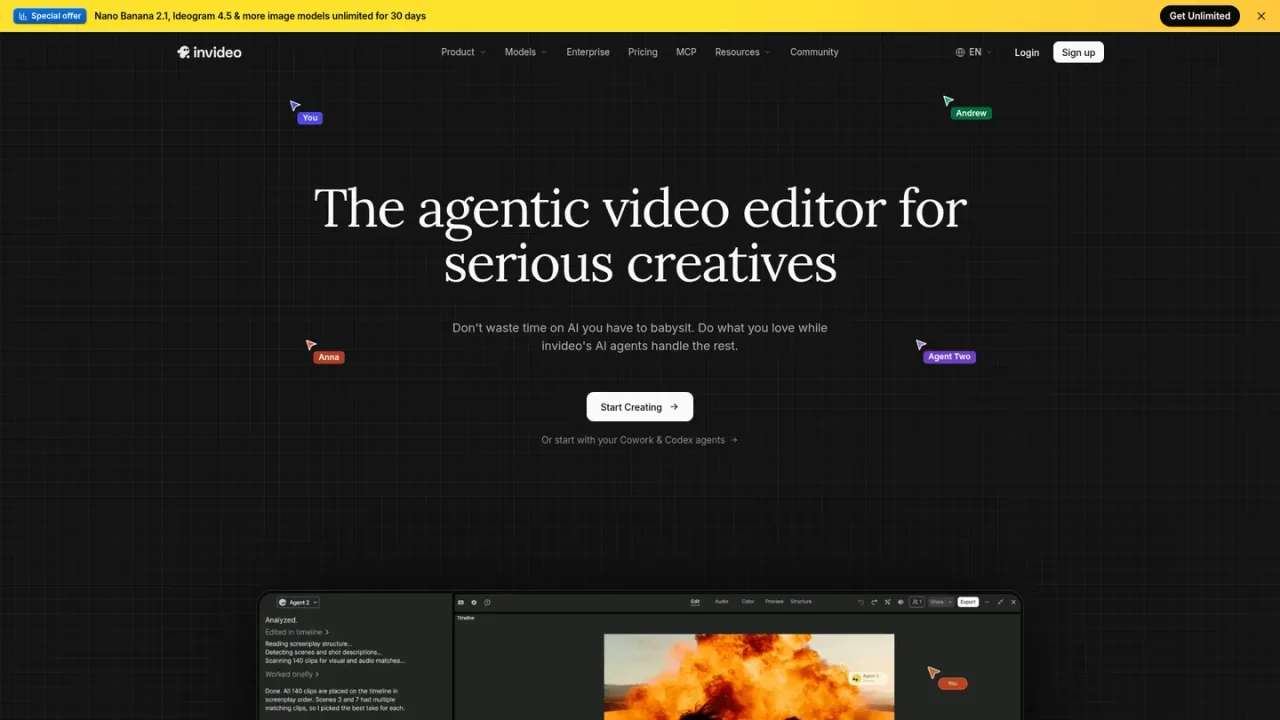
InVideo AI is an agentic video editor built for serious creatives, from solo editors to creative enterprises. Its editing agents watch and log uploaded footage so you can find any moment by describing it, and apply one direction across multiple shots on a real multitrack timeline you can take over at any frame. It also supports storyboarding, script writing with an AI co-writer, multiplayer editing with live cursors, and custom agents for roles like cinematographer or sound designer. Generative video and image models, including Seedance and Nano Banana Pro, are available through credits, and external agents such as Claude Cowork, ChatGPT Codex, Grok and Gemini can connect to the editor. Access is via monthly or annual per-seat plans with monthly credit allowances, plus extra credits and enterprise options.
How to use InVideo AI
1
Upload footage and describe the edit
Upload your clips to a project; the editing agent watches and logs each clip so you can locate moments by describing them in plain words.
2
Apply one direction across shots
Give the editing agent a single instruction, such as cutting pauses or matching the look, and it applies the change to every shot on the timeline.
3
Take over on the timeline
Review and adjust the result on the multitrack timeline, with color, audio and 3D tools available on every plan.
4
Plan with storyboards and scripts
Turn a script or idea into a shot-by-shot storyboard and write the script inside InVideo, optionally with an AI co-writer.
5
Collaborate in multiplayer mode
Invite teammates to edit in real time with live cursors; seat limits depend on the plan.
InVideo AI Features
Editing agent that watches and logs footage for description-based search
Apply one direction across multiple shots on the timeline
Multitrack timeline editor with color, audio and 3D tools
Storyboarding from scripts or ideas
Script writing with an optional AI co-writer
Multiplayer editing with live cursors
Custom agents for roles such as cinematographer or sound designer
Generative video and image models including Seedance and Nano Banana Pro
Connect external agents such as Claude Cowork, ChatGPT Codex, Grok and Gemini
InVideo AI Use Cases
Editing long footage by describing the moment you need
Applying consistent cuts or looks across many clips at once
Planning a video shot by shot before generating
Collaborating with a team on a shared timeline
Producing social media cuts from one idea
Creating advertising videos that stay on brand across formats
InVideo AI FAQs
Credits are the platform currency used for video creation, generative models and premium features. Downloading content you already generated and editing existing videos do not cost credits.
No. Plan credits reset each billing cycle on your subscription day, and unused plan credits do not roll over.
You can wait for the next billing cycle, upgrade your plan, or buy extra credits. Extra credits are used after plan credits run out and remain valid for 12 months.
Seats cover everyone who will create or edit, and credits are shared per seat. Seat limits vary by plan, from 1–5 on Starter to 1–20 on Max.
Seedance 2.5 at 1080p and Seedance 2.0 at 4K are included from the Plus plan. Starter includes Seedance 2.0 Fast and 2.0 Mini but not Seedance 2.5 or 2.0.
Yes. InVideo documents connecting agents such as Claude Cowork, ChatGPT Codex, Grok and Gemini to its editor through the remote agents page.
Yes. Enterprise is listed with custom credits, and SOC 2, single sign-on and indemnification are listed as enterprise features.
You can email support@invideo.io. Billing and credit documentation is also available in the InVideo help center.
Prices are per seat per month when billed annually and reflect current promotional discounts (Starter 50% off, Plus 60% off, Max 50% off). Regular annual totals after the first year are $120/year (Starter), $720/year (Plus), and $900/year (Max). A separate Black Friday offer (pay 12 months, get 24) is time-limited and not included in these figures. Unused credits do not roll over. Checked 2026-11-19.
Starter
$10USD / per seat/month, billed annually
For first-time AI creators; 400 credits per seat/month. Discounted from $20/seat/month (50% off); renews at $120/year.
400 credits per seat/month
Multiplayer editing up to 5 seats
Timeline editor full access
Professional tools: color, audio, 3D
Access to Agent Two Lite only
Access to Seedance 2.0 Fast & 2.0 Mini
100 premium stock footage
200 GB storage
Plus
$24USD / per seat/month, billed annually
For everyday AI creation; 2,000 credits per seat/month. Discounted from $60/seat/month (60% off); renews at $720/year.
2,000 credits per seat/month
Multiplayer editing up to 10 seats
+10 guest seats (190 credits each)
Access to frontier agents Lite, Pro, Ultra
Seedance 2.5 1080p full access
Seedance 2.0 4K full access
200 premium stock footage
600 GB storage
Early access to advanced AI features
Max
$75USD / per seat/month, billed annually
For ambitious AI projects; 5,000 credits per seat/month. Discounted from $150/seat/month (50% off); renews at $900/year.