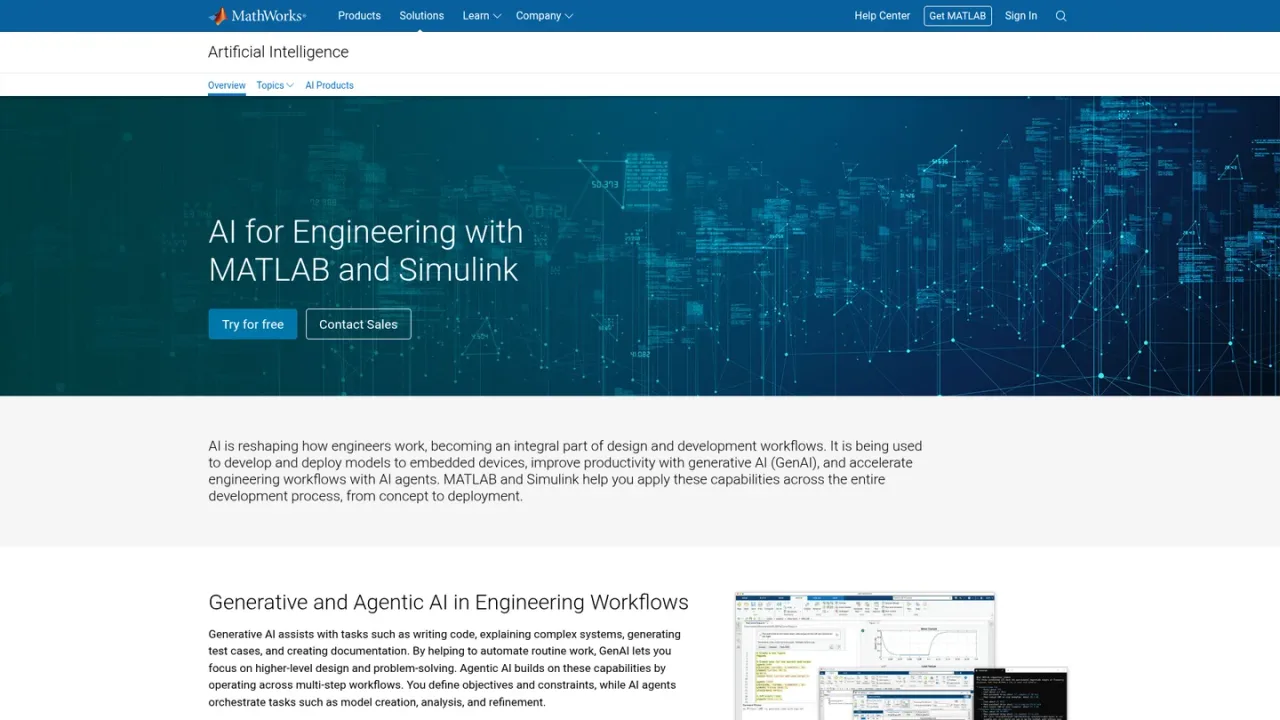
MATLAB AI refers to MathWorks' artificial intelligence capabilities within MATLAB and Simulink, aimed at engineers and scientists. It spans generative AI tools such as MATLAB Copilot and Simulink Copilot, which assist with writing code, explaining systems, generating test cases, and creating documentation. Agentic AI extends this through the MATLAB Agentic Toolkit and Simulink Agentic Toolkit, letting AI agents run code, build models, inspect outputs, and simulate behavior. Embedded AI supports deploying machine learning and deep learning models to embedded hardware, including virtual sensor modeling, anomaly detection, reinforcement learning, and reduced-order modeling, with validation in full system simulation. Models from TensorFlow and PyTorch can be incorporated into simulation, testing, and deployment workflows. Access is available through a free trial and contact with sales; pricing details are not provided on the supplied pages.
How to use MATLAB AI
1
Explore AI solutions
Visit the MathWorks AI solutions page to review generative, agentic, and embedded AI capabilities for engineering workflows.
2
Try MATLAB
Use the free trial link to obtain MATLAB and evaluate AI features in your own projects.
3
Use Copilots
Within MATLAB and Simulink, use MATLAB Copilot and Simulink Copilot for code writing, system explanation, test generation, and documentation.
4
Connect AI agents
Use the MATLAB Agentic Toolkit and Simulink Agentic Toolkit to let AI agents run code, build models, inspect outputs, and simulate behavior.
5
Deploy embedded AI
Validate AI models in system simulation, then optimize and deploy them to embedded hardware platforms.
MATLAB AI Features
MATLAB Copilot and Simulink Copilot for generative AI assistance
MATLAB Agentic Toolkit and Simulink Agentic Toolkit for agentic workflows
Embedded AI deployment to embedded hardware
Validation of AI models in full system simulation
Incorporation of TensorFlow and PyTorch models
AI for robotics, including synthetic data generation and motion planning
AI with Model-Based Design for engineered systems
MATLAB AI Use Cases
Writing and explaining code with generative AI
Generating test cases and documentation
Deploying machine learning models to embedded devices
Virtual sensor modeling and anomaly detection
Reinforcement learning and reduced-order modeling
Robotics autonomy and object identification
Incorporating Python deep learning models into simulation
MATLAB AI FAQs
It refers to MathWorks' AI capabilities within MATLAB and Simulink, covering generative AI, agentic AI, and embedded AI for engineering workflows.
They are integrated generative AI capabilities that assist with tasks such as writing code, explaining complex systems, generating test cases, and creating documentation.
The MATLAB Agentic Toolkit and Simulink Agentic Toolkit connect AI agents to MATLAB and Simulink so they can run code, build models, inspect outputs, simulate behavior, and support engineering review.
Yes, models developed in Python-based frameworks such as TensorFlow and PyTorch can be incorporated into simulation, testing, and deployment workflows.
It focuses on deploying machine learning and deep learning models within engineered systems, with applications like virtual sensor modeling, time-series anomaly detection, reinforcement learning, and reduced-order modeling.
Yes, MathWorks offers a free trial via its website.
Product documentation is available in the MATLAB Help Center.
You can reach MathWorks support through the contact page on its website.
Only one current consumer price is reliably documented in the supplied source: the Standard annual MATLAB Individual License at USD 1,050 per year. Prices for Startups, Academic, Student, and Home licenses, as well as perpetual terms, are not shown in the provided content and are therefore omitted. A free trial is offered but is not a permanent free membership and is not listed as a plan.
MATLAB Individual License (Standard, Annual)
$1050USD / per year
Annual Standard license for use at a commercial, government, or other organization. Includes MATLAB, Simulink, Online Training Suite, and other add-on products, with additional add-ons available for purchase.
Includes MATLAB, Simulink, Online Training Suite and other add-on products
Additional add-on products available for purchase with the Suite via the Web Store
12-month license term with MathWorks Software Maintenance Service included in the annual fee
Intended for use at a commercial, government, or other organization