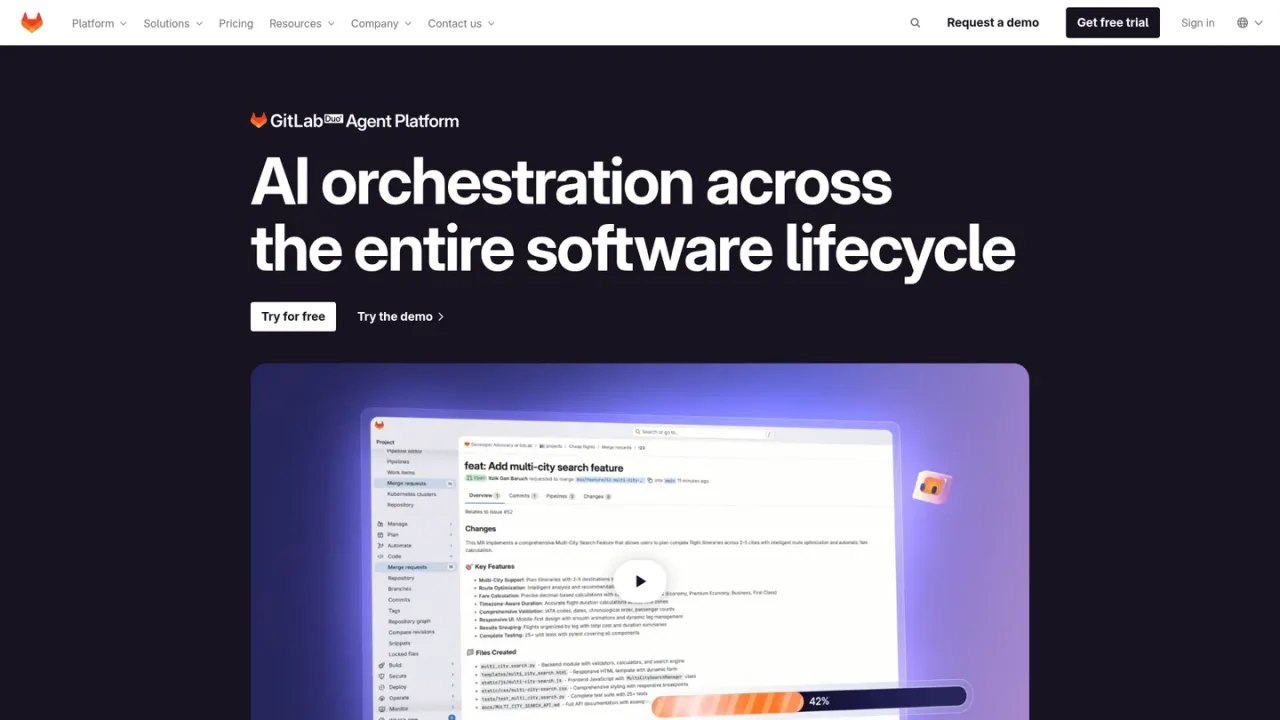
Agentic AI orchestration for the software lifecycle: specialized agents and flows for coding, code review, security analysis, and pipeline fixes inside GitLab.
GitLab Duo Agent Platform is GitLab's agentic orchestration layer for the software lifecycle. It provides specialized AI agents for planning, coding, security analysis, and analytics, plus flows that chain agents into guided multi-step automation such as fixing a broken pipeline or converting to GitLab CI. Agents use GitLab context, including the Orbit lifecycle context graph, to deliver relevant results, and teams can build custom agents and flows that follow their conventions. An AI Catalog gives teams a central place to explore, activate, and manage agents, and external agents such as Claude Code and Codex can be integrated. Enterprise governance covers policy-driven control, traceability, and model selection. Access is via GitLab.com or self-managed GitLab plans, with AI usage drawn from GitLab Credits.
How to use GitLab Duo Agent Platform
1
Choose a GitLab deployment
Use GitLab.com cloud-hosted by GitLab or a self-managed instance you control, then sign in to your GitLab account.
2
Enable AI access with GitLab Credits
AI features are accessed through GitLab Credits; Free requires the add-on, while Premium and Ultimate include monthly credits per user.
3
Invoke a foundational agent
Start with purpose-built agents for planning, coding, security analysis, or analytics that use GitLab context for results.
4
Run a flow for multi-step work
Use flows such as Fix CI/CD Pipeline or Convert to GitLab CI to automate a guided sequence end to end.
5
Browse the AI Catalog
Explore, activate, and manage agents and flows from a centralized catalog across projects and groups.
6
Create custom agents and flows
Refine agents so they follow your organization's conventions and quality expectations, or build custom flows for complex tasks.
7
Integrate external agents
Delegate work by @ mentioning external agents such as Claude Code and Codex directly in issues or merge requests.
8
Apply governance controls
Decide which agents and flows are allowed, where they operate, and which models they use, aligned to existing roles and group structure.
GitLab Duo Agent Platform Features
Specialized agents for planning, coding, security analysis, and analytics
Flows that chain agents into guided multi-step automation
AI Catalog to explore, activate, and manage agents and flows
Custom agents and flows that follow organizational conventions
External agent integration, including Claude Code and Codex
GitLab Orbit lifecycle context graph queried by agents
Policy-driven AI control and full traceability
Model selection across 10+ frontier and open-weight models
Model Context Protocol integrations
Support for CSS, Go, HTML, Java, JavaScript, Markdown, Python, Ruby, and TypeScript
GitLab Duo Agent Platform Use Cases
First-pass code review with inline comments in merge requests
Diagnosing failed pipelines and opening a merge request with a proposed fix
Agentic chat in the UI, IDE, and CLI with live project context
Turning natural-language change requests into implementation and tests
AI remediation of SAST vulnerabilities via merge requests
Converting projects to GitLab CI
Planning and security analysis with foundational agents
Building custom agents for organization-specific workflows
GitLab Duo Agent Platform FAQs
Agents are specialized AI assistants for planning, coding, security, and more that carry out a specific task using GitLab context. Flows chain agents together into a guided sequence that automates a multi-step piece of work end to end.
GitLab Orbit is the lifecycle context graph for software engineering that connects code, merge requests, pipelines, and deployments into one queryable graph. Duo agents query Orbit automatically so they can reason across the full software lifecycle.
GitLab states it does not train generative AI models based on private (non-public) data, and that the vendors it works with also do not train models based on private data.
Yes. GitLab describes an open core business model that lets customers contribute new capabilities to the product.
Output generated by GitLab Duo can be used at your discretion, and if a third-party claim arises from your use of the output, GitLab states it will step in and defend you.
It supports CSS, Go, HTML, Java, JavaScript, Markdown, Python, Ruby, and TypeScript, with 10+ models across frontier and open-weight providers.
Credits are drawn down based on the number of agentic requests made, with the rate depending on which model handles the request; open-weight and smaller models draw down credits more slowly than frontier models.
Yes. You can delegate work by @ mentioning external agents such as OpenAI Codex and Claude Code directly in issues or merge requests.
Prices shown are GitLab.com per-user monthly rates. Premium is billed annually. AI features draw on GitLab Credits; Free requires the GitLab Credits add-on, Premium includes 12 credits/user/month and Ultimate 24 credits/user/month as a limited-time promotional offer. Ultimate is custom-priced. GitLab Flex offers reserved and on-demand usage at $1/credit list rate.
Free
$0USD / per user/month
For individuals working on personal projects and open source contributions. AI features can be accessed via the purchase of the GitLab Credits add-on.
5 users per top-level group
400 compute minutes per month
Source Code Management & CI/CD
10 GiB adjustable storage
Static Application Security Testing
Premium
$29USD / per user/month, billed annually
For scaling organizations seeking enhanced productivity and collaboration. Includes 12 GitLab Credits per user/month to access AI features as a limited-time promotional offer.
Unlimited licensed users
10,000 compute minutes per month
Advanced CI/CD
Team Project Management
Priority Support
Ultimate
USD / custom pricing
For enterprises requiring advanced security and compliance capabilities. Includes 24 GitLab Credits per user/month to access AI features as a limited-time promotional offer.