

AI SDK
Open-source TypeScript toolkit for building AI apps and agents with unified multi-provider model APIs, streaming, and chat UI hooks.
AI Coding & Website Builders ToolsNot specified
AI API Tool
PRODUCT OVERVIEW
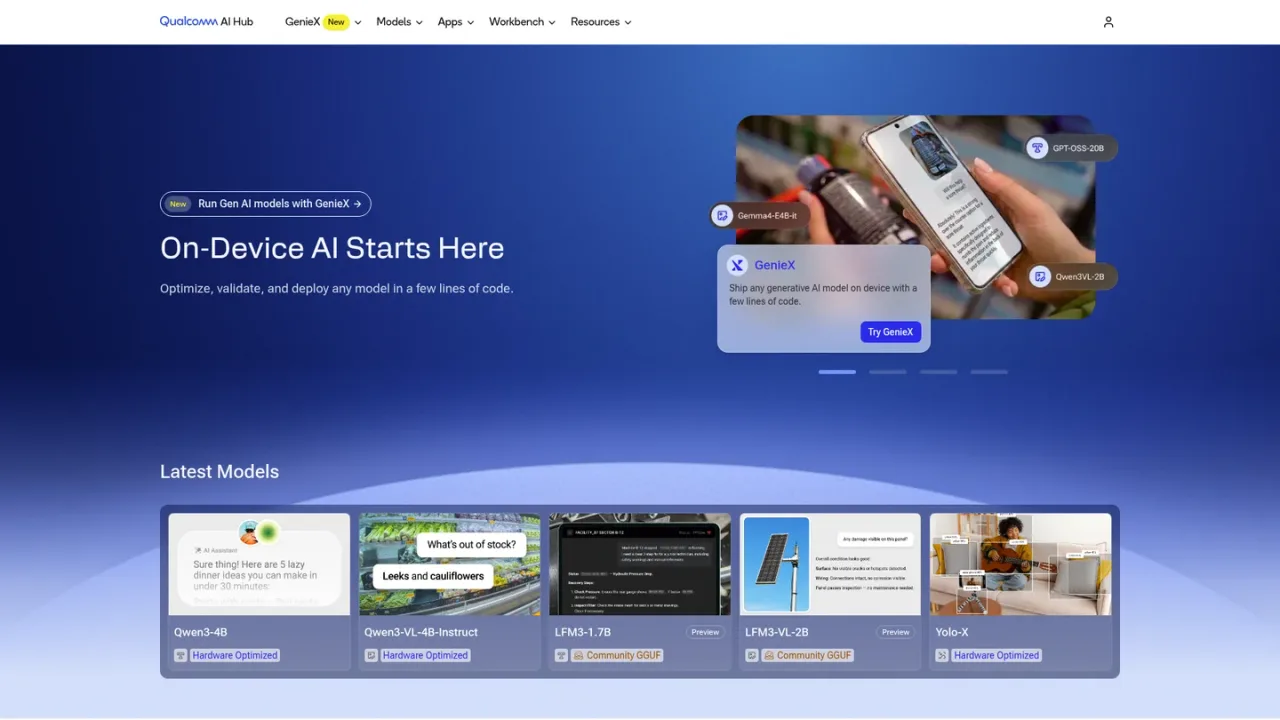
Qualcomm AI Hub is a developer platform for on-device AI. It combines a library of 300+ ML and generative AI models optimized and validated by Qualcomm, a Workbench for converting custom PyTorch or ONNX models to LiteRT, ONNX Runtime, or Qualcomm AI Runtime, and GenieX, an open-source toolkit with a unified runtime for NPU, GPU, and CPU. Developers can quantize and fine-tune models for accuracy, profile and run inference on 50+ types of Qualcomm devices hosted in the cloud, and start from sample app repositories with code templates and guides. It targets mobile, compute, automotive, and IoT workflows. Access begins through a Workbench sign-in and getting-started documentation.
Sign up or sign in to Qualcomm AI Hub Workbench to access documentation, tools, and cloud device profiling.
Start from your own trained model or pick one from the 300+ model library, then begin the optimization workflow.
Convert PyTorch or ONNX models to LiteRT, ONNX Runtime, or Qualcomm AI Runtime, then quantize and fine-tune for accuracy.
Run inference and compare performance metrics on 50+ types of Qualcomm devices hosted in the cloud.
Customize sample application code and follow step-by-step guides to deploy the optimized model on device.
Optimizing a custom trained model for Qualcomm devices
Comparing performance metrics across on-device models
Deploying generative AI models on device with GenieX
Building mobile, compute, automotive, or IoT AI experiences
Prototyping with sample app code templates
It is a developer platform for on-device AI that combines a model library, the Workbench optimization tool, the GenieX toolkit, and sample apps.
The site states that you can browse 300+ ML and Gen AI models optimized and validated by Qualcomm.
Workbench converts trained PyTorch or ONNX models to LiteRT, ONNX Runtime, or Qualcomm AI Runtime.
Workbench lets you profile and run inference on 50+ types of Qualcomm devices hosted in Qualcomm's cloud.
GenieX is an open-source toolkit with a unified runtime for NPU, GPU, and CPU, intended to ship generative AI models on device with a few lines of code.
Model collections are organized for mobile, compute, automotive, and IoT.
API and Workbench documentation is available at workbench.aihub.qualcomm.com/docs, and a getting-started guide is on the AI Hub site.
Qualcomm AI Hub offers a Slack community, a GitHub repository for GenieX, and model listings on Hugging Face.
See the official website for current pricing.
COMMUNITY REVIEWS
No reviews yet.
Open-source TypeScript toolkit for building AI apps and agents with unified multi-provider model APIs, streaming, and chat UI hooks.