
Free
$0USD / per month
For 1 user. Free forever, no credit card.
- 5 AI credits / mo
- 10 transcripts / mo
- AI generated insights
- Share & export transcripts
- In-meeting AI
AI Meetings & Notes Tools
PRODUCT OVERVIEW
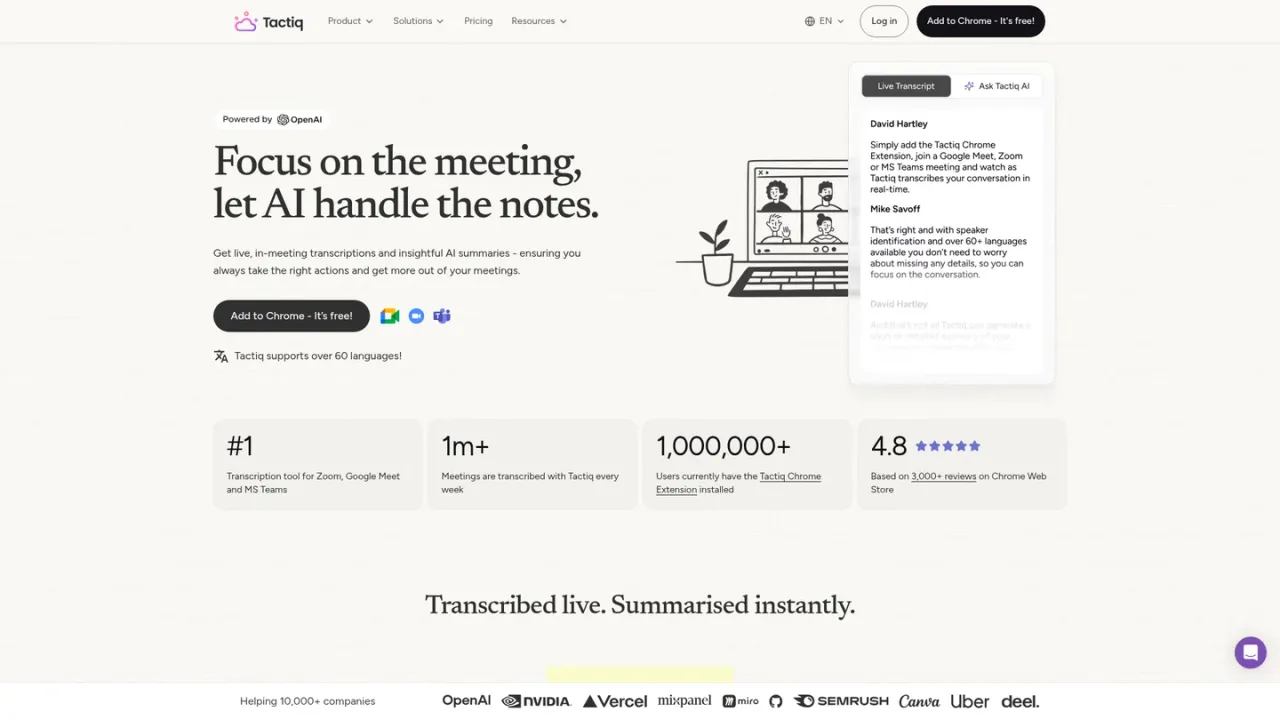
Tactiq is a bot-free Chrome extension that provides real-time transcription for meetings on Google Meet, Zoom and Microsoft Teams, with speaker identification and support for over 60 languages. After or during a meeting, it uses AI to generate short and detailed summaries, action items, follow-up emails, recaps and project updates, and lets you save custom AI prompts for reuse. Transcripts can be searched, tagged, annotated with screenshots, exported to PDF or TXT, and shared via link or email, with integrations to Slack, Notion, Linear, HubSpot and Google Drive. It is aimed at teams, project managers, sales and customer-facing roles who want to stay engaged in conversations while capturing reliable notes. Access starts with a free plan offering 10 transcripts and 5 AI credits per month, with paid Pro, Team, Business and Enterprise tiers for unlimited transcripts and additional collaboration and security features.
Add the bot-free Tactiq extension to Chrome from the official website or Chrome Web Store.
Start or join a meeting in Google Meet, Zoom or Microsoft Teams in your browser; Tactiq displays a live transcript in its own window without a bot joining the call.
Use one-click AI summaries, action items or custom AI prompts to extract insights from the transcript during or after the meeting.
Share transcripts and summaries via link or email, export to PDF or TXT, or send highlights to Slack, Notion, Linear, HubSpot and other integrations.
Team meetings where participants want to stay engaged instead of taking manual notes
Customer and sales calls to capture requirements and follow-up actions
Project updates and status meetings to generate structured recaps
One-on-one meetings and interviews to keep a searchable record
Board meetings and workshops requiring detailed summaries with citations
Sharing meeting highlights to Slack, Notion or Linear for cross-team alignment
No. Tactiq uses OpenAI's enterprise API offering, which is different from ChatGPT, and OpenAI does not use data submitted via API to train its models.
No. Tactiq does not record or store meeting audio; transcription happens in real time and is saved as text.
No, the transcription is only displayed for you, but you can notify everyone that you are transcribing during the meeting.
Tactiq works in browser meetings on Google Meet, Zoom and Microsoft Teams.
One AI credit covers a single AI action, such as generating a meeting summary, drafting action items or asking Tactiq AI a question.
Tactiq keeps transcribing, but AI features pause until your limit resets at the start of the next month or until you upgrade; existing transcripts remain accessible.
Yes, you can upgrade, downgrade or cancel anytime from your billing settings; upgrades apply immediately, while downgrades and cancellations take effect at the end of the current billing period.
The Free plan lets you try Tactiq with no credit card and no time limit; you can upgrade to a paid plan when you need unlimited transcripts or more AI credits.
Prices shown are USD per user per month on annual billing; monthly billing is also offered (annual saves up to 33%). Free plan is free forever with no credit card. Enterprise pricing is custom via sales. Checked 2026-11-19.
For 1 user. Free forever, no credit card.
For 1 pro user.
For 1–20 users.
For 20–200 users.
For 200+ users. Custom pricing; contact sales.
COMMUNITY REVIEWS
No reviews yet.

AI meeting notetaker that transcribes conversations, generates summaries and action items, and answers questions across your meeting knowledge.

AI meeting assistant that records, transcribes, summarizes, and makes team conversations searchable across video conferencing, files, and dialers.

AI meeting minutes tool that transcribes audio and video to text, generates structured summaries and action items, and supports collaborative review.