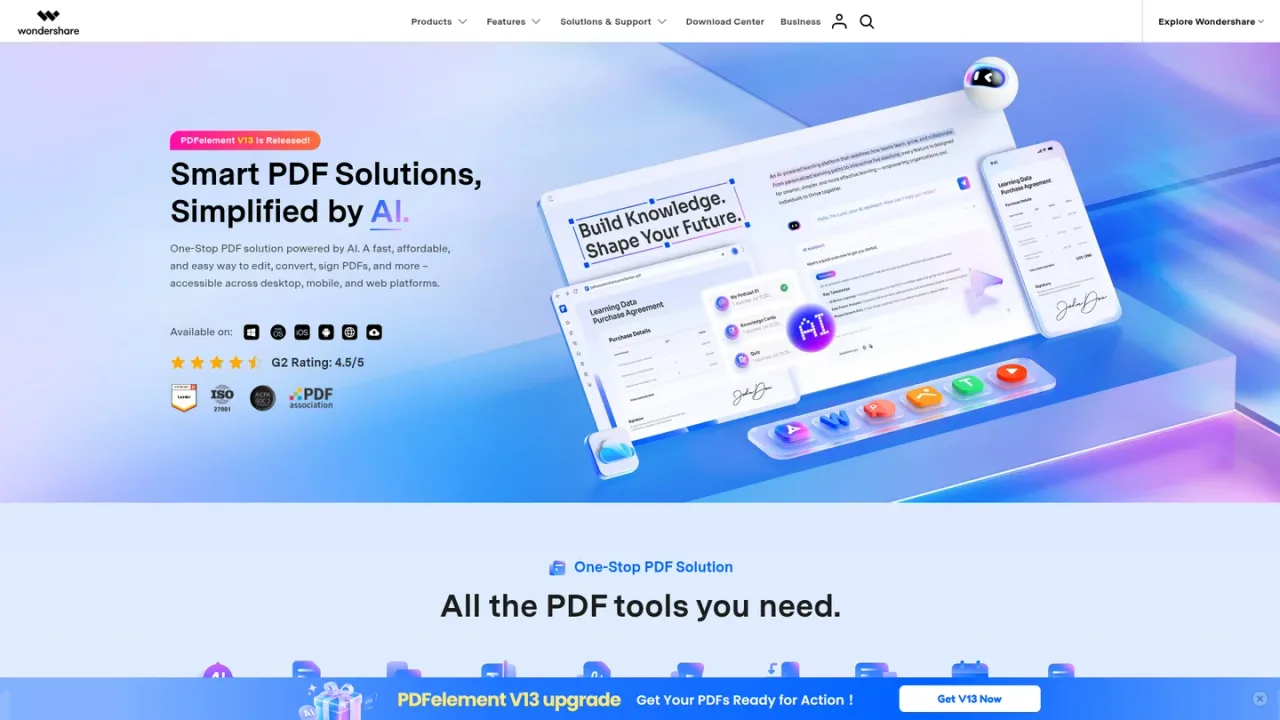
Wondershare PDFelement is a one-stop PDF solution that combines everyday document editing with AI assistance. Users can edit PDF text and images, convert between PDF and formats such as Word, Excel, and PowerPoint, run OCR on scanned files, annotate, fill forms, e-sign, redact, compress, and organize pages. AI features include chatting with PDFs and documents, summarizing, rewriting, explaining, translating, contract review, and generating flashcards, quizzes, or podcasts from documents. It is aimed at professionals, students, and teams handling contracts, reports, and study materials across desktop, mobile, and web. A free download and trial are offered, with paid subscription and perpetual plans available.
How to use Wondershare PDFelement
1
Download or open PDFelement
Get PDFelement for Windows, Mac, iOS, or Android, or use the online tools and cloud service from a browser.
2
Open and edit a PDF
Import a PDF to edit text and images, annotate, fill forms, or organize and compress pages.
3
Convert or OCR documents
Convert PDFs to Word, Excel, PowerPoint, and other formats, or apply OCR to scanned documents to make them editable.
4
Use AI tools on documents
Chat with a PDF or document, summarize or explain content, translate, review contracts, or generate flashcards and quizzes.
5
Sign, protect, and share
Add e-signatures, redact or password-protect sensitive content, and share or send documents for signature.
Wondershare PDFelement Features
Edit PDF text, images, links, and page elements
Convert PDFs to Word, Excel, PowerPoint, and other formats
OCR for scanned documents and images
Annotate, comment, highlight, and markup PDFs
Fill and create PDF forms
E-sign and send documents for signature
Redact, password-protect, and compress PDFs
Chat with PDFs and documents using AI
AI summarization, rewriting, explanation, and translation
AI contract review and comparison
Wondershare PDFelement Use Cases
Editing and revising contracts and reports
Converting scanned documents into editable files with OCR
Summarizing long PDFs and asking questions about their content
Reviewing contract risks and comparing contract versions
Generating flashcards, quizzes, or podcasts from study documents
Filling, signing, and sharing forms electronically
Redacting sensitive information before sharing documents
Organizing, compressing, and merging PDF pages
Wondershare PDFelement FAQs
PDFelement is available for Windows, Mac, iOS, and Android, and also offers online PDF tools and a cloud service accessible from a browser.
Yes. PDFelement includes OCR to recognize text in scanned documents and images so the content can be edited or converted.
AI tools include chatting with PDFs and documents, summarizing, rewriting, explaining, proofreading, translating, contract review, and generating flashcards, quizzes, or podcasts from documents.
A free download and trial version are offered. The trial has limitations, such as saving with a watermark and limited conversion, compared with the paid version.
The AI add-on includes a 7-day free trial with 1,000 AI uses, then renews at $3.99 per month for 1,000 uses per month and can be canceled any time.
Yes. A perpetual plan is offered for iOS, and a perpetual cross-platform option is listed for Windows, Mac, and iOS.
The quarterly plan lists free 20GB PDFelement Cloud storage, and PDFelement Cloud is also offered as a separate document management service.
Yes. PDFelement supports e-signatures, legally binding eSign, and sending PDFs for signature through its cloud service.
Prices shown are from the Mac individuals store page in USD and may vary by platform and region. Subscriptions renew automatically and can be canceled any time. A 7-day free trial of the PDFelement AI add-on is offered, after which it renews at $3.99/month for 1,000 AI uses per month.
Quarterly Plan
$21.99USD / quarter
A quarterly subscription for PDFelement with access to all features and updates for one quarter.
One-quarter access to all features
One-quarter of PDFelement updates
Works on desktop, mobile, and web
Free 20GB PDFelement Cloud storage
No watermark and free tech support
PDFelement AI add-on
$3.99USD / month
An optional AI add-on with a 7-day free trial that renews monthly for 1,000 AI uses per month.
7-day free trial with 1,000 AI uses
Renews at $3.99/month for 1,000 uses/month
Chat with AI about PDF content
Summarize, rewrite, explain, and proofread PDFs
Cancel anytime
iOS Weekly Plan
$6.99USD / week
A weekly subscription for PDFelement Pro on iOS that renews automatically.
All features of PDFelement Pro for iOS
Weekly billing with automatic renewal
Cancel any time
iOS Annual Plan
$29.99USD / year
An annual subscription for PDFelement Pro on iOS that renews automatically.
All features of PDFelement Pro for iOS
Annual billing with automatic renewal
Cancel any time
iOS Perpetual Plan
$69.99USD / one-time
A one-time purchase for PDFelement Pro on iOS with perpetual access.
All features of PDFelement Pro for iOS
One-time payment
Perpetual access
Windows + Mac + iOS Annual Plan
$149.99USD / year
A cross-platform annual plan providing one-year full access to PDFelement Pro for Windows, Mac, and iOS.