guides
How to Evaluate AI Logo Generators Before You Pay
Freeze store name and forbidden elements, then check three gens, SVG export, brand-kit sync, commercial terms, and free/site-bundle walls before paying for an AI logo maker.
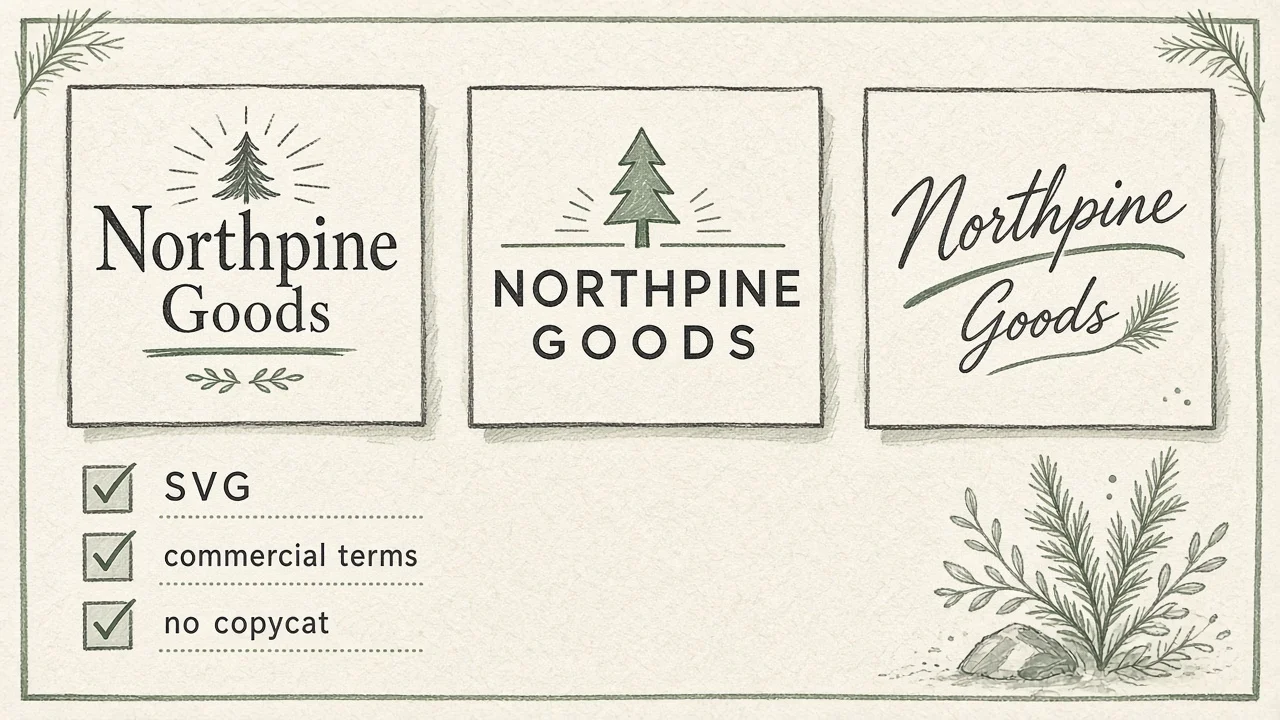
Paying for an AI logo maker after one pretty mockup is how shops lock in garbled wordmarks, lookalike marks that trip trademark counsel, and a PNG-only download with no editable source—then discover the “free logo” was really a site-bundle upsell. The cost is a bad annual plan plus a redesign when the first print vendor asks for SVG.
This is a pre-pay evaluation guide, not a “top 10 AI logos” gallery. General image-tool pre-buy and brand-safe marketing-image comparisons (Firefly / Canva / Ideogram) already have their own AINav lanes. Here the job is narrower: logo / identity — wordmark, icon, export, re-edit, commercial terms — with a frozen brief, before you put a card on file.
Directory pointers (not a scoreboard): site-bundled makers such as Wix Logo Maker (Wixel-fronted free logo flow on Wix’s public pages); design-canvas AI via Canva AI and Kittl; strong text-in-image generation via Ideogram; and brand-safe generative adjacency via Adobe Firefly as a brand asset path, not a dedicated logo SKU. Browse the wider set under /category/ai-logo-generation.
Bottom line: Freeze store name + category + two primary colors + forbidden elements first → run the same brief three times → check SVG/PDF/editable source, brand-kit sync, and commercial terms from public pages → annual-pay only if vector export and commercial language are clear. Split by need: launching a Wix site soon → site-bundled logo path; need canvas edit + brand kit → Canva / Kittl; need legible AI wordmarks from a prompt → Ideogram; need commercially safer brand exploration into Illustrator/Express → Firefly adjacency. No vector / unclear commercial terms → do not annual-pay.
Findings: public docs + limited hands-on framing (verification 2026-11-06, Asia/Shanghai). Re-open vendor pricing, license, and AI terms before you pay. No invented download counts, trademark “safety scores,” or locked dollar conclusions where pages are ambiguous.
Who this is for / Out of scope
For: founders naming a shop; marketers refreshing a wordmark; freelancers who must deliver PNG and SVG to a client; anyone tempted by “free logo in 60 seconds” ads.
Out of scope: social-square / ad-creative bake-offs (see image-tool and brand-safe image articles), full brand-agency RFPs, and unlisted Looka-class tools as clickable /tool links—name them only if needed and keep AINav internal links to listed tools.
Freeze the brief before you open pricing
Write these down before the first generation:
- Exact store name (spelling locked) + one-line category.
- Two primary colors (hex) and one “never use” palette note.
- Forbidden elements (no animals, no crowns, no lookalike to a named competitor mark).
- Deliverable list: wordmark, icon-only, horizontal lockup; PNG + SVG minimum.
- One commercial rule (shop merch? app icon? trademark filing intent?).
If a vendor cannot run your brief three times, their gallery is marketing.
The five evaluation pillars
| # | Pillar | Pass looks like | Fail looks like |
|---|---|---|---|
| 1 | Same brief × 3 gens | Legible type; no obvious copycat marks | Garbled letters; near-clones of famous logos |
| 2 | Export | PNG + SVG/PDF; editable source or clear rebuild path | Raster-only; locked editor after cancel |
| 3 | Brand kit sync | Weight/color change propagates to lockups | One-off PNG; kit does not update |
| 4 | Commercial terms | Public page covers trademark/resale/training you can quote | “Personal use only” on free; vague IP |
| 5 | Price wall | Free download limits / watermark / site-bundle mapped | Forced annual site plan to keep the mark |
Pillar 1 — Same brief, three generations
Generate three times with the identical prompt pack. Lay the wordmarks side by side.
Pass: store name is spelled correctly; letterforms are readable at favicon size; no clear imitation of a famous mark. Fail: melted letters, swapped characters, or “inspired by” silhouettes counsel would reject.
How tools tend to split (public shape + limited hands-on):
- Wix Logo Maker — questionnaire / template / AI-assisted logo flows aimed at getting a mark onto a Wix/Wixel brand theme quickly; strong when the next step is a site, weaker if you need Illustrator-grade type design.
- Canva AI — canvas + Brand Kit + AI generation inside a design editor; excellent for mockups, but library content in a mark can block exclusive trademark claims—read Canva’s licensing explained / content license pages before you treat a template mark as registrable.
- Kittl — design-canvas with AI tokens, premium templates, and plan-gated commercial licensing; score it on editable type + vector export, not gallery vibes.
- Ideogram — text-in-image strength for wordmark exploration; treat outputs as concept art until you rebuild in vectors.
- Adobe Firefly — commercially safer generative adjacency for brand exploration (Adobe publicly frames Firefly models as commercially safe / not trained on subscribers’ personal content)—then take winners into Illustrator for a true logo file. Not a one-click “logo maker” SKU.
Pillar 2 — Export: PNG, SVG, PDF, editable source
Download every candidate’s best mark. Prefer SVG (or PDF with live vectors) plus transparent PNG.
Pass: vectors open in Illustrator/Figma with editable text or clearly outlined paths you can rebuild; transparent PNG for web. Fail: watermarked raster; SVG missing; editor locks exports after trial ends.
Wix’s public logo-maker / Wixel copy advertises free high-res downloads including SVG and PNG—verify on the live page for your account tier and AI-credit limits. Kittl’s public pricing FAQ states paid plans unlock high-resolution and vector exports; Free is framed as personal-use / limited. Canva exports depend on plan and whether the design uses Pro content—confirm SVG availability for your logo file type on Canva’s live help/pricing. Ideogram emphasizes quality export on paid plans—confirm whether you get vectors or raster only. Firefly commonly exports PNG/JPG for images—plan a vector rebuild step if the logo must scale for signage.
Pillar 3 — Brand kit sync when weight or color changes
Change one color and one type weight on the primary wordmark. Check icon-only and horizontal lockups.
Pass: kit or styles update related assets; you are not hunting three disconnected PNGs. Fail: each size is a one-off generation with drifting colors.
Canva Brand Kits (plan-gated counts on public Pro/Teams pages) and Wixel “brand theme from logo” framing are the practical sync stories. Kittl’s higher tiers advertise Brand Kits on public plan materials—confirm on live pricing. Ideogram / Firefly generations usually need a deliberate handoff into a design system; score them lower on “kit sync” unless you already own that workflow.
Pillar 4 — Commercial terms (trademark, resale, training)
Before you print merch or file a trademark, quote the public license in one paragraph.
Checklist (fill from public pages only):
- Personal vs commercial use on free vs paid
- Copy/reproduction caps (e.g. merchandise volume)
- Whether library/template elements may appear in others’ designs
- Trademark / trade-name restrictions
- Whether prompts/uploads train the vendor’s models
Public shapes verified 2026-11-06 (Asia/Shanghai)—re-open live pages before you pay:
- Canva — Content License / Licensing Explained: you generally cannot use Canva library content as part of a trademark (fonts / simple shapes / lines excepted); AI Product Terms (effective 26 June 2026 on the public page) assign ownership of Output subject to Licensed Content rules; Privacy Settings control improvement use with Technology Partners—screenshot your setting.
- Kittl — public pricing FAQ: Free = personal use only; Pro & Expert = Commercial License up to 500,000 copies; Business/Enhanced path for wider reach—read the linked license page, not a blog paraphrase.
- Ideogram — pricing FAQ: Ideogram does not claim ownership of generated images and states you are free to use them including commercial use—still run trademark counsel on lookalikes; see Terms of Service.
- Adobe Firefly — Adobe publicly states Firefly models are commercially safe, trained on licensed/public-domain sources, and that Adobe does not train Firefly on Creative Cloud subscribers’ personal content; Generative AI User Guidelines prohibit infringing trademark prompts—re-confirm on adobe.com Firefly and legal pages.
- Wix / Wixel logo flow — public FAQ notes icons/fonts are licensed for commercial use but elements are shared across users; uniqueness comes from your combination—do not assume exclusive trademark rights from a template alone.
If commercial language is unclear, do not annual-pay.
Pillar 5 — Price wall: free limits, watermarks, site-bundle traps
| Label | Meaning | Verify on the public page |
|---|---|---|
| Completely free download | Mark leaves without a card | AI credits? Resolution caps? Personal-use only? |
| Soft cap / tokens | Works until a meter | Kittl AI tokens; Ideogram priority credits; Firefly generative credits; Canva premium AI access |
| Seat / plan uplift | Design suite subscription | Canva Pro yearly public list price; Kittl Pro/Expert/Max; Ideogram Plus/Pro/Team |
| Site-bundle trap | Logo “free” with website plan | Whether keeping/editing the mark requires a Wix site subscription |
Indicative shapes only—open live pages on purchase day:
- Wix Logo Maker / Wixel — free-plan AI credits and free SVG/PNG download messaging on the public logo-maker page; confirm credit burn for AI edits and whether a site upsell is required for your workflow.
- Canva — pricing: Free with limited premium AI; Pro publicly listed around US$120/year per person with high AI access and Brand Kits (counts on page)—Teams/Business higher.
- Kittl — pricing: Free vs Pro / Expert / Max; FAQ confirms commercial license tiers and that unused monthly tokens do not roll over; Expert/Max add daily tokens.
- Ideogram — pricing: Plus / Pro / Team with annual discounts publicly listed; priority vs slow credits; commercial-use FAQ as above.
- Adobe Firefly — plans + generative-credits FAQ: Firefly Standard publicly starts around US$4.99/mo on Adobe plan pages; credit tiers (e.g. 2k / 4k / 10k / 50k premium credits) with unlimited standard generations on paid Firefly plans—screenshot today’s matrix.
Do not hardcode vendor dollars into the decision memo when the widget geo-varies. Prefer shapes when ambiguous.
Completely free vs canvas vs brand-safe adjacency
| Path | Fit | Watch-out |
|---|---|---|
| Site-bundled logo (Wix / Wixel) | Need a mark + site this month | Template uniqueness; AI credit walls; bundle pressure |
| Design-canvas AI (Canva / Kittl) | Edit lockups, mockups, brand kit | Trademark limits on library content; commercial tier gates |
| Strong text-in-image (Ideogram) | Explore wordmarks that actually spell | Often raster; rebuild for SVG; lookalike risk |
| Brand-safe gen adjacency (Firefly) | Explore marks with clearer commercial framing | Not a dedicated logo product—vector finish elsewhere |
| Annual plan before pillars 2+4 are green | Almost never | Watermark / personal-use surprise on launch day |
Decision tree
- Pillar 4 unclear or Free = personal-use only and you sell products → stop or upgrade path only after reading the license.
- Need site + logo together → Wix Logo Maker path; still demand SVG.
- Need editable canvas + brand kit → Canva AI vs Kittl on the same brief.
- Need legible AI wordmark concepts → Ideogram exploration, then vector rebuild.
- Need commercially safer generative exploration into Adobe apps → Firefly, then Illustrator.
- Only after three clean gens + SVG + license paragraph → buy the smallest paid rung; skip annual if you only needed one mark.
One-week checklist
Day 0: freeze name/category/colors/forbidden list + deliverable matrix. Days 1–2: three gens per candidate; reject garbled/copycat. Day 3: export PNG+SVG(+PDF); open in Illustrator/Figma. Day 4: brand-kit color/weight change test. Day 5: quote commercial terms from public pages into a one-pager for counsel. Day 6: map free vs paid walls (credits, watermarks, site bundle). Day 7: decide keep / rebuild manually / buy smallest plan—annual only if 0–6 passed.
FAQ
Is this the same as evaluating AI image tools?
No. Image-tool guides cover social squares, ads, and general gens. This guide is identity: wordmark, icon, vector export, trademark-adjacent risk.
Can AI logos be trademarked?
Maybe—not if they embed shared template/library art you do not exclusively own. Canva’s public licensing pages are explicit about trademark limits on library content. Always run counsel; this guide is not legal advice.
PNG is fine for my website—why SVG?
Because the first print shop, App Store icon, or billboard will ask. If SVG is missing, budget a designer rebuild before you annual-subscribe.
What about tools not listed here?
Use the same five pillars. Do not invent AINav /tool links for unlisted Looka-class products.
Related on AINav
Wix Logo Maker · Canva AI · Kittl · Ideogram · Adobe Firefly · AI Logo Generation category · Evaluate AI image tools before you subscribe · Adobe Firefly vs Canva AI vs Ideogram for brand-safe images
List your AI tool → /submit