
Free
$0USD / forever
A free Buffer plan for getting started with social media scheduling and the AI Assistant.
- Connect up to 3 channels
- 10 scheduled posts per channel, refill anytime
- 100 ideas
- 1 user account
- AI Assistant included
AI Social Media Tools
PRODUCT OVERVIEW
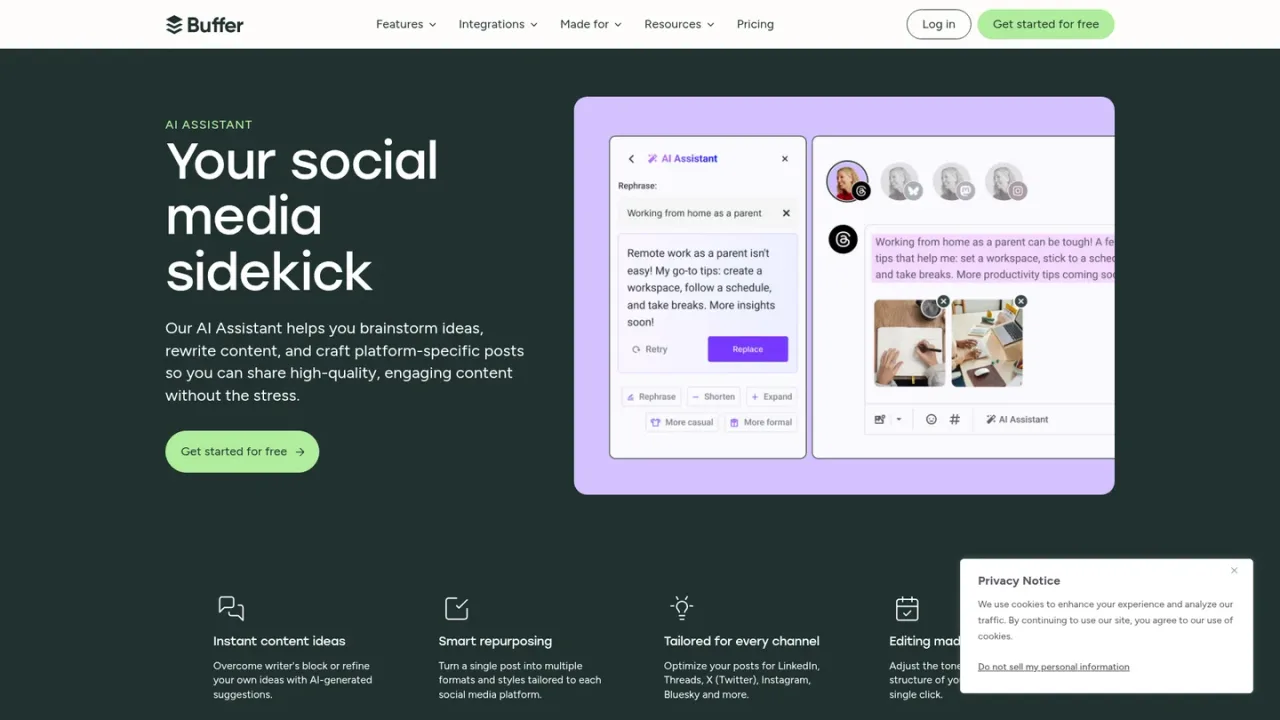
Buffer AI Assistant is an AI-powered tool built into Buffer's social media composer and Create space. It helps creators, marketers, and small teams brainstorm post ideas, turn one post into multiple formats, tailor content for channels such as LinkedIn, Threads, X, Instagram, and Bluesky, and edit posts by rewriting, shortening, expanding, or adjusting tone. The assistant is optional and uses OpenAI's language models; text entered into the assistant is shared with OpenAI, while other account data and media are not. It is available with a free Buffer account and on paid Buffer plans, and a public AI social media post generator offers a way to try it.
Sign in to Buffer and open the AI Assistant interface in the post composer or the Create space.
Enter a prompt to get AI-generated social media post ideas or captions tailored to your audience.
Turn an existing post into multiple formats and styles optimized for channels such as LinkedIn, Threads, X, Instagram, and Bluesky.
Use one-click options to rewrite, shorten, expand, or make the content more casual or more formal.
Use Buffer's publicly available AI social media post generator to try the assistant without signing up.
Brainstorming social media post ideas when facing writer's block
Turning a single post into multiple platform-specific versions
Adjusting the tone of a post to be more casual or formal
Shortening or expanding captions for different channels
Maintaining a consistent social presence without starting from scratch
It uses advanced language models to generate social media post ideas, repurpose existing posts, and summarize long content into short posts based on your prompt.
Yes. You can make posts more casual or formal, shorten or expand them, and tweak the structure within the post composer.
Yes. You can use it without limits by signing up for a free Buffer account, or try the public AI social media post generator.
No. It is entirely optional; posts are not automatically generated or changed unless you open the AI Assistant interface.
Text entered into the assistant is shared with OpenAI to provide responses. No other account details, media files, or other parts of your work in Buffer are shared.
It can optimize posts for LinkedIn, Threads, X (Twitter), Instagram, Bluesky, and more.
Yes. It can turn a single post into multiple formats and styles tailored to each social media platform.
Yes. The AI Assistant is included on the Free, Essentials, and Team plans.
Prices shown are per channel per month with yearly billing; monthly billing is also available. Paid plans include a 14-day free trial. The AI Assistant is included on all plans, including Free.
A free Buffer plan for getting started with social media scheduling and the AI Assistant.
A paid plan for individuals who need unlimited scheduling and advanced analytics, with a 14-day free trial.
A paid plan for teams that need unlimited members, approval workflows, and access controls, with a 14-day free trial.
COMMUNITY REVIEWS
No reviews yet.

Browser-based AI photo and video editor with templates, auto captions, text-to-speech, background removal, and AI generation tools.

AI-powered advertising platform that unifies creative, media, and intelligence to build, launch, and optimize cross-channel ad campaigns.

HubSpot's Agent Hub for building, managing, and running AI agents across marketing, sales, and customer service on the HubSpot platform.