
Microsoft 365 Copilot
Microsoft's AI assistant built into Word, Excel, PowerPoint, Outlook, and Teams, grounded in your work data with Work IQ.
AI Chat Assistants ToolsFreemium
AI Assistant
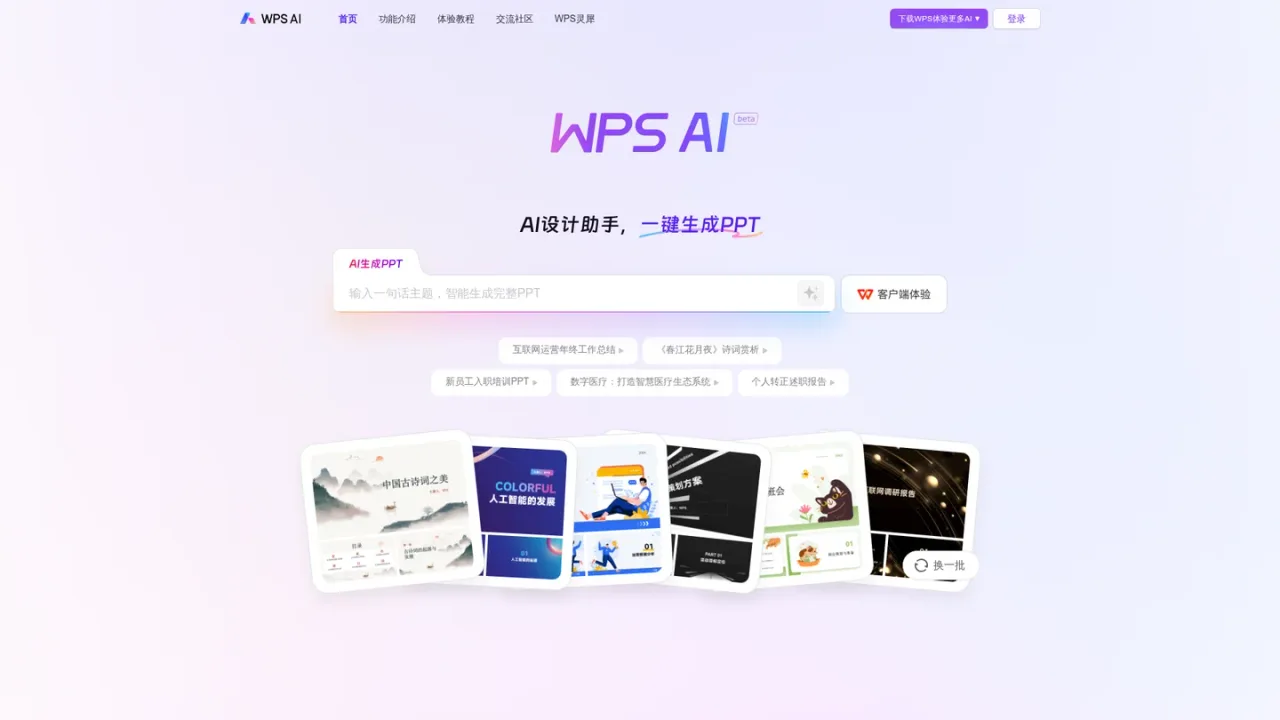
PRODUCT OVERVIEW
WPS AI is Kingsoft Office's AI assistant suite built into the WPS office environment. It combines an AI writing assistant, AI design assistant, AI reading assistant and AI data assistant, so users can draft reports, weekly summaries, speeches and news releases, polish or restyle existing text, generate presentation outlines, summarize long documents, ask questions about a document's content, and create spreadsheet formulas or conditional formatting by describing what they need in plain language. It is aimed at office workers, students and teams handling everyday document, slide and data tasks. Basic features are available on the web version, while more capabilities are accessed through the WPS desktop and mobile clients for Windows, Mac, Linux, Android and iOS.
Visit ai.wps.cn and sign in to start using the web version, which offers basic features.
Choose the AI writing, design, reading or data assistant depending on whether you need text, slides, document Q&A or spreadsheet help.
Use a built-in template such as a weekly report or PPT outline, or type your own request into the input box.
Use the AI polish tools to continue writing, shorten, polish or convert the style of existing text.
Download the WPS client for Windows, Mac, Linux, Android or iOS to access capabilities beyond the web version's basic features.
Drafting year-end work summaries and probation reports
Generating a mid-year review presentation outline
Writing weekly work reports and progress updates
Producing news releases and Xiaohongshu note titles
Summarizing long project reports or academic papers
Asking questions to locate data or definitions inside a document
Creating spreadsheet formulas without memorizing functions
Filtering spreadsheet data by describing conditions in natural language
The site lists an AI writing assistant, AI design assistant, AI reading assistant and AI data assistant.
Yes. The web version is available, but the page notes that it only opens basic features.
WPS clients are offered for Windows, Mac, Linux, Android and iOS.
Templates cover work weekly reports, work reports, reflections, speeches, meeting outlines, news releases and Xiaohongshu note titles, among others.
Yes. The AI full-text summary feature condenses long articles such as project reports or academic papers into a concise abstract.
You enter a question, such as a data point, definition or background detail, and WPS AI searches the document for it.
Yes. The AI data assistant writes formulas and conditional formatting based on your plain-language description, so you don't need to memorize functions.
The page directs users to download the WPS client, available for Windows, Mac, Linux, Android and iOS, to experience more AI features.
The supplied pages do not list plan prices or billing periods; only a web version with basic features and WPS clients are described.
See the official website for current pricing.
COMMUNITY REVIEWS
No reviews yet.
Microsoft's AI assistant built into Word, Excel, PowerPoint, Outlook, and Teams, grounded in your work data with Work IQ.

Skywork is an AI workspace agent that handles multi-step tasks and creates documents, slides, sheets, websites, images, and videos.

AI assistant inside Microsoft Excel that helps edit formulas, tables, and formatting, and turn prompts into data insights.