

Grammarly
AI writing partner that proofreads, rewrites, adjusts tone, detects AI text and plagiarism, and offers AI agents and a document editor.
AI Writing & Text ToolsFreemium
AI Paraphrasing & Editing Tools
PRODUCT OVERVIEW
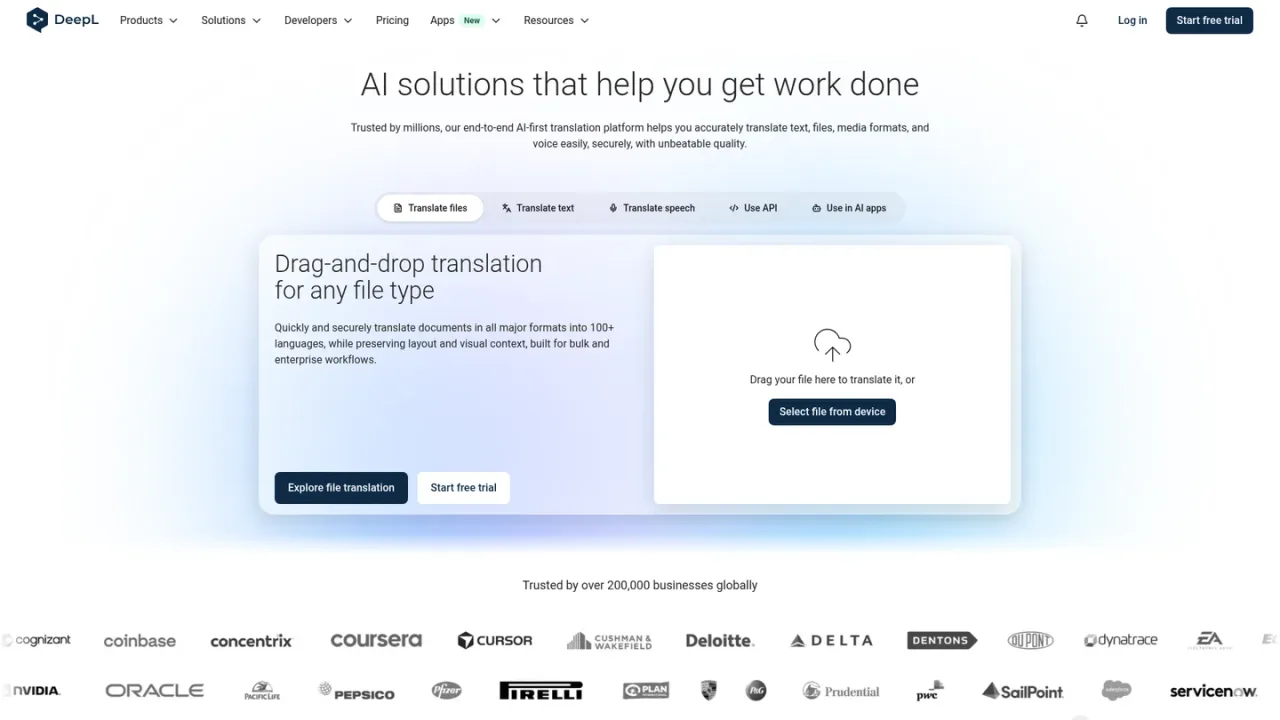
DeepL is an AI-first language platform built around accurate translation. Its Translator handles text and drag-and-drop document translation in all major formats into 100+ languages while preserving layout and visual context, with pro features such as glossaries and rules. DeepL Voice adds real-time voice translation for virtual meetings and in-person conversations, while DeepL Write helps refine business writing with style and tone adaptation. Developers can integrate the Language AI through the API, and apps and integrations extend it to Windows, macOS, mobile, browsers, Word, Google Workspace, Microsoft 365 and AI agents. A free trial is available.
Open the DeepL Translator, paste or type source text, choose the target language and review the translation.
Drag a file onto the document translation area or select it from your device to translate while preserving formatting and layout.
Use DeepL Voice for real-time voice translation in virtual meetings or in-person conversations.
Use DeepL Write to refine business writing and adapt style and tone to your brand and audience.
Sign up for an API key and follow the developer quick-start guide to add DeepL translation to your systems.
Translating business documents while keeping original formatting
Localizing websites and marketing content with the API
Supporting multilingual customer service conversations
Communicating across languages in internal meetings
Refining business writing for a target audience
Scaling technical documentation translation
DeepL translates text, documents in all major formats, and speech, supporting 100+ languages. Document translation preserves layout and visual context.
The site promotes a free trial and a free API key sign-up. Specific plan prices are not listed on the supplied pages.
Document translation covers major formats including PDF, Word, PowerPoint and Excel, while preserving original formatting and layout.
DeepL Voice provides real-time voice translation for virtual meetings and in-person conversations.
DeepL Write helps perfect business writing with style and tone adaptations to fit your brand and target audience.
Yes. DeepL offers an API with documentation and a quick-start guide so you can add translation to your systems and scale workflows.
DeepL offers Windows, macOS, Android and iOS apps, Chrome, Firefox and Edge extensions, and integrations with Word, Google Workspace, Microsoft 365, PowerPoint and Outlook.
DeepL states it is available in Microsoft Copilot, ChatGPT and Claude via MCP.
The site promotes a free trial and free API sign-up; specific plan prices are not listed on the supplied pages.
See the official website for current pricing.
COMMUNITY REVIEWS
No reviews yet.
AI writing partner that proofreads, rewrites, adjusts tone, detects AI text and plagiarism, and offers AI agents and a document editor.

Anthropic's AI assistant for chat, web search, file creation, code execution, and task hand-off across web, desktop, and mobile.