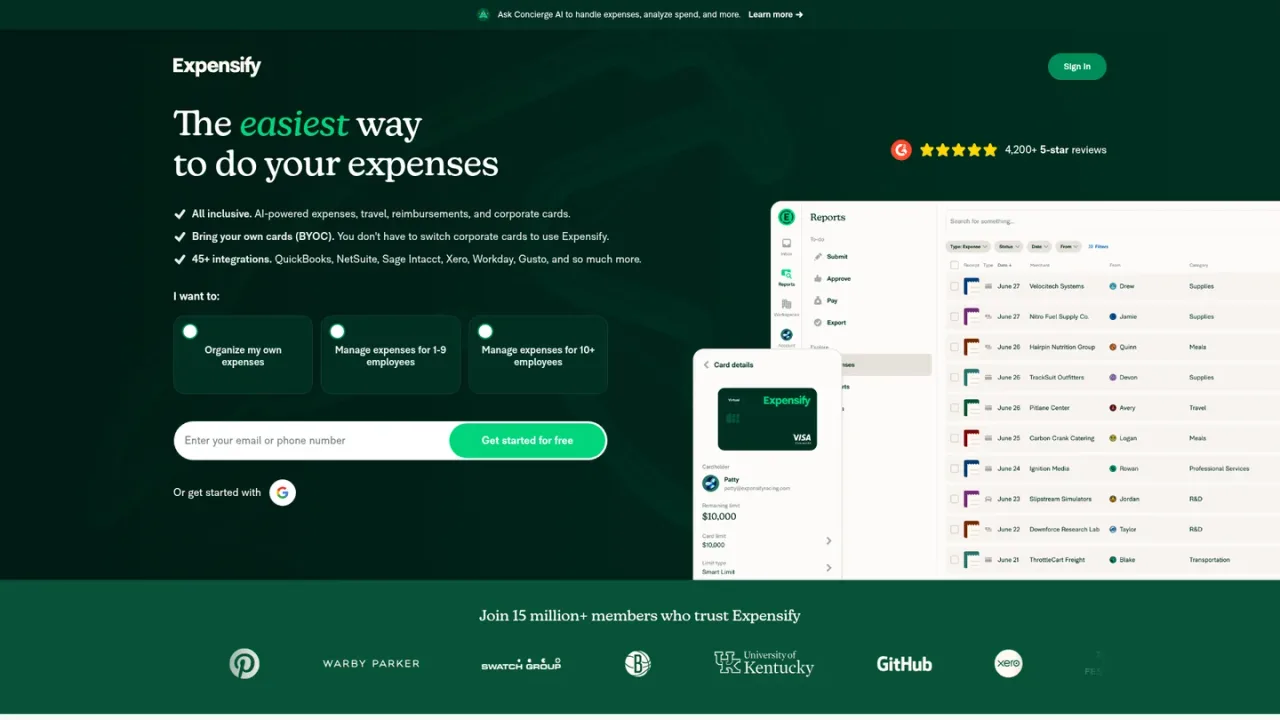
Expensify is an all-in-one expense management platform that uses Concierge AI to automate expense categorization, flag policy violations, and enforce rules. It supports receipt scanning via mobile app, email, or file upload; expense report creation, submission, approval, and reimbursement; corporate card management with bring-your-own-cards and virtual cards; travel booking; bill pay; invoicing; budgeting; and financial reporting. The platform integrates with QuickBooks, NetSuite, Sage Intacct, Xero, Workday, Gusto, and 45+ other tools. It is designed for employees, employers, and accounting teams to track expenses, manage spend, and streamline reimbursement workflows. Access options include a free Submit plan for individuals and paid Collect and Control plans for businesses.
How to use Expensify
1
Sign up and upload receipts
Create an account with your email or phone number, then scan receipts via the mobile app, forward them to receipts@expensify.com, or upload files to automatically capture amount, date, and merchant.
2
Create and submit expense reports
Organize expenses into reports, add categories and tags, and submit for approval. Expensify handles matching and policy checks.
3
Connect accounting software
Integrate with QuickBooks, Xero, NetSuite, or Sage Intacct to automatically sync expense reports and streamline reconciliation.
4
Manage corporate cards
Link existing corporate cards or use the Expensify Card for automatic reconciliation and cash back on US purchases.
5
Use Concierge AI
Ask Concierge AI to handle expenses, analyze spend, and automate categorization, policy enforcement, and error reduction.
Expensify Features
AI-powered expense categorization and policy enforcement
Receipt scanning via mobile app, email, or file upload
Expense report creation, submission, approval, and reimbursement
Corporate card management with bring-your-own-cards and virtual cards
Travel booking and management
Bill pay and invoicing
Budgeting and financial reporting
Integrations with QuickBooks, NetSuite, Sage Intacct, Xero, Workday, Gusto, and 45+ others
Global reimbursements in local currency
Chat on every expense for real-time collaboration
Expensify Use Cases
Employees scanning receipts and submitting expense reports for reimbursement
Employers automating expense approvals and reimbursements
Accounting teams syncing expenses with accounting software
Businesses managing corporate cards and spend limits
Teams booking travel and tracking travel expenses
Freelancers and contractors tracking expenses for tax purposes
Expensify FAQs
Expensify is an all-in-one expense management platform that helps you track receipts, manage expenses, and handle reimbursements with AI-powered automation.
Expensify is designed for employees, employers, and accounting teams to manage expenses, approvals, and reimbursements efficiently.
You can scan receipts, track mileage, upload travel expenses, pay bills, and generate invoices.
Yes, employees and contractors can use Expensify to track and manage expenses independently and submit them electronically or as a PDF.
You can sign up with your email or phone number and start uploading receipts right away.
Expensify integrates with QuickBooks, Xero, Oracle NetSuite, Sage Intacct, ADP, Gusto, and 45+ other apps.
Yes, Expensify detects duplicate receipts, ensures correct exchange rates, and automatically checks transactions against company policies.
Expensify is free for individuals. For companies, plans start at $5 per member per month, with discounts for annual commitments and Expensify Card usage.
Prices are shown in USD as displayed on the pricing page. Submit is free for all members. Collect is $5 per member/month; discounts are available for annual commitments and when using the Expensify Card. Control is custom-priced (as low as $9 per active member/month) and requires contacting sales.
Submit
$0USD / per month
Free plan for all members; the free plan for employees, no company approval needed.
Receipt scanning
Mileage tracking
Expense reports
Categories and tags
Custom distance and tax rates
Personal card import
Chat on every expense
AI and human support
Collect
$5USD / per member/month
The small business plan that gives you expense, travel, and chat. Discounts available for annual commitments and when using the Expensify Card.
Receipt scanning
Reimbursements
Corporate card management
Expense and travel approvals
Travel booking and rules
QuickBooks/Xero integrations
Chat on expenses, reports, and rooms
AI and human support
Control
Contact sales
Expense, travel, and chat for larger businesses; custom pricing as low as $9 per active member/month. Contact sales.