Workspace Business Standard
$14USD / per user/month, 1-year commitment, billed monthly
AI Meetings & Notes Tools
PRODUCT OVERVIEW
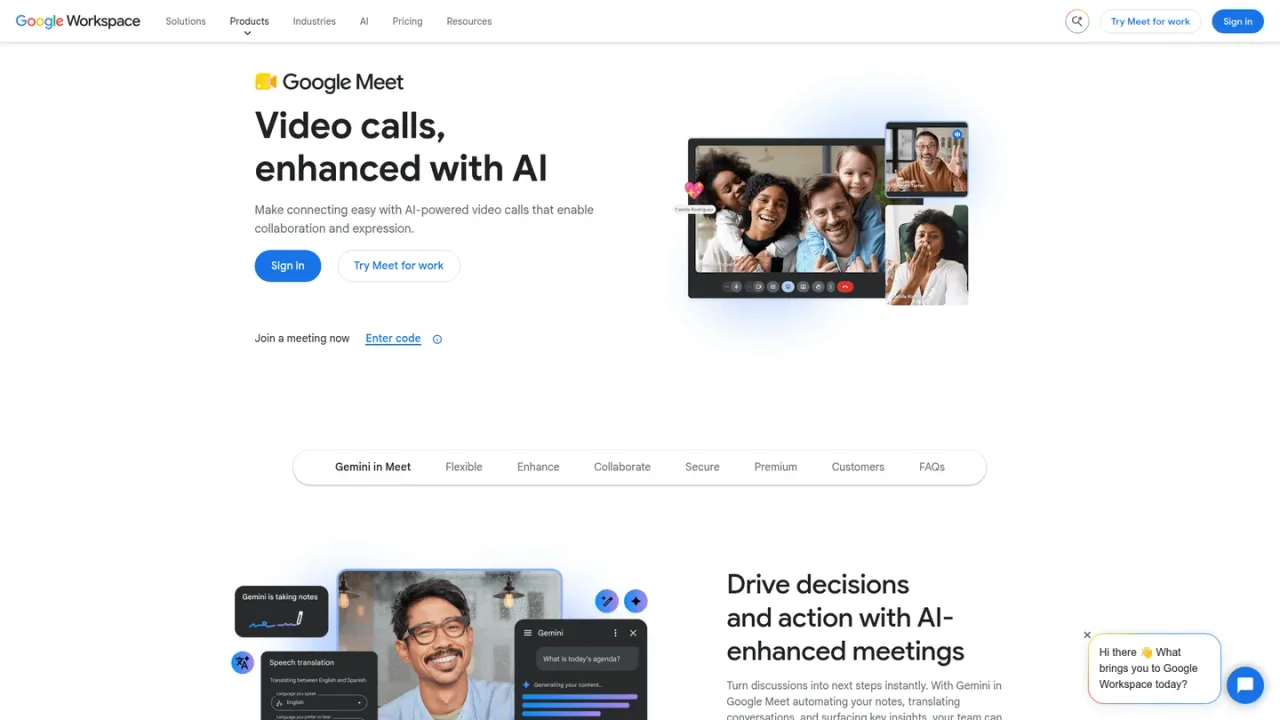
Gemini in Google Meet is the AI layer inside Google Meet, Google's video conferencing service. It brings Gemini assistance into meetings so teams can capture notes, stay organized, and keep discussions on track while collaborating face to face. Meet itself supports video meetings with participant limits that scale by Workspace plan, recording and noise cancellation on higher tiers, and security and management controls for administrators. Gemini in Meet is available through Google Workspace plans, with broader Gemini access in Gmail, Docs, Meet and more on the Standard tier and above. Individuals and businesses can start a 14-day Workspace trial, and plans are billed per user per month in USD.
Open meet.google.com and sign in with your Google account to start or join a meeting.
Access Gemini assistance inside Meet to help capture notes and keep the discussion organized.
Google Workspace Standard and higher plans include the Gemini AI assistant across Gmail, Docs, Meet and more.
Capturing notes and staying organized during team video meetings
Running larger all-hands or client meetings with recording and attendance tracking
Collaborating with Gemini assistance across Gmail, Docs and Meet in one Workspace plan
It is the Gemini AI assistance built into Google Meet, Google's video conferencing service, helping teams capture notes and stay organized during meetings.
Gemini AI assistance across Gmail, Docs, Meet and more is included from Business Standard upward; Business Starter includes Gemini in Gmail.
Participant limits scale by plan: 100 on Business Starter, 150 on Business Standard, 500 on Business Plus, and 1,000 on Enterprise.
Recording and noise cancellation are listed as features of Business Standard and higher Workspace plans.
Business Starter is $7, Business Standard $14, and Business Plus $22 per user per month in USD, excluding tax; Enterprise pricing is available by contacting sales.
Yes, Google Workspace offers a 14-day trial, and promotional discounts may apply at checkout for new customers.
Yes, Workspace plans include security and management controls, with advanced endpoint management on Business Plus and above.
In-domain live streaming is listed as an Enterprise feature, alongside meetings for up to 1,000 participants.
Official pricing rechecked 2026-11-10. Regular US-dollar Workspace rates including Gemini in Docs and Meet, not standalone app prices. Temporary introductory discounts are omitted because the page has conflicting duration text. Starter is not listed as it does not include the same Docs/Meet AI features. Eligibility and regional taxes may differ.
COMMUNITY REVIEWS
No reviews yet.
Notion AI is a built-in AI teammate inside Notion that chats, searches, writes, and automates work across your pages, databases, and connected apps.

AI notetaker and transcription platform for meetings and media files, with subtitles, translation and human services in 150+ languages.

Tencent Cloud speech recognition PaaS that converts audio to text for subtitles, meeting transcription, voice input and call quality inspection.