
Free
$0USD / month
Basic free plan for individuals to try Read AI with limited meetings.
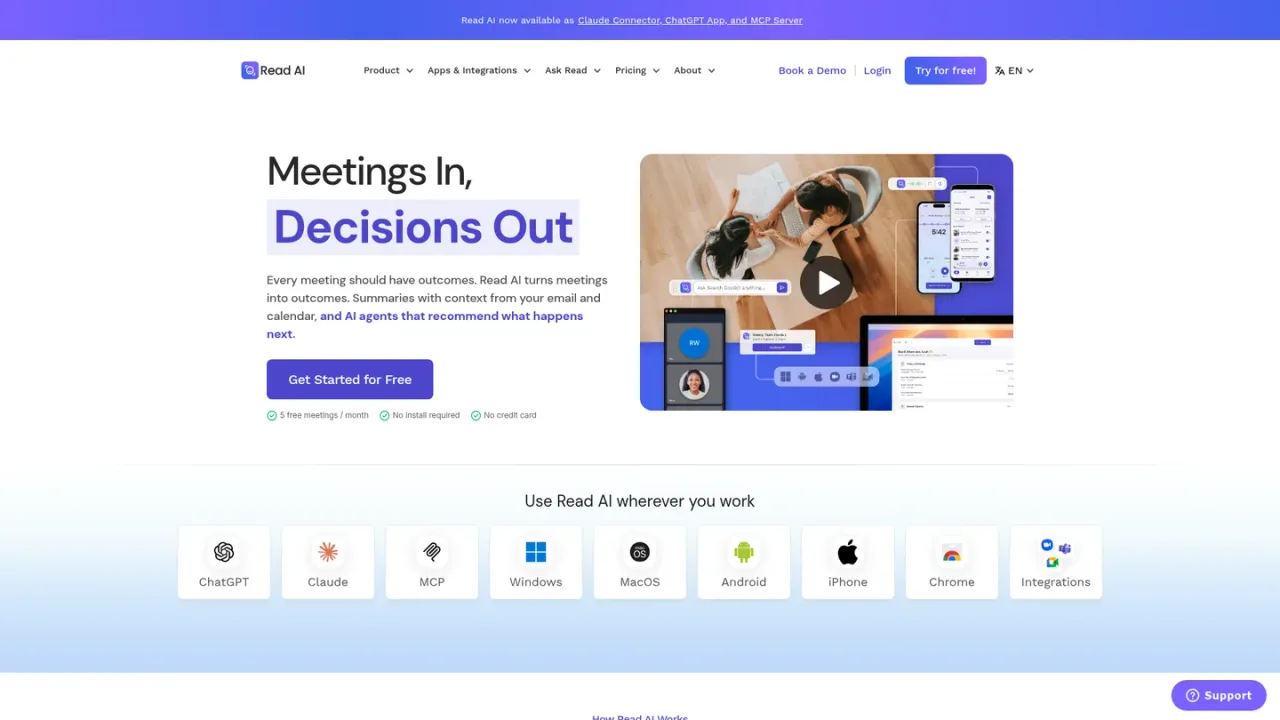
- 5 free meetings per month
- No install required
- No credit card required
AI Meetings & Notes Tools
PRODUCT OVERVIEW
Read AI is an AI-powered meeting assistant that turns meetings into actionable outcomes. It automatically generates meeting summaries, transcripts, and action items, and integrates with calendar, email, and CRM to provide context. The platform works across Google Meet, Zoom, and Microsoft Teams, and includes features like Ask Read for querying meeting content, a digital twin called Ada for task management, and search copilot for unified insights. Read AI is designed for teams and professionals seeking to streamline meeting follow-ups and knowledge sharing. Access options include a free tier with 5 meetings per month and paid plans.
Create an account at app.read.ai to get started with 5 free meetings per month.
Integrate your Google or Outlook calendar to allow Read AI to join scheduled meetings automatically.
Read AI can join meetings on Google Meet, Zoom, or Microsoft Teams as a participant to capture notes and summaries.
After each meeting, access AI-generated summaries, transcripts, and action items in your Read AI dashboard or inbox.
Use Ask Read to query past meetings, emails, and messages for decisions, owners, and open items with citations.
Automatically capture meeting notes and action items
Search across meetings, emails, and messages for decisions and owners
Prepare for meetings with context from past interactions
Delegate tasks to a digital twin assistant
Centralize team knowledge for easy retrieval
Read AI is an AI meeting assistant that generates summaries, transcripts, and action items from meetings, and provides searchable insights across meetings, emails, and messages.
Read AI works with Google Meet, Zoom, and Microsoft Teams, and also offers mobile apps for in-person meetings.
Yes, Read AI offers a free tier that includes 5 meetings per month with no credit card required.
Ask Read is a feature that lets you query your meetings, emails, and messages to find decisions, action items, and insights with citations.
Ada is Read AI's digital twin assistant that helps manage tasks and workflows by learning from your communications.
Yes, Read AI integrates with calendar, email, CRM (e.g., Salesforce, HubSpot), project management (e.g., Asana, Jira), and communication tools like Slack.
Yes, Read AI is available as a ChatGPT app, Claude connector, and MCP server, allowing you to access its capabilities within those platforms.
You can visit the support center at support.read.ai for documentation and help articles.
Free tier includes 5 meetings per month. Paid plans available; see pricing page for details.
Basic free plan for individuals to try Read AI with limited meetings.
COMMUNITY REVIEWS
No reviews yet.
Notion AI is a built-in AI teammate inside Notion that chats, searches, writes, and automates work across your pages, databases, and connected apps.

AI meeting notetaker that transcribes conversations, generates summaries and action items, and answers questions across your meeting knowledge.

AI meeting assistant that records, transcribes, summarizes, and makes team conversations searchable across video conferencing, files, and dialers.