
Free
$0USD / month
A no-cost tier for getting started with Cursor and Grok using limited AI usage.
- Limited agent requests
- Limited Chat requests
- Limited image generation (Imagine)
- Limited Grok Build
AI Coding Assistant
PRODUCT OVERVIEW
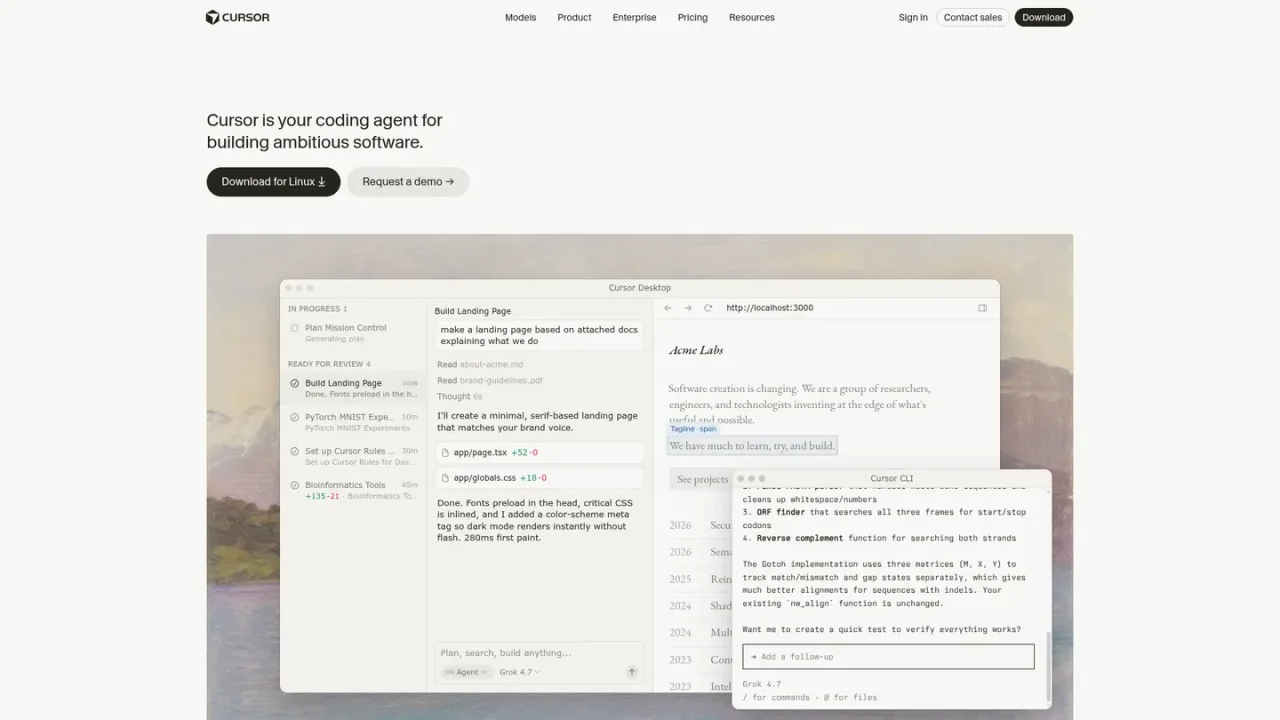
Cursor is an applied research team's coding agent for building ambitious software. It combines a familiar desktop editor with agentic workflows: agents read your codebase, plan changes, run terminal commands, search the web, and edit files, while Plan, Design, and Debug modes support scoping, visual UI edits, and root-cause fixes. Cloud agents run in parallel on their own computers, and Cursor also works through a CLI, browser, mobile, Slack, GitHub, and other integrations. Teams can add rules, skills, plugins, and MCP connections, and use Bugbot for AI code reviews. Access starts with a free tier with limited AI usage, and paid individual, team, and enterprise plans add larger shared usage pools, cloud agents, code hosting, and third-party models at API list price.
Get Cursor for your computer from the official download page, then sign in to start your first project.
Describe a task in the agent panel; Cursor can ask clarifying questions, build a plan, and execute changes in your codebase.
Use @-mentions, rules, skills, plugins, and MCP integrations to point Cursor at the right files and team conventions.
Inspect diffs, use checkpoints to roll back, and run terminal commands or Bugbot reviews before merging.
Understanding a large codebase
Planning and building new features
Finding and fixing bugs
Reviewing changes before merging
Running agents from the terminal or CI
Delegating tasks to cloud agents
Cursor is a coding agent for building ambitious software. It helps you understand your codebase, plan and build features, fix bugs, and review changes.
Yes. The Free plan costs $0/month and includes limited AI usage, limited agent requests, and limited Chat requests.
Plus is $8/month, Premium is $30/month, Super is $100/month, and Ultra is $200/month. Teams starts at $30+/user/month, and Enterprise pricing is custom.
Every tier includes a pool of AI usage shared across Cursor and Grok, and higher tiers include larger pools. Your allowance refreshes weekly, and you can use top-offs if you reach your included usage.
Cursor supports models from OpenAI, Anthropic, Google, Meta, and Cursor, including Grok models. Plus includes Grok models only, while Premium and above also offer third-party models at API list price.
Paid plans include Grok API access, but API usage is billed separately at standard model rates and does not draw from your plan's usage pool.
Cursor runs as a desktop editor, a CLI in any terminal, and cloud agents in the browser or on mobile. It also integrates with Slack, GitHub, GitLab, Azure DevOps, Bitbucket, JetBrains, Linear, and more.
No. Subscriptions are only sold directly through the official website, and subscriptions purchased from other sources are unauthorized.
Prices are shown in USD per month and exclude applicable taxes and fees. Third-party model usage in Cursor is billed separately at API list price. Usage allowances refresh weekly.
A no-cost tier for getting started with Cursor and Grok using limited AI usage.
An introductory plan with a shared AI usage pool, limited to Grok models.
The most popular plan, adding 4x more usage than Plus plus cloud agents and code review features.
A higher-usage plan for daily agent users, with 15x more usage than Plus.
A power-user plan with 50x more usage than Plus and earliest access to products and models.
A per-seat plan for professionals collaborating with others, with 4-50x Plus usage and team administration.
A custom plan for larger organizations that need invoicing, pooled usage, or advanced security.
COMMUNITY REVIEWS
No reviews yet.