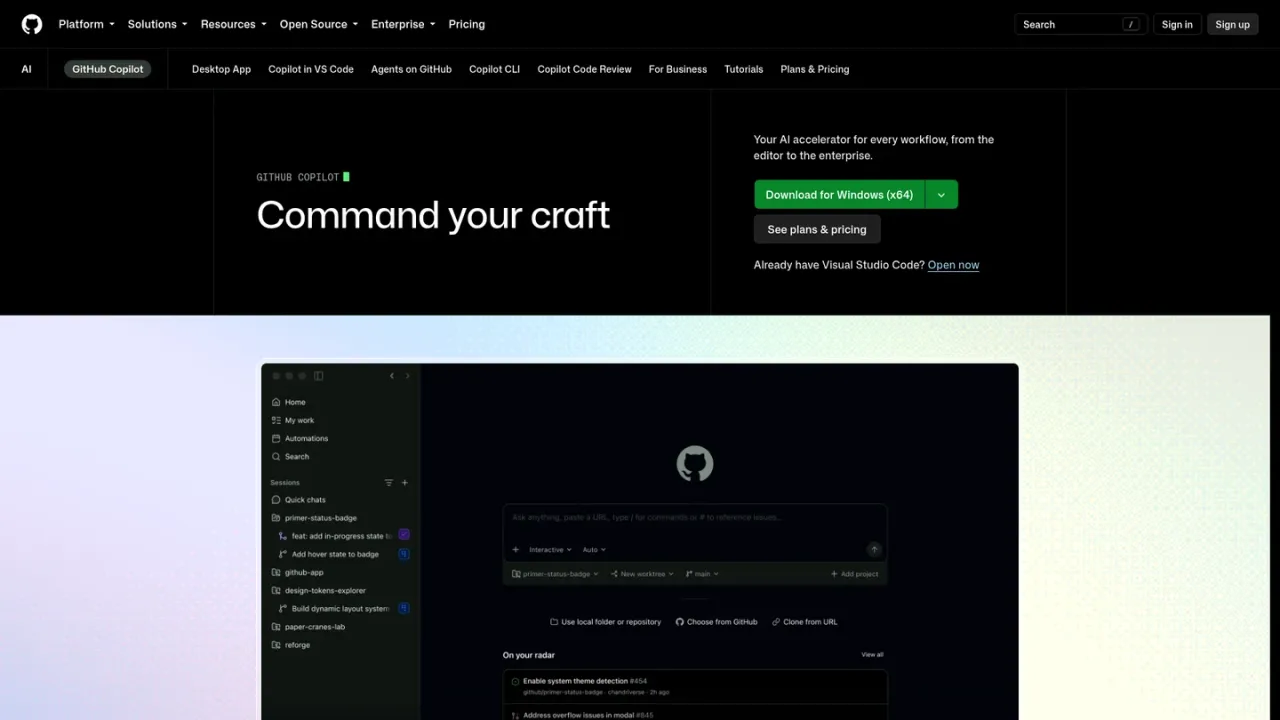
GitHub Copilot is an AI developer tool from GitHub that provides contextual assistance throughout the software development lifecycle. It offers inline code completions, next edit suggestions, and chat in supported editors such as VS Code, Visual Studio, JetBrains IDEs, Neovim, Xcode, Eclipse, and Zed, plus terminal support through Copilot CLI. Agent mode can analyze code, propose edits, run tests, and validate results, while cloud agents can take assigned issues and produce pull requests. Copilot also supports code review, MCP server integrations, custom instructions and agents, and model selection. It is aimed at individual developers and organizations, with plans ranging from a free tier to paid Pro, Pro+, and Max subscriptions.
How to use GitHub Copilot
1
Install the extension in your editor
Install GitHub Copilot from your IDE's marketplace, such as VS Code, Visual Studio, JetBrains IDEs, Neovim, Xcode, Eclipse, or Zed, then sign in with your GitHub account.
2
Start with inline completions and chat
Begin typing code to receive inline suggestions, or open Copilot Chat to ask questions, explain concepts, and request edits.
3
Use agent mode for multi-step tasks
In supported editors, switch to agent mode to let Copilot analyze your code, propose edits across files, run tests, and validate results.
4
Assign work to cloud agents
Assign GitHub issues to Copilot so cloud agents can research, plan, and write code, then return pull requests for review.
5
Use Copilot from the terminal
Install and run Copilot CLI to delegate tasks, make code changes, and use programmatic mode from your terminal.
GitHub Copilot Features
Inline code completions and next edit suggestions in supported editors
Copilot Chat for explanations, questions, and code edits
Agent mode that analyzes code, proposes edits, runs tests, and validates results
Cloud agents that turn assigned issues into pull requests
Copilot code review for pull requests and file diffs
Copilot CLI for terminal-based tasks and programmatic mode
Model selection across multiple leading LLMs
MCP server integrations and custom instructions and agents
Support for VS Code, Visual Studio, JetBrains IDEs, Neovim, Xcode, Eclipse, and Zed
GitHub AI Credits for chat, agent mode, code review, and CLI usage
GitHub Copilot Use Cases
Writing and completing code faster inside the editor
Explaining unfamiliar code and answering development questions in chat
Delegating multi-step coding tasks to agent mode
Assigning GitHub issues to cloud agents to generate pull requests
Reviewing pull requests and file diffs with AI assistance
Using Copilot from the terminal with Copilot CLI
Connecting external tools through MCP servers
Standardizing team knowledge with Copilot Spaces
GitHub Copilot FAQs
GitHub Copilot is an AI developer tool that provides contextual assistance throughout the software development lifecycle, from inline suggestions and chat in the IDE to code explanations and answers to docs in GitHub.
Copilot is available as an extension in Visual Studio Code, Visual Studio, Vim, Neovim, the JetBrains suite of IDEs, and Azure Data Studio, and is also supported in terminals through GitHub CLI and as a chat integration in Windows Terminal Canary.
GitHub Copilot Free is a free pricing tier with limited functionality for individual developers. Users assigned a Copilot Business or Copilot Enterprise seat are not eligible.
The Free plan includes 2,000 completions per month, access to Haiku 4.5, GPT-5 mini, and more, Copilot CLI, and community support, with no credit card required.
Pro adds access to the cloud agent and code review, unlimited code completion and next edit suggestions, access to third-party agents such as Claude Code and Codex, model selection, and $15 monthly total credits.
Chat, agent mode, code review, Copilot cloud agent, Copilot CLI, and Copilot Apps consume GitHub AI Credits. Each paid plan includes a monthly total credit amount, and additional credits can be purchased.
No. Copilot generates suggestions using probabilistic determination based on context from your editor, and the AI models do not contain any code.
Yes. GitHub Copilot includes an optional code referencing filter that can detect and suppress suggestions matching public code on GitHub, and code referencing is available in Visual Studio Code.
Prices are shown in USD per user per month. Paid plans include monthly GitHub AI Credits; additional credits can be purchased. Verified students have access to the GitHub Copilot Student plan.
Free
$0USD / per user / month
A free tier for getting started with GitHub Copilot, with limited monthly completions and chat and agent usage.
2,000 completions per month
Access to Haiku 4.5, GPT-5 mini, and more
Copilot CLI
Community Support
No credit card required
Pro
$10USD / per user / month
For everyday coding with agents in GitHub Copilot, adding unlimited completions, cloud agent access, and model selection.
Everything in Free
Access to Cloud agent and code review
Unlimited code completion and next edit suggestions
Access to third-party agents (Claude Code and Codex)
Model selection
$15 monthly total credits for Pro
Pro+
$39USD / per user / month
For more complex development with premium models, adding audit logs and higher included usage than Pro.
Everything in Pro
Access to premium models, including Opus
Audit logs
4x+ included usage than Pro
$70 monthly total credits for Pro+
Max
$100USD / per user / month
For sustained, high-volume agent workflows with GitHub Copilot, with priority access to new models and the highest included usage.