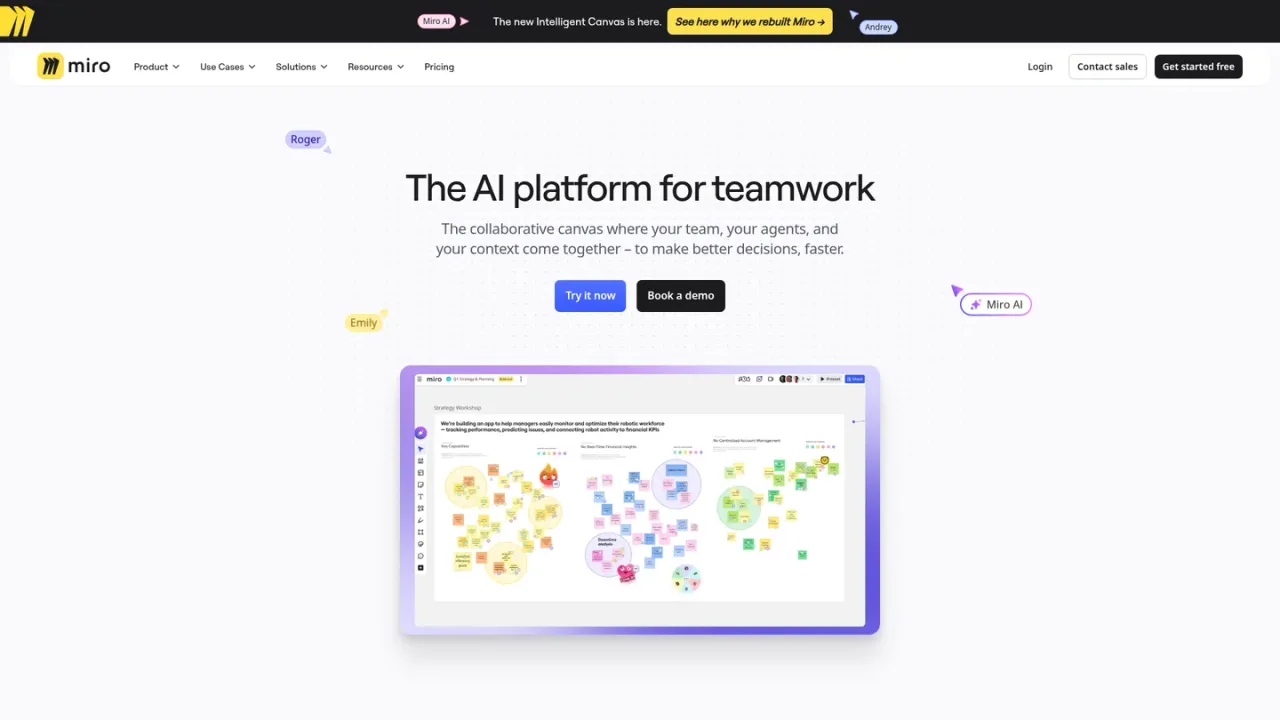
Miro AI is the AI layer of Miro's collaborative canvas, where teams, AI agents and shared context come together. It lets you use the whole canvas as a prompt, so brainstorms, design sprints and retros become rich visual context. Sidekicks are AI agents that build on the canvas in Miro formats such as frames, timelines, kanbans and diagrams, while Flows are visual multi-step AI workflows teams can build, run and share. Connectors and an MCP server pull live data from tools like Slack, Jira and Granola and link Miro with AI coding tools. It is aimed at product, design, engineering, marketing and operations teams that plan, prototype and synthesize research together. Access starts with a free plan with limited AI, and paid Starter and Business plans add AI credits and more capabilities.
How to use Miro AI
1
Open a board and the AI panel
Sign in to Miro, create or open a board, and open the AI panel to work with Miro AI on the canvas.
2
Use canvas context as a prompt
Build or gather content on the board, then ask Miro AI to work from that visual context to generate diagrams, tables or summaries.
3
Run a Sidekick or Flow
Choose a pre-built Sidekick or build a multi-step Flow so AI agents work in Miro formats and the team can see the thinking.
4
Connect your tools
Use connectors or the MCP server to bring live data from tools such as Slack and Jira, or to link Miro with AI coding tools.
Miro AI Features
Use the entire canvas as a prompt for AI
Sidekicks: AI agents that build in Miro formats such as frames, timelines, kanbans and diagrams
Flows: visual multi-step AI workflows teams can build, run and share
Connectors that pull live data from tools like Slack, Jira and Granola
MCP server linking Miro with AI coding tools such as Claude, Cursor and GitHub Copilot
Generate diagrams, tables and summaries, and remove image backgrounds
Collaborative by design: shared Flows and visible AI thinking on the canvas
Security features including access controls, sensitive content blocking and data residency
Miro AI Use Cases
Turn planning workshops into aligned OKRs and traction dashboards
Turn brainstorms and bullet points into strategy, requirements and metrics
Transform sketches and concepts into clickable prototypes
Synthesize research into clear insights
Go from engineering discussions to diagrams and decision records
Turn a brief into a full brand campaign with concepts and content plans
Build service blueprints from customer insights
Miro AI FAQs
Miro AI is the AI platform for teamwork within Miro's collaborative canvas, combining Sidekicks, Flows, connectors and MCP so teams can work with AI on their shared context.
Sidekicks are AI agents that know your context and build on the canvas in Miro formats such as frames, timelines, kanbans and diagrams. You can use pre-built libraries or customize your own.
Flows are visual, multi-step AI workflows that a team can build and run together, then turn into repeatable templates to scale best practices.
Yes. Connectors pull live data from tools such as Slack, Jira and Granola, and Miro's MCP server links Miro with AI coding tools like Claude, Cursor and GitHub Copilot.
Yes, Miro offers a Free plan for small teams that includes exploring AI, such as generating diagrams, tables and summaries, with three editable boards.
AI usage is measured in AI credits per member per month: Starter includes 25 credits and Business includes 50 credits. The Free plan offers limited AI exploration.
Yes, you can start a free 14-day trial of the Business plan with access to features such as AI Workflows, MCP, Diagrams, Prototypes and two-way integrations.
No, Miro states that your data is not used to train Miro AI models.
Prices shown in USD. Starter and Business prices are per member when billed yearly; yearly billing is presented as saving 20%. Business offers a 14-day free trial. AI usage is measured in AI credits per member per month.
Free
$0USD / month
For small teams getting started with Miro. Includes limited AI exploration and three editable boards.
3 editable boards; unlimited boards can be created and shared
7000+ templates
Docs, Tables, Slides and Kanban formats
Explore AI: generate diagrams, tables and summaries, remove image backgrounds, connect tools via MCP
250+ integrations
Starter
$8USD / month per member, billed yearly
For small teams collaborating regularly, adding unlimited private boards and monthly AI credits.
Everything in Free
Unlimited and private boards
Visitor editing without sign-in
25 AI credits per member per month
500 MCP calls per day
Business
$20USD / month per member, billed yearly
For growing organizations and consultants, adding AI workflows, agents, prototypes and more credits.