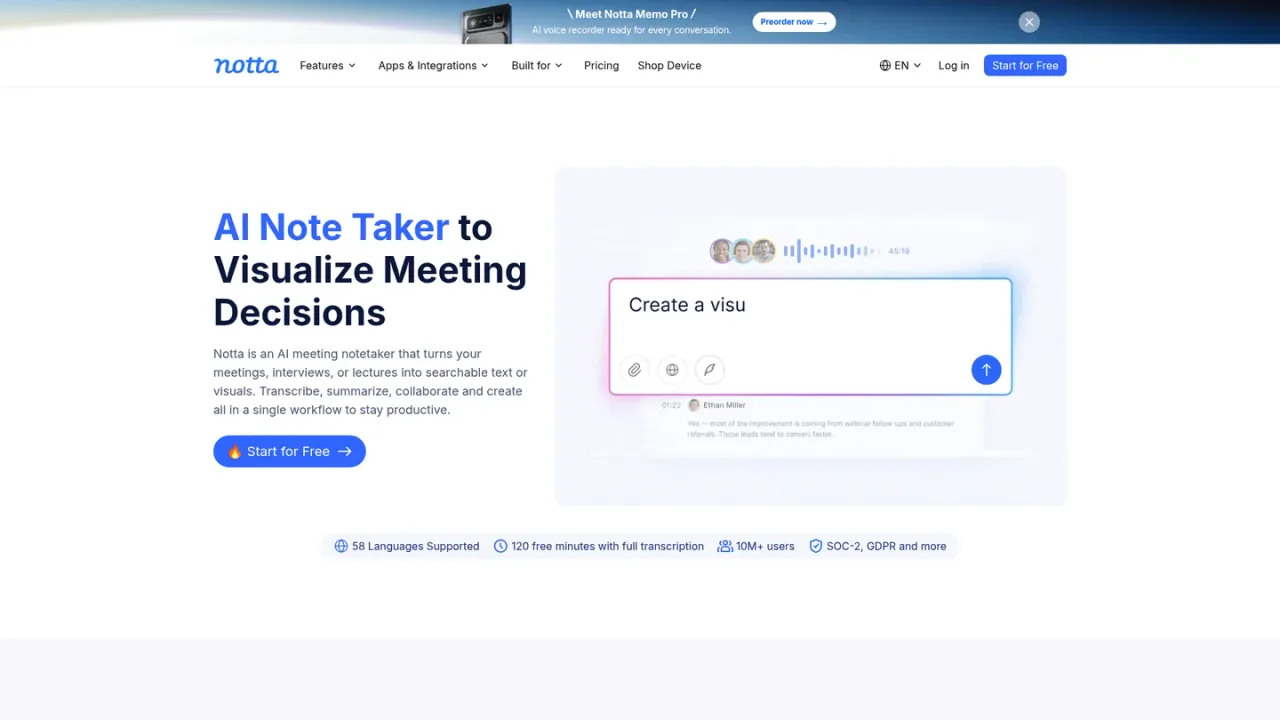
Notta is an AI meeting notetaker that captures online and in-person conversations, uploaded audio or video files, and YouTube links, then transcribes them in 58 languages with speaker identification. It generates AI notes with summaries, decisions, and action items, and its Notta Brain workspace supports cross-meeting Q&A, infographics, document and slide creation, follow-up emails, and Slack messages. Built for consultants, sales and customer success teams, agencies, educators, and media creators, it integrates with Zoom, Google Meet, Microsoft Teams, Webex, Slack, Notion, Salesforce, HubSpot, and calendars. A free plan includes 120 transcription minutes per month, with paid Pro, Business, and Enterprise plans available.
How to use Notta
1
Record or upload a meeting
Invite the Notta bot to a live online meeting, record bot-free with Notta Desktop, or upload an audio, video, or YouTube link for transcription.
2
Generate AI notes
Select a default or custom template and Notta produces summaries, key points, decisions, and action items from the transcript.
3
Ask across meetings
Use Notta Brain to query multiple recordings and files, compare discussions, and extract insights in one session.
4
Create deliverables
Turn meeting content into infographics, presentations, PDF, Word, or Excel documents, follow-up emails, and Slack messages.
5
Share and integrate
Export or share notes via email, Slack, or Notion, and connect Notta with Zoom, Teams, Google Meet, Webex, CRM tools, and calendars.
Notta Features
Real-time transcription in 58 languages with speaker identification
AI notes with summaries, key points, decisions, and action items
Notta Brain cross-meeting Q&A and insight extraction
Meeting infographics, document builder, and presentation generation
Follow-up email and Slack message drafting from meeting context
Bot-free recording with Notta Desktop on Mac and Windows
Integrations with Zoom, Google Meet, Microsoft Teams, Webex, Slack, Notion, Salesforce, HubSpot, and calendars
SOC 2 Type II, ISO 27001, GDPR, and HIPAA compliance
Notta Use Cases
Consultants who want to listen actively in client meetings instead of taking notes
Sales teams capturing call insights and generating follow-up emails
Customer success teams creating smarter meeting notes to improve retention
Agencies turning client conversations into briefs, presentations, and updates
Educators automating lecture notes for more inclusive learning
Media and podcast creators converting interviews and audio into searchable text
Notta FAQs
Notta is an AI meeting notetaker that transcribes meetings, interviews, and lectures, then generates summaries, action items, and visual deliverables in a single workspace.
Notta supports 58 languages for transcription and translation, with bilingual transcription for 23 language pairs.
Yes. Notta records and transcribes Zoom, Google Meet, Microsoft Teams, and Webex meetings, and integrates with Slack, Notion, Salesforce, HubSpot, and calendars.
The free plan includes 120 transcription minutes per month, up to 3 minutes per conversation, 50 file uploads per month, and 10 AI summaries per month.
Pro starts at $8.17 per month billed annually ($97.99 total), and Business starts at $16.67 per month billed annually ($199.99 total). Enterprise pricing is custom.
Notta Brain is Notta's AI workspace that lets you ask questions across multiple meetings, extract insights, and generate infographics, documents, slides, and follow-up emails.
Yes. Notta Desktop records bot-free on Mac and Windows, capturing system audio without adding a participant to the meeting.
Notta is SOC 2 Type II and ISO 27001 certified, GDPR compliant, and hosts customer data on AWS with regular backups and access restrictions.
Prices are from the official Notta pricing page (USD). Pro and Business prices reflect a 40% OFF annual promotion and are billed annually; regular monthly pricing is not explicitly stated. The Free plan includes 120 transcription minutes/month. Enterprise pricing is custom via Contact Sales, starting from 51 seats. Checked 2026-11-19.
Free
$0USD / per month
For individuals just getting started with Notta. No credit card required.
1 seat
120 transcription minutes/month
Up to 3 minutes per conversation
50 file uploads/month
10 AI Summary/month
Transcribe web meetings
Speaker identification
Pro (billed annually)
$8.17USD / per month, billed annually (total $97.99/year)
For professionals who want more minutes and features. Price reflects 40% OFF annual promotion.
1 seat
1,800 transcription minutes/month
Up to 5 hours per recording
100 file uploads/month
100 AI Summary/month
Export transcripts
Transcript translation
Custom vocabulary
Business (billed annually)
$16.67USD / per month, billed annually (total $199.99/year)
For teams that need collaboration and administration features. Price reflects 40% OFF annual promotion.
Unlimited transcription
Up to 5 hours per recording
200 file uploads/month
200 AI Summary/month
Record web meeting video
Advanced data security controls
Usage report
CRM & Zapier integration
Enterprise
Contact sales
For organizations looking for advanced security, control, and support. Custom pricing, starting from 51 seats.