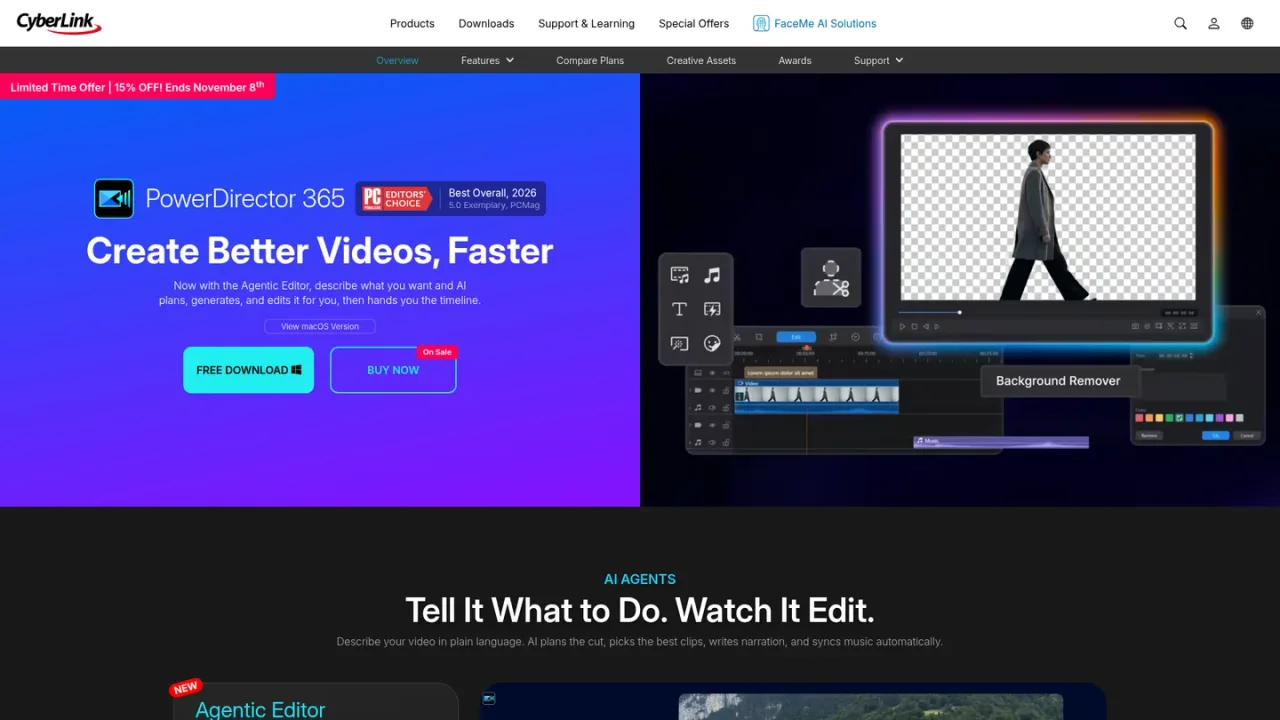
PowerDirector is CyberLink's AI video editing software for Windows and macOS, also available as a mobile app. It combines an Agentic Editor that plans, generates, and edits from plain-language requests with AI creation tools for text/image-to-video, cinematic shorts, character motion swap, and music generation. AI editing handles object and background removal, enhancement, audio denoise, and auto reframe, while a precision multi-track timeline, keyframes, multi-cam, and color tools keep full creative control. Audio and speech features include voice profiles, auto captions, text-to-speech, and transcription-based editing. A built-in royalty-free stock library, transitions, and animated titles support fast social and YouTube production. A free Essential version is available, with PowerDirector 365 subscriptions and a one-time lifetime license for advanced AI features and stock access.
How to use PowerDirector
1
Download and install
Get PowerDirector from the official CyberLink site for Windows or macOS, or install the mobile app from Google Play.
2
Describe your video to the Agentic Editor
Enter a plain-language request and let the AI plan the cut, pick clips, write narration, and sync music, then fine-tune on the timeline.
3
Generate footage and music
Use AI text/image-to-video, cinematic shorts, character motion swap, and the AI music generator to create original assets inside the workflow.
4
Clean up with AI editing
Apply object removal, background removal, video enhancement, audio denoise, and auto reframe to fix common issues in guided steps.
5
Add captions and narration
Transcribe footage for auto captions, edit video by deleting text, and generate narration with text-to-speech or a voice profile.
6
Export and share
Export up to 4K in formats such as MP4, MKV, WMV, and MPEG-2, or upload directly to YouTube, TikTok, Facebook, and Vimeo.
PowerDirector Features
Agentic Editor that plans, generates, and edits from plain-language requests
AI text/image-to-video, cinematic shorts, character motion swap, and AI music generation
AI object removal, background removal, video enhancement, audio denoise, and auto reframe
Auto captions, transcription-based text editing, text-to-speech, and AI voice profiles
Precision multi-track timeline with keyframes, multi-cam, color, and audio finishing
Built-in royalty-free stock library, 650+ transitions, and animated titles
Export up to 4K and direct upload to YouTube, TikTok, Facebook, and Vimeo
PowerDirector Use Cases
Beginners and enthusiasts creating high-quality videos with a drag-and-drop interface
Content creators producing social media clips and YouTube videos efficiently
Removing unwanted objects or backgrounds without reshooting
Generating narration and captions for tutorials, promos, and multilingual versions
Reframing one project for YouTube, TikTok, and Instagram at once
PowerDirector FAQs
PowerDirector is an AI video editing software from CyberLink that combines AI tools, creative effects, and built-in stock media to help craft professional-quality videos.
Yes, PowerDirector Essential is a permanently free version with core editing tools and basic AI features. Advanced AI tools and select export options require an upgrade.
Yes. You can choose a PowerDirector 2027 one-time purchase lifetime license or a PowerDirector 365 subscription. The lifetime version provides core editing tools, while the subscription unlocks new AI features, updates, and stock assets.
It includes generative AI such as image-to-video, text-to-video, and AI storytelling, smart editing like object and background removal, and audio/subtitle tools such as audio denoise and speech-to-text transcription.
PowerDirector is optimized for Windows 11/10 and macOS, and a mobile app is available on Google Play.
PowerDirector supports major formats including MP4 (H.264/H.265), MKV, WMV, and MPEG-2, with up to 4K resolution output.
Yes, you can upload directly to YouTube, TikTok, Facebook, and Vimeo, with exports optimized for each platform's recommended format and resolution.
Log in to CyberLink Member Zone, go to Manage Plan, select your PowerDirector 365 plan, and click Cancel Subscription. Premium features remain active until the end of the current billing cycle.
Prices shown reflect a limited-time 15% offer ending November 8th as displayed on CyberLink's product pages. A free Essential version and a one-time lifetime license are also offered.
PowerDirector Essential
$0USD / forever
A permanently free version with core editing tools and basic AI features, with no time limits.
Core editing tools and basic AI features
No subscription or payment required
Advanced AI tools and select export options restricted
Can upgrade to a paid plan for full feature access
PowerDirector 365
$5.83USD / per month
A subscription that unlocks all new AI features, continuous updates, and unlimited access to the royalty-free stock collection.
Unlocks all new AI features
Continuous updates
Unlimited access to the full royalty-free stock collection
New monthly templates
Displayed price reflects a limited-time 15% offer
PowerDirector 2027 (Lifetime License)
/ one-time purchase
A one-time purchase lifetime license that provides core editing tools without a subscription.
One-time purchase lifetime license
Core editing tools
Does not include the subscription's new AI features and continuous updates