reviews
Remove.bg vs Clipdrop vs Photoshop on the Web for Product Photo Cleanup
Same five product-photo tasks across Remove.bg, Clipdrop, and Photoshop on the Web: batch white backgrounds, multi-step cleanup, or Adobe-fine selections—plus quotas, export, and commercial terms from public pages.
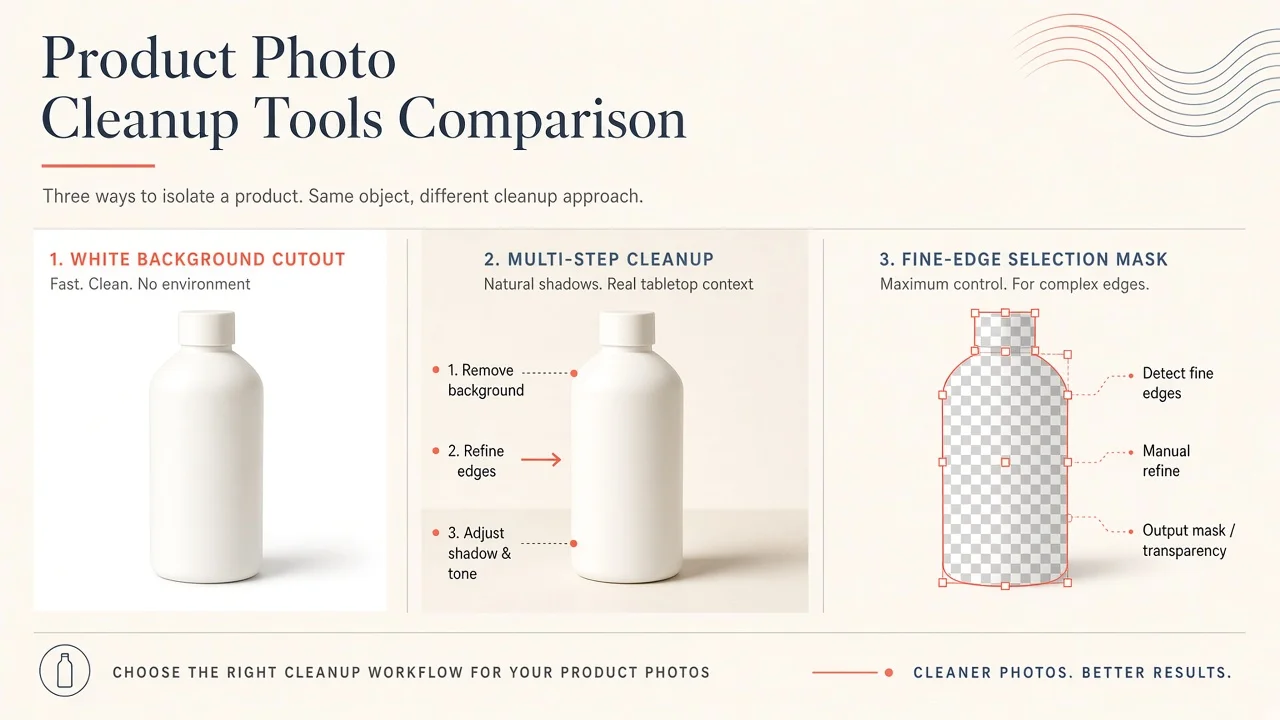
Remove.bg vs Clipdrop vs Photoshop on the Web for Product Photo Cleanup
Product photo cleanup is not “generate a lifestyle scene.” It is cutting a SKU cleanly, fixing hairline edges, and exporting something a marketplace will accept. Adjacent reads cover broader image subscriptions (evaluate AI image tools) and generator shortlists (best AI image generators 2026). This comparison freezes cutout / cleanup across Remove.bg, Clipdrop, and Photoshop on the Web, with optional hops to Canva AI, Adobe Firefly, and Magnific.
Bottom line: High-volume white-background cutouts → Remove.bg (while it remains available—see migration note). Multi-step cleanup (remove + cleanup + relight + upscale) → Clipdrop. Fine hair, translucent packaging, and Adobe-ecosystem masking → Photoshop on the Web. Do not pick from homepage demos—run the same five SKU tasks and read commercial / export terms.
Findings: public docs + limited hands-on framing (verification 2026-11-05, Asia/Shanghai). No invented “edge accuracy %.”
Critical continuity note (Remove.bg → Canva)
Remove.bg’s public FAQ states the standalone remove.bg experience is moving into Canva, with self-service API paths also shifting (commonly described toward Leonardo.Ai for API). Third-party write-ups cite a 1 December 2026 cutover window—re-read remove.bg/faq the week you buy. If you are starting a new catalog pipeline after late 2026, evaluate Canva AI / Clipdrop / Photoshop Web as primary paths, not only Remove.bg credits.
What each product is optimized for
| Product | AINav | Public positioning (shape) | Best first fit |
|---|---|---|---|
| Remove.bg | /tool/remove-bg | Fast background removal + API history | Batch white / transparent cutouts |
| Clipdrop | /tool/clipdrop | Suite of cleanup tools (remove, cleanup, upscale, relight…) | Multi-step product retouch on the web |
| Photoshop on the Web | /tool/photoshop-on-the-web | Browser Photoshop with Select Subject / Remove Background + manual refine | Hard edges, hair, glass, brand-critical masks |
How we tested (identical five tasks)
| # | Shared task | What “good” looks like |
|---|---|---|
| 1 | Same SKU cutout on plain backdrop | Clean silhouette; no halo; marketplace-ready white or transparent |
| 2 | Hair / translucent / reflective packaging | Edges survive zoom; no chewed plastic |
| 3 | Background swap consistency | Same subject lighting across 3 new BGs |
| 4 | Quotas & public pricing | You can map weekly SKU volume to Free vs paid |
| 5 | Export, watermark, commercial terms | Paid path delivers clean PNG/JPG; license matches ads / PDP use |
Hands-on status: Tasks 1–3 are protocol + public capability (based on public information / limited hands-on unless you re-run). Tasks 4–5 are public-page snapshots.
Shared fixture: One product pack shot (matte box), one bottle with translucent label, one apparel crop with flyaway hair or fur. Freeze filenames and camera angle.
Task 1 — Same SKU cutout
Why it matters: Catalog teams measure success in batches, not one hero.
Protocol: Run the matte-box shot through each tool’s default background remover. Export maximum free resolution once, then paid/high-res if available.
| Product | Fit | Watch-out |
|---|---|---|
| Remove.bg | Purpose-built; historically strong for simple pack shots | Free web output is low-res / personal-use constrained on public help language—paid for commercial HD |
| Clipdrop | Competitive remover with daily Free caps (public pages often cite about 20/24h background removals—confirm) | Ownership/API continuity has shifted under Jasper-related messaging—read current ToS |
| Photoshop on the Web | One-click Remove Background, then manual refine | Slower for 500 SKUs unless you script/actions elsewhere |
Winner for simple batch white BG: Remove.bg (short term) / plan Canva or Clipdrop for post-migration volume.
Task 2 — Hair, glass, translucent packaging
Why it matters: Ecommerce returns spike when edges look fake.
Protocol: Zoom 200%. Fail chewed edges, missing specular highlights that define glass, or background color fringing.
| Product | Fit | Note |
|---|---|---|
| Remove.bg | Fine for easy subjects; struggle cases need manual fix elsewhere | Not a full retouch suite |
| Clipdrop | Often stronger on awkward subjects + Cleanup tool for spots | Multi-tool chain helps |
| Photoshop on the Web | Select and Mask / refine edge still the control ceiling | Best if designers already know Photoshop |
Winner for hard edges: Photoshop on the Web.
Task 3 — Background swap consistency
Why it matters: PDP galleries look cheap when each swap has different contact shadows.
Protocol: Place the same cutout on white, soft gray, and one lifestyle plate. Score shadow/light consistency.
| Product | Fit | Note |
|---|---|---|
| Remove.bg | Cutout first; compositing elsewhere (Canva, PS, Clipdrop) | Pair with Canva AI for layout |
| Clipdrop | Relight / cleanup help after swap | Good “one tab” chain |
| Photoshop on the Web | Full layer control; Firefly generative fill as optional assist (Adobe Firefly) | Generative fills need separate commercial-term checks |
Upscale last with something like Magnific only after the mask is right—do not upscale a bad edge.
Winner for multi-step cleanup in one product: Clipdrop. Winner for pixel control: Photoshop on the Web.
Task 4 — Quotas & public pricing (snapshot 2026-11-05)
Confirm live; regional storefronts differ. Figures are not quotes.
| Product | Public Free shape | Public paid shape (indicative) |
|---|---|---|
| Remove.bg | Low-res / limited free web; commercial use called out for subscription / PAYG in help language | Subscriptions historically from low single-digit–tens USD/mo by credit volume; migration may end self-serve remove.bg billing—verify FAQ |
| Clipdrop | Daily tool caps (commonly 20 removals / cleanup / upscale per 24h on Free—confirm) | Pro commonly marketed around ~$15/mo (region-dependent) with much higher daily caps |
| Photoshop on the Web | Trial / plan-dependent | Standalone Photoshop commonly ~$22.99/mo; Photography Plan bundles often ~$19.99/mo—confirm Adobe’s live cards |
Task 5 — Export, watermark, commercial terms
Protocol: Answer in writing before you upload client SKUs:
- Does Free allow commercial PDP / paid social?
- Max export resolution on Free vs paid?
- Watermark or metadata marks?
- API credits expire on migration dates?
Public pattern: Remove.bg help text has limited commercial use on Free; paid subscription/PAYG unlocks commercial. Clipdrop FAQ-style copy is looser on commercial use but ToS/consumer definitions have conflicted in third-party audits—read the live Terms. Photoshop outputs follow your Adobe plan and Content Credentials / Firefly license rules when generative features are used.
Who should pick which
| You are… | Start here | Skip / defer |
|---|---|---|
| Seller batching 50+ simple white BG SKUs/week | Remove.bg (near-term) + Canva migration plan | Photoshop seats for every VA |
| Marketer needing remove + cleanup + relight in one place | Clipdrop | Paying Adobe only for cutouts |
| Brand designer on hard products (hair, glass, fabric) | Photoshop on the Web (+ Firefly carefully) | Free-only removers for hero SKUs |
| Already deep in Canva | Canva AI background tools | Stacking three cutout subscriptions |
Method notes
- No fabricated edge-accuracy benchmarks.
- Continuity and pricing dated 2026-11-05, Asia/Shanghai; Remove.bg migration details must be re-checked on the official FAQ.
- Label limited hands-on where you did not process your own SKUs.
List your AI tool
Building background removal, product photography, or creative cleanup tools? List your AI tool on AINav.