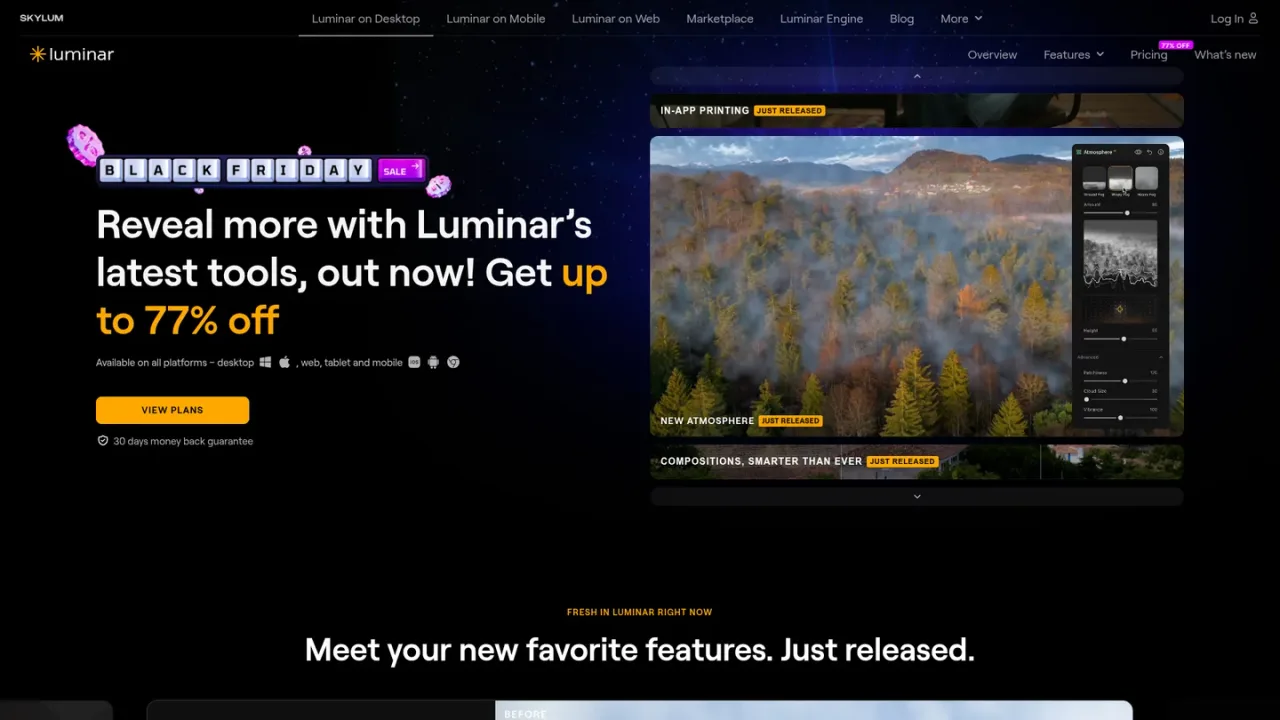
Luminar Neo is an AI-powered photo editing software from Skylum, available as a desktop application for macOS and Windows, as well as on web, tablet, and mobile. It offers a modern toolkit for enhancing portraits, landscapes, and creative projects, featuring tools like Enhance, Atmosphere, Smart Composition, and a new AI Assistant that applies edits described in natural language. The software supports layer-based workflows, precise masking, and generative features such as GenErase, GenSwap, and GenExpand. Intended for photographers of all skill levels, Luminar Neo simplifies complex edits with one-click presets and AI-driven adjustments. Access is available through perpetual licenses with optional subscriptions for AI tools and asset libraries, and a 30-day money-back guarantee is offered.
How to use Luminar Neo
1
Purchase and download
Buy a license from the official pricing page and download the application from your Skylum account.
2
Install and activate
Install Luminar Neo on macOS or Windows and activate it using your license; it can be used on up to two devices.
3
Import and edit
Import photos, apply presets or AI tools, and use layers and masks for detailed adjustments.
4
Export and share
Save and export edited photos in various formats, with options for watermarking and resizing.
Luminar Neo Features
AI Assistant applies edits described in natural language
Portrait enhancement tools: Face AI, Skin AI, Bokeh AI
Photo restoration and upscaling tools
Cross-device editing (mobile to desktop & mobile to web)
In-app printing and export options
Luminar Neo Use Cases
Enhancing landscape and travel photos with adaptive lighting and atmosphere
Retouching portraits with skin smoothing and face-aware adjustments
Restoring old or damaged photos
Creating composite images with generative expand and swap
Preparing e-commerce product photos with background removal and enhancement
Editing on mobile and finishing on desktop with cross-device sync
Luminar Neo FAQs
Luminar Neo is available as a desktop application for macOS and Windows, and also on web, tablet, and mobile.
A desktop license allows activation on up to 2 devices, regardless of operating system. All Platforms and Max licenses include additional device seats for mobile and web.
Desktop Only covers desktop use on 2 devices. All Platforms adds mobile and web access on 3 devices each, cross-device editing, and Spaces. Max includes everything in All Platforms plus Luminar Prime with all new features and a 1-year asset library subscription.
The Desktop Only and All Platforms licenses include 1-year access to AI tools such as Restoration, GenErase, GenSwap, GenExpand, and AI Assistant. After that, these tools require an auto-renewing Luminar Prime subscription.
Yes, cross-device editing is included with All Platforms and Max licenses. Currently, it works one-way from mobile to desktop, with expanded syncing planned for Luminar Web.
Yes, a 30-day money-back guarantee is mentioned on the official website.
Yes, educational and military discounts are available, calculated from the regular sale price. Loyalty discounts are also offered for owners of previous Luminar or Aurora HDR versions.
Information about the latest version and improvements can be found on the What's New page.
Prices are not listed on the supplied page; plans are perpetual licenses with optional auto-renewal for AI tools and asset library. A 30-day money-back guarantee is mentioned.
Desktop Only License
Price to be verified
Perpetual license for Luminar Neo on desktop (macOS and Windows) for up to 2 devices, including all existing features and 1-year access to select AI tools.
Perpetual license for 2 devices
Continuous access to updates and bug fixes
Lifetime access to Fall Upgrade 2026
1-year access to AI tools: Restoration, GenErase, GenSwap, GenExpand, AI Assistant
Full access to existing features at time of purchase
All Platforms License
Price to be verified
Includes everything in Desktop Only plus perpetual access to Luminar Mobile and Luminar Web on 3 devices each, cross-device editing, and Spaces web galleries.
All Desktop Only benefits
Perpetual access to Luminar Mobile on 3 devices
Perpetual access to Luminar Web on 3 devices (coming Fall 2026)
Cross-device editing (mobile to desktop & mobile to web)
Access to Spaces (web galleries)
Max License
Price to be verified
The most comprehensive perpetual plan, including everything in All Platforms plus Luminar Prime with full access to all new features added each year and a 1-year subscription to the Library of Assets.
All All Platforms benefits
Full access to all new features added every year (remain yours forever)
1-year access to Library of Assets: 2900+ presets, 490+ LUTs, 490+ overlays, 70+ skies, 24+ creative courses
AI tools and Library of Assets auto-renew after 365 days via Luminar Prime