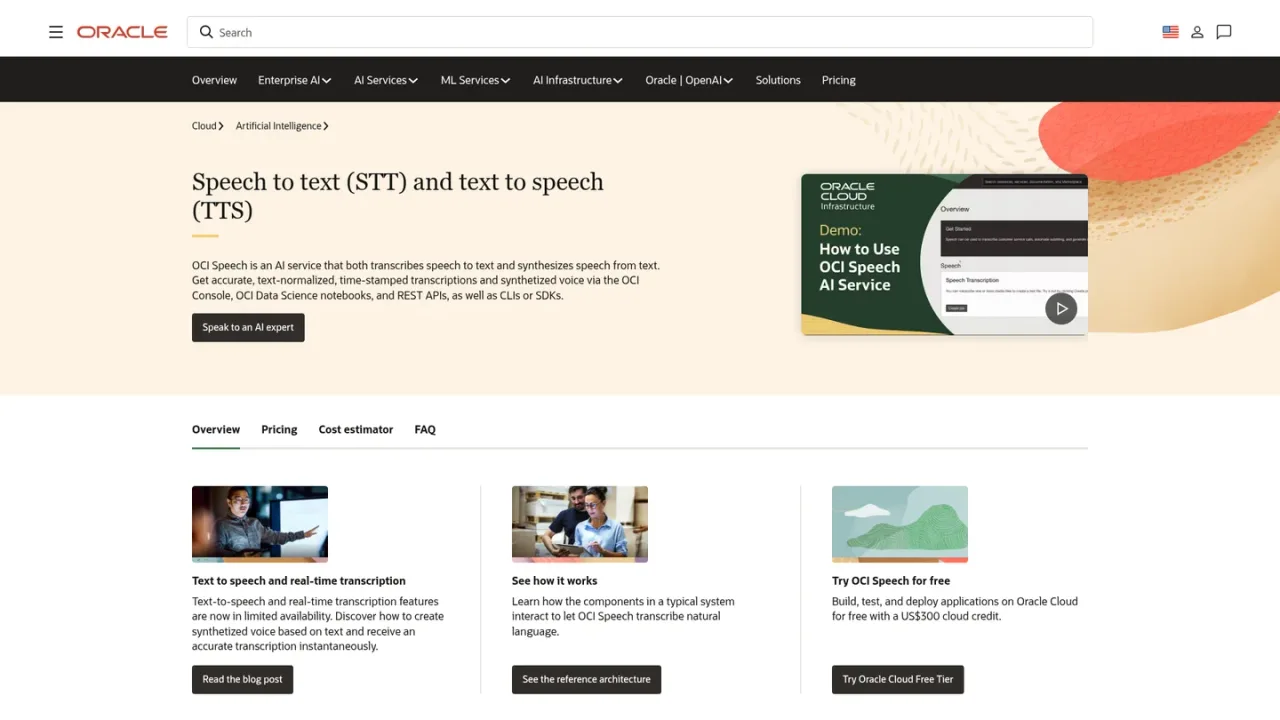
OCI Speech is an Oracle Cloud Infrastructure AI service that transcribes speech to text and synthesizes natural-sounding speech from text. It provides accurate, text-normalized, time-stamped transcriptions and synthetic voice through the OCI Console, OCI Data Science notebooks, REST APIs, CLIs, and SDKs. Prebuilt acoustic and language models require no data science experience, and developers can integrate the service without ML expertise. Features include asynchronous file-based transcription, limited-availability real-time transcription, neural text-to-speech, diarization, word-level confidence scores, profanity filters, and multilingual support for English, Spanish, Portuguese, German, French, Italian, and Hindi, plus the OpenAI Whisper model for 57+ languages. Typical uses include closed captioning, call analytics, medical dictation, and accessibility. Billing is per transcription hour with five free hours per month per tenancy and no setup charges or minimum commitments.
How to use OCI Speech
1
Create or sign in to an Oracle Cloud account
Use the Oracle Cloud sign-in page to access the OCI Console and begin using OCI Speech.
2
Prepare audio files
Submit single-channel 16-bit PCM WAV files at 16 kHz, or use supported formats such as MP3, MP4, FLAC, and others that are converted to PCM WAV before transcription.
3
Run a transcription job
Start asynchronous file-based transcription through the OCI Console, REST APIs, CLIs, SDKs, or an OCI Data Science notebook session.
4
Choose output format
Receive JSON by default or request SRT output at no additional cost.
5
Synthesize speech from text
Use the limited-availability neural text-to-speech feature to generate human-like speech and select from available voices.
Neural text-to-speech synthesis in limited availability
Prebuilt acoustic and language models
Diarization for multiple speakers
Word-level confidence scores
Profanity filters with mask, remove, or tag options
Multilingual support for 7 languages plus OpenAI Whisper with 57+ languages
JSON and SRT output formats
REST APIs, SDKs, CLIs, and OCI Data Science notebook integration
OCI Speech Use Cases
Digital media content searching and closed captions
Customer feedback and call analytics
Medical dictation
Improved accessibility with neural text-to-speech
Indexing and analyzing audio and video files
OCI Speech FAQs
OCI Speech is an Oracle Cloud Infrastructure AI service that transcribes speech to text and synthesizes speech from text using automatic speech recognition and neural text-to-speech.
Precision billing charges US$0.50 per hour of transcription or voice synthesis, measured in seconds. Five free transcription hours are included per month per tenancy.
No. OCI Speech has no setup charges or minimum service commitments and requires no hardware.
Pretrained models support English, Spanish, Portuguese, German, French, Italian, and Hindi. The OpenAI Whisper model supports 57+ languages for asynchronous file-based transcription.
Single-channel 16-bit PCM WAV at 16 kHz is supported directly. AAC, AC3, AMR, AU, FLAC, M4A, MKV, MP3, MP4, OGA, OGG, WAV, and WEBM files are converted to PCM WAV before transcription.
JSON is the default output, and SRT is available as an option at no additional cost.
No. OCI Speech only transcribes your content and keeps no information from the file for training, debugging, or other purposes.
Real-time transcription is offered in limited availability. File-based asynchronous transcription is currently supported.
Billing uses precision billing at US$0.50 per transcription hour, measured in seconds. Five free transcription hours are included per month per tenancy. No setup charges or minimum service commitments apply. Text-to-speech and real-time transcription are in limited availability.
Free monthly hours
$0USD / per month
Five hours of free transcription every month per tenancy, with no setup charges or minimum commitments.
5 free transcription hours per month per tenancy
No setup charges
No minimum service commitments
No hardware required
Pay-as-you-go
$0.50USD / per transcription hour
Precision billing charges US$0.50 per hour of transcription or voice synthesis, measured in seconds after the free monthly hours.