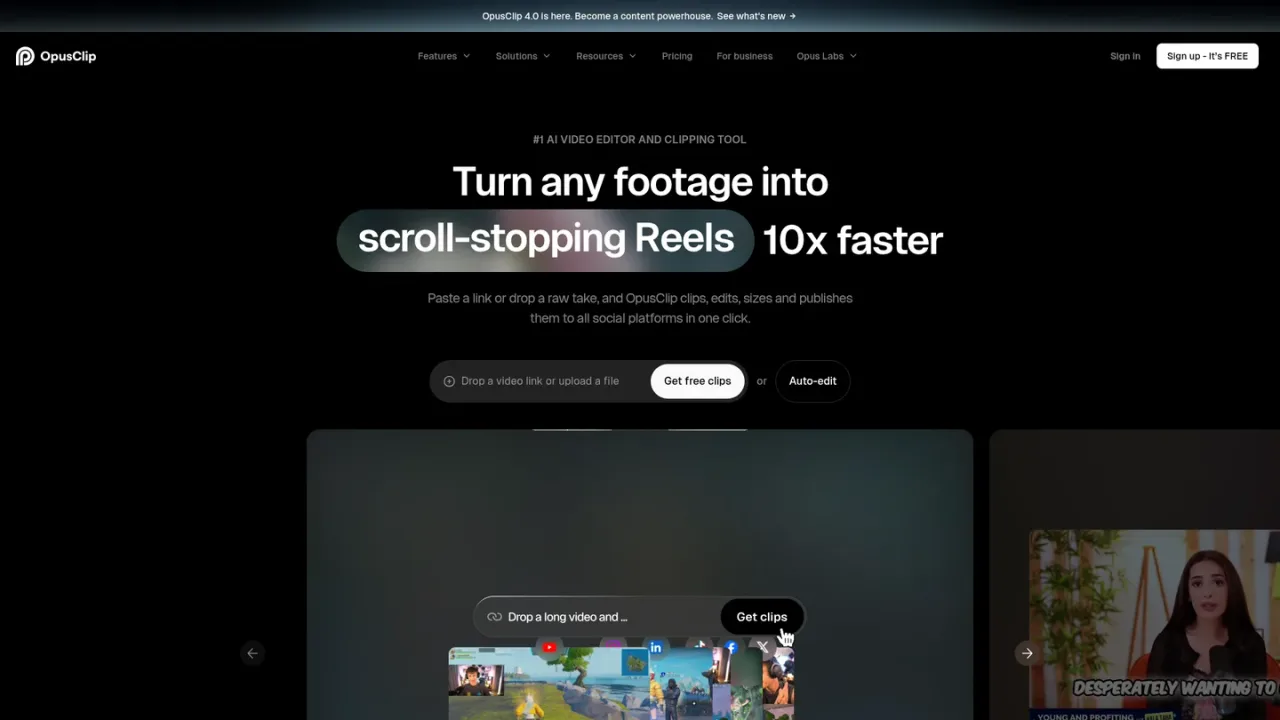
OpusClip is an AI video editor and clipping tool that turns long-form footage into short, scroll-stopping clips. Paste a link or upload a file, and it clips, edits, reframes and captions the video, then publishes to YouTube Shorts, TikTok and Instagram Reels or downloads the result. It supports AI clipping with a virality score, animated captions in 20+ languages, AI B-Roll, speech enhancement, video dubbing, brand templates and a social scheduler. Creators, podcasters, marketers, agencies and teams use it to repurpose content faster. Access ranges from a free plan to Starter, Pro and custom Business plans.
How to use OpusClip
1
Paste a link or upload a video
Drop a video link or upload a file; Pro supports sources such as YouTube, Google Drive, Vimeo, Zoom, Twitch, Facebook, LinkedIn and more.
2
Let AI clip and edit
OpusClip identifies highlights, adds animated captions, reframes to vertical formats and can add AI B-Roll or speech enhancement.
3
Review and customize
Use the editor to adjust clips, apply brand templates, custom fonts and caption styles before exporting.
4
Publish or download
Auto-post to YouTube Shorts, TikTok and Instagram Reels, schedule posts, or download clips for other platforms.
OpusClip Features
AI clipping with Virality Score
Animated captions in 20+ languages
AI Reframe for multiple aspect ratios
AI B-Roll and Motion Graphics
Speech enhancement and video dubbing
Social media scheduler and auto-posting
Brand templates and custom fonts
Export to Adobe Premiere Pro and DaVinci Resolve
Team workspace
API and MCP access
OpusClip Use Cases
Turning podcasts into short clips for social media
Repurposing long YouTube videos into Shorts, Reels and TikToks
Creating ad creatives at scale for advertisers
Helping marketing agencies produce more video content
Scheduling a month of social posts in minutes
Adding animated captions to videos in multiple languages
OpusClip FAQs
You can upload local video files or paste links. Pro supports sources such as YouTube, Google Drive, Vimeo, Zoom, Rumble, Twitch, Facebook, LinkedIn, Twitter, Loom, Riverside and StreamYard.
OpusClip supports AI animated captions in 20+ languages, including English, German, Spanish, French and Portuguese.
Yes, you can auto-post to YouTube Shorts, TikTok and Instagram Reels, or download clips. A social media scheduler is available on the Pro plan.
The free plan includes 60 credits per month, up to 1080p rendered clips, auto reframe and AI captions with a watermark. Editing is not available and clips are no longer exportable after 3 days.
The Pro plan includes 3600 credits over 12 months, and unused credits roll over for 2 months. On-demand credit top-ups are also available.
Yes, the Pro plan supports export to Adobe Premiere Pro and DaVinci Resolve via XML.
Yes, the Pro plan includes a team workspace with 2 seats, and the Business plan offers customized team seats.
Yes, the Pro plan includes limited API access, and the Business plan offers API and custom integrations.
Prices in USD as shown on the official pricing page. Free plan is free forever with 60 credits/month. Starter is $15/month and only available monthly. Pro is $29/month on monthly billing or $14.5/month with annual billing ($174 billed annually for 3,600 credits over 12 months). Business pricing is custom via contact. Checked 2026-11-19.
Free
$0USD / month
Free forever plan for trying OpusClip. 60 credits per month, up to 1080p rendered clips, auto reframe, AI captions with emoji and keyword highlighter. Has watermark, no editing, and clips are no longer exportable after 3 days.
60 credits per month
Up to 1080p rendered clips
Auto reframe
AI captions with emoji and keyword highlighter
Has watermark
No editing
Clips no longer exportable after 3 days
Starter
$15USD / month
For individual creators. $15 billed monthly; Starter plan only available in monthly. Includes 150 credits per month.
150 credits per month
AI clipping with Virality Score
AI animated captions in 20+ languages
Auto post to YouTube Shorts, TikTok, IG Reels, or download
Powerful editor
1 brand template
Filler & silence removal
Remove Watermark
Pro (annual billing)
$14.5USD / month
For professional creators, marketers, & teams. $14.5 USD/mo with annual billing; $174 billed annually for 3,600 credits over 12 months. Unused credits roll over for 2 months.
3,600 credits over 12 months
Unused credits roll over for 2 months
Team workspace with 2 seats
2 brand templates
6 social account connections
Everything in Starter plan, plus:
Viral Hook
Motion Graphics
AI B-Roll (supports image, video & stock)
Export to Adobe Premiere Pro & DaVinci Resolve
Pro (monthly billing)
$29USD / month
For professional creators, marketers, & teams. $29 USD per month on monthly billing.
Team workspace with 2 seats
2 brand templates
6 social account connections
Everything in Starter plan, plus:
Viral Hook
Motion Graphics
AI B-Roll (supports image, video & stock)
Input from 10+ sources
Export to Adobe Premiere Pro & DaVinci Resolve
Multiple aspect ratios (9:16, 1:1, 16:9)
Business
Contact sales
For organizations that need tailored solutions, API, and more. Custom pricing and packs; contact us.
Everything in the Pro plan, plus:
Priority project processing
Customized credits, team seats and social account connections
Tailored business assets: brand templates, fonts, vocabulary & more