guides
How to Evaluate AI Spreadsheet Copilots Before You Commit
Five-pillar pre-commit checklist for AI spreadsheet copilots: dirty-sheet clean+pivot, NL formulas with explanations, cross-sheet lookup, chart+insight, and seats/data residency/suite lock-in before you buy.
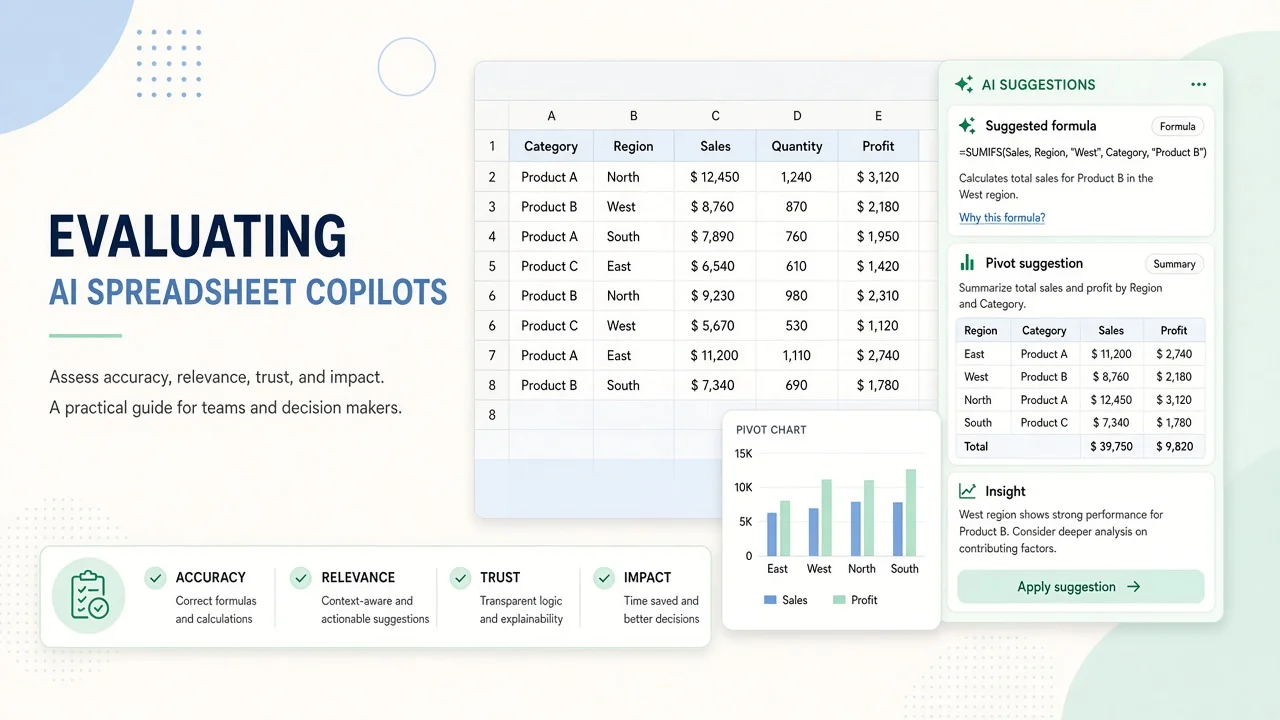
How to Evaluate AI Spreadsheet Copilots Before You Commit
Buying a “spreadsheet AI” because a demo wrote a pretty SUMIFS is how teams lock into the wrong suite. Before you commit seats, run a pre-buy evaluation on a dirty workbook you actually own—not on the vendor’s clean sample file.
This guide is a five-pillar checklist for AI spreadsheet copilots. Primary examples: Copilot in Excel and Gemini in Google Sheets, with suite context from Microsoft 365 Copilot. Adjacent helpers—ChatGPT, Claude, and Airtable AI—appear where the job is analysis outside a classic grid. This is not a BI-platform bake-off and not a general chatbot comparison (everyday work assistants).
Bottom line: Freeze one dirty sheet, then pass clean+pivot, NL formula + explanation, cross-sheet lookup, chart + one insight, and seat / residency / lock-in. Prefer Excel Copilot when the org already lives in Microsoft 365; prefer Gemini in Sheets when Workspace is the system of record. Use ChatGPT/Claude for offline formula drafting only if grid grounding is weak. Do not switch suites for AI alone.
Findings: public docs + limited hands-on framing (verification 2026-11-05, Asia/Shanghai). Label login-gated features as based on public information / limited hands-on. Re-check vendor pricing and admin docs before purchase.
Who this is for
- Ops / finance / growth analysts living in Excel or Google Sheets
- IT buyers comparing Microsoft 365 Copilot vs Gemini for Workspace seats
- Founders wondering whether ChatGPT/Claude can replace an in-grid copilot
Out of scope: full Power BI / Looker migrations, statistical packages, and ERP replacements.
The five evaluation pillars
| # | Pillar | Pass signal |
|---|---|---|
| 1 | Dirty sheet → clean + pivot | Usable cleaned table + correct pivot without invented columns |
| 2 | Natural-language formula + explanation | Formula works on your headers; explanation matches the math |
| 3 | Cross-sheet / workbook lookup | Joins keys correctly; fails loudly on missing keys |
| 4 | Chart + one-sentence insight | Chart type fits data; insight cites cells, not vibes |
| 5 | Seats, residency, suite lock-in | You know $/user, where data sits, and what breaks if you leave |
Pillar 1 — Dirty sheet clean + pivot
Protocol: Export a real ops CSV with mixed date formats, blank rows, and inconsistent category labels. Ask the copilot to clean and build a pivot (e.g. revenue by region × product).
Pass: Headers normalized, blanks handled, pivot totals match a hand check on a 20-row sample.
Fail: Invented categories, silent row drops, or pivot totals that do not reconcile.
Excel Copilot shape: Strong when the workbook already sits in OneDrive/SharePoint with a licensed Microsoft 365 Copilot path. Grounding follows tenant permissions—treat that as a feature, not a bug.
Gemini in Sheets shape: Strong when the sheet already lives in Drive and your Workspace plan includes Gemini in Sheets. Prefer in-grid edits you can undo over paste-from-chat.
ChatGPT / Claude / Airtable: Use ChatGPT/Claude to draft cleaning steps if needed, then re-apply in-grid. Airtable AI fits structured bases more than ad-hoc CSV chaos—do not force it as an Excel clone.
Pillar 2 — Natural-language formulas explained
Protocol: Ask: “Write a formula that sums Product B sales in West, and explain each argument.” Paste into an empty cell. Change one header name and re-ask.
Pass: Formula references real columns; explanation names those columns; after rename, the tool updates or clearly says it cannot.
Fail: Hallucinated named ranges, wrong absolute refs, or explanations that do not match the formula.
In-grid copilots usually beat generic chat here because they see the sheet. If you rely on ChatGPT/Claude, paste a header row + 5 sample rows and still verify in the spreadsheet.
Pillar 3 — Cross-sheet lookup
Protocol: Two sheets: Orders and Customers. Ask for a formula or workflow that pulls segment or ARR onto each order (VLOOKUP / XLOOKUP / INDEX-MATCH / QUERY / FILTER—whatever the suite prefers).
Pass: Correct matches on a held-out key; #N/A / missing-key behavior documented.
Fail: Approximate matches that silently wrong-join, or scripts you cannot audit.
Suite copilots win when both sheets are in the same workbook with existing sharing controls. Airtable AI may be cleaner if your “sheets” are already relational tables.
Pillar 4 — Chart + insight
Protocol: “Create a chart of monthly revenue and write one sentence an exec can trust.”
Pass: Sensible chart type; insight cites the actual peak/trough; no invented YoY % unless the data includes it.
Fail: 3D pie charts for time series, or “insights” that ignore the plotted series.
Prefer copilots that insert a native Excel/Sheets chart you can restyle. Exporting a PNG from a chatbot is a demo, not a workflow.
Pillar 5 — Seats, data residency, Microsoft 365 vs Google Workspace lock-in
Protocol: Write answers before finance signs:
- Which SKU unlocks the feature (add-on vs included)?
- Per-user price on annual billing (your region)?
- Does prompts/file content leave the tenant? Training opt-out / enterprise commitments?
- What happens to macros, Power Query, Apps Script, and shared drives if you switch suites for AI?
Public pricing shape (snapshot 2026-11-05, Asia/Shanghai)
Confirm live on vendor pages—promos change.
| Path | Public shape (indicative) | Lock-in note |
|---|---|---|
| Microsoft 365 Copilot / Copilot in Excel | Often sold as Business Standard/Premium with Copilot bundles (public pages have listed figures such as about $23.50 / $32 user/mo yearly) or a Copilot Business add-on (list commonly cited around $21 user/mo yearly, with time-limited promos lower—confirm) | Needs eligible Microsoft 365; Excel Copilot follows that seat |
| Gemini in Google Sheets | Gemini features ride Google Workspace business tiers (e.g. Business Standard / Plus public stickers commonly around $14 / $22 user/mo yearly—confirm which apps include Sheets AI on your tier) | Sheets AI follows Workspace; Starter tiers may omit in-Sheets features |
| ChatGPT / Claude | Separate assistant seats (commonly ~$20/mo class Plus/Pro consumer tiers—confirm) | Great for drafting; weak as system-of-record for controlled workbooks |
| Airtable AI | Billed inside Airtable plan family | Best when the “spreadsheet” is already a base |
Math to run: (analysts who touch production sheets weekly) × (seat price) vs hours saved on Pillars 1–4. If only two people clean CSVs, do not buy 50 Copilot seats “for AI readiness.”
Scoring sheet (qualitative only)
Copy this into your eval doc:
| Pillar | Excel Copilot | Gemini in Sheets | ChatGPT/Claude | Airtable AI |
|---|---|---|---|---|
| 1 Clean+pivot | ||||
| 2 NL formula | ||||
| 3 Cross-sheet | ||||
| 4 Chart+insight | ||||
| 5 Seats/lock-in |
Mark each Pass / Weak / Fail. No invented 1–10 “AI scores.”
Method notes
- No fabricated accuracy or MAU stats.
- Pricing language dated 2026-11-05, Asia/Shanghai from public Microsoft / Google / vendor materials; always re-open the live price card.
- If a feature is admin-gated, label based on public information / limited hands-on.
List your AI tool
Building spreadsheet AI, workspace copilots, or analytics assistants? List your AI tool on AINav.