Work Management Free
$0USD / free forever, up to 2 seats
AI Task Management Tools
PRODUCT OVERVIEW
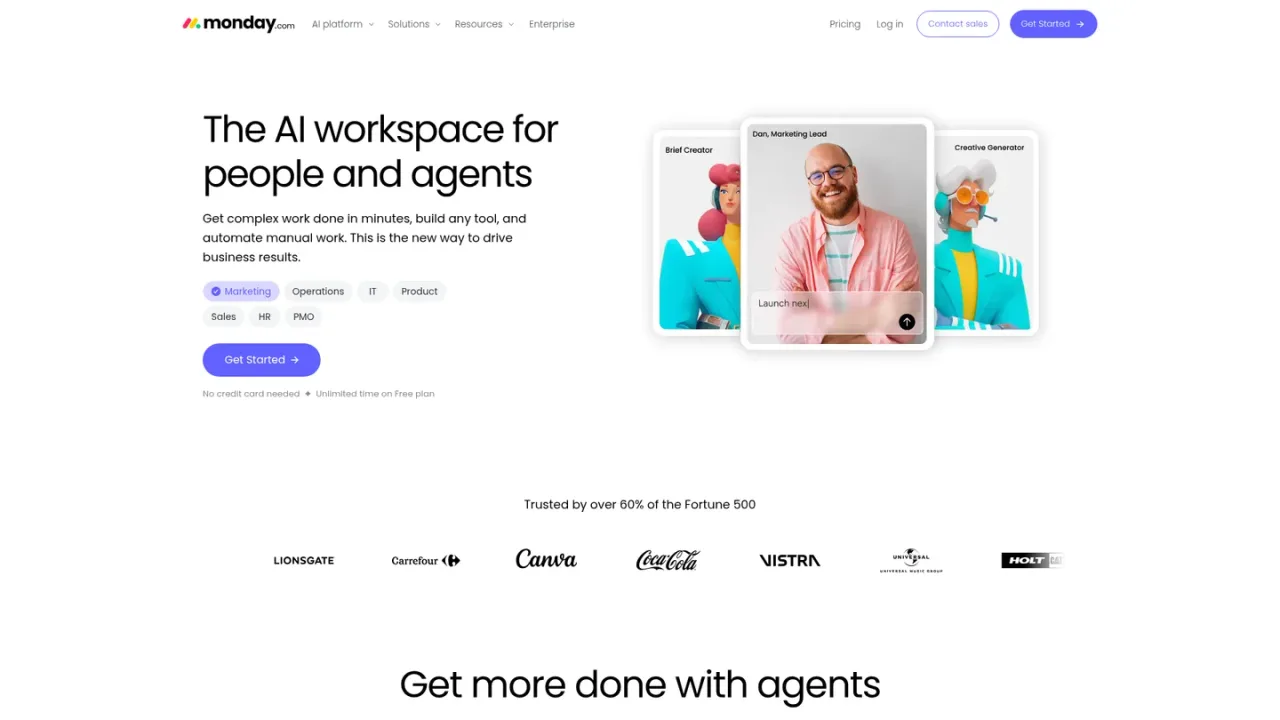
monday.com is an AI workspace where people and agents work together to plan projects, run processes, and automate manual work. It combines work management, CRM, dev, service, and campaigns products with AI agents, an AI assistant, notetaker, and AI workflows. Teams across marketing, operations, IT, HR, sales, and PMO use it to manage tasks, dashboards, docs, forms, and integrations. The platform also offers agent building, vibe coding, and MCP connectivity. Access includes a free plan with unlimited time and paid plans; mobile apps are available for Android and iOS.
Create an account from the monday.com homepage and select a use case or product such as work management, CRM, or dev.
Use boards, dashboards, docs, and forms to organize tasks and processes, then add automations to reduce manual steps.
Deploy AI agents for tasks like ticket triage or deal scoring, and use the AI assistant to support work across the platform.
Link external systems through integrations and MCP to bring data and actions into your workspace.
Project and portfolio management for PMO teams
Marketing campaign planning and creative workflows
IT ticket triage and incident response
HR hiring and onboarding processes
Sales pipeline and deal management
Operations process automation
Building custom tools with AI agents
monday.com is an AI workspace for people and agents to manage projects, automate workflows, and build tools across departments.
Yes, monday.com offers a Free plan with unlimited time and no credit card needed.
It includes AI agents, an AI assistant, a notetaker, AI workflows, an agent builder, and vibe coding.
It supports marketing, operations, IT, HR, sales, PMO, product, and legal teams, among others.
Yes, it offers integrations and MCP connectivity to connect external systems.
Yes, monday.com provides apps for Android via Google Play and for iOS via the App Store.
Products include monday work management, monday CRM, monday dev, monday service, and monday campaigns.
monday.com offers a help center, 24/7 support contact, and a community forum.
Official pricing checked 2026-11-09. Paid plans start at 3 seats, prices exclude tax and depend on billing country. AI starts with Basic; Free does not include AI features. Standard/Pro displayed promotional rates, so verify those at checkout; CRM, Service and Dev are separate products.
COMMUNITY REVIEWS
No reviews yet.

Wrike Work Intelligence combines AI, automation, and analytics to help teams manage projects, automate workflows, and gain actionable insights.