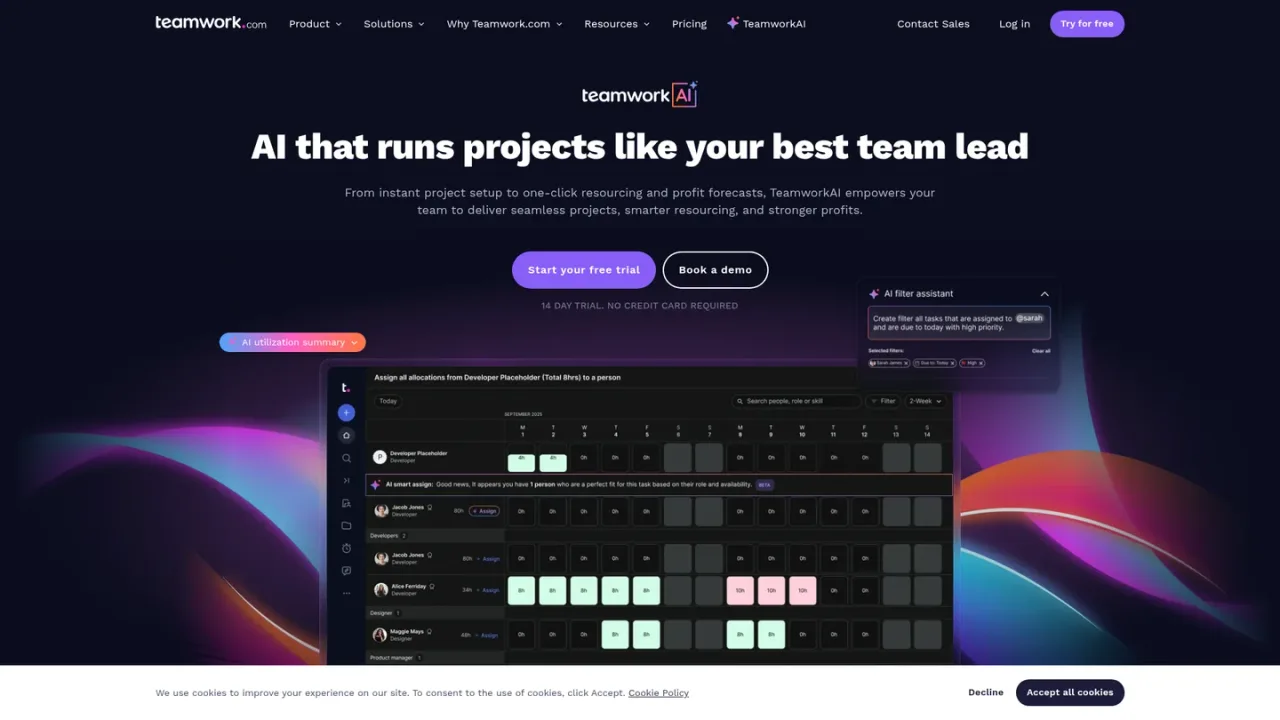
Teamwork AI (TeamworkAI) is the artificial intelligence layer inside Teamwork.com, a project and client work management platform built for client services. It turns messy client briefs into fully fleshed-out projects with tasks, timelines, and team suggestions, and it automates scheduling decisions while tracking utilization so teams can see who is over-capacity, underused, or unassigned. It also provides data-backed predictions for revenue, costs, and profits, and helps log expenses from receipts. Additional capabilities include AI comment summaries, conversational queries over task lists, and AI Teammates agents such as Scout and Flo. A Model Context Protocol server lets AI tools like Claude, ChatGPT, Copilot, and Gemini read and act on Teamwork.com data. Teamwork AI is aimed at agencies, consultancies, IT services, and professional services teams managing client delivery. A 14-day free trial is available with no credit card required.
How to use Teamwork AI
1
Start a free trial
Sign up for a 14-day trial; no credit card is required.
2
Turn a brief into a project
Use the AI Project Creator to transform a client brief into a project with tasks, timelines, and team suggestions.
3
Review utilization and resourcing
Use AI utilization insights to see which team members are over-capacity, underused, or unassigned, and adjust assignments.
4
Forecast financials
Use data-backed predictions for revenue, costs, and profits, and upload receipts to have expense details filled in.
Teamwork AI Features
AI Project Creator turns client briefs into projects with tasks, timelines, and team suggestions
AI utilization insights reveal over-capacity, underused, or unassigned team members
AI profitability forecasting for revenue, costs, and profits
Log and categorize project expenses via AI from receipts
Summarize long comment threads and condense tasks into bullet points
MCP server connects Claude, ChatGPT, Copilot, and Gemini to Teamwork.com data
Teamwork AI Use Cases
Agencies converting client briefs into structured delivery projects
Consultancies balancing team workloads and utilization
IT and professional services teams forecasting project profitability
Project managers summarizing long comment threads and updates
Teamwork AI FAQs
It is the AI layer inside Teamwork.com that helps set up projects, manage resourcing, and forecast financials for client work.
Yes. The AI Project Creator transforms messy client briefs into projects with tasks, timelines, and team suggestions.
Yes. An MCP server lets tools such as Claude, ChatGPT, Copilot, and Gemini read and act on Teamwork.com data.
Yes, a 14-day free trial is available and no credit card is required.
Selected public plans. Basics is USD 9.99 per user/month billed yearly; Accelerate is USD 24.99 per user/month billed yearly. Optimize and Enterprise are quote-based ('Let's talk'). AI credits are shared across the account: 1,000 on Basics, 2,500 on Accelerate, 7,500 on Optimize, with Enterprise allowances agreed in contract; each credit costs $0.01. The Free plan includes the MCP server connection but not the other AI features.
Basics
$9.99USD / per user/month billed yearly
For small teams needing to deliver projects and track time more reliably. Includes 1,000 TeamworkAI credits/month and 2 AI Teammates.
1,000 credits/month
AI Summaries, AI Project & Task Creator and more
2 AI Teammates agents: Scout and Flo
Manage up to 300 projects
5,000 automations
Accelerate
$24.99USD / per user/month billed yearly
For growing teams needing to automate work, manage projects & capacity. Includes 2,500 TeamworkAI credits/month, Ask AI, AI Skills, and 3 AI Teammates.